Page 48 = Key 1 = Key 2 = Key 3= Maximum or consumption = Minimum or supply.
V
V
V
L3
L1
L2
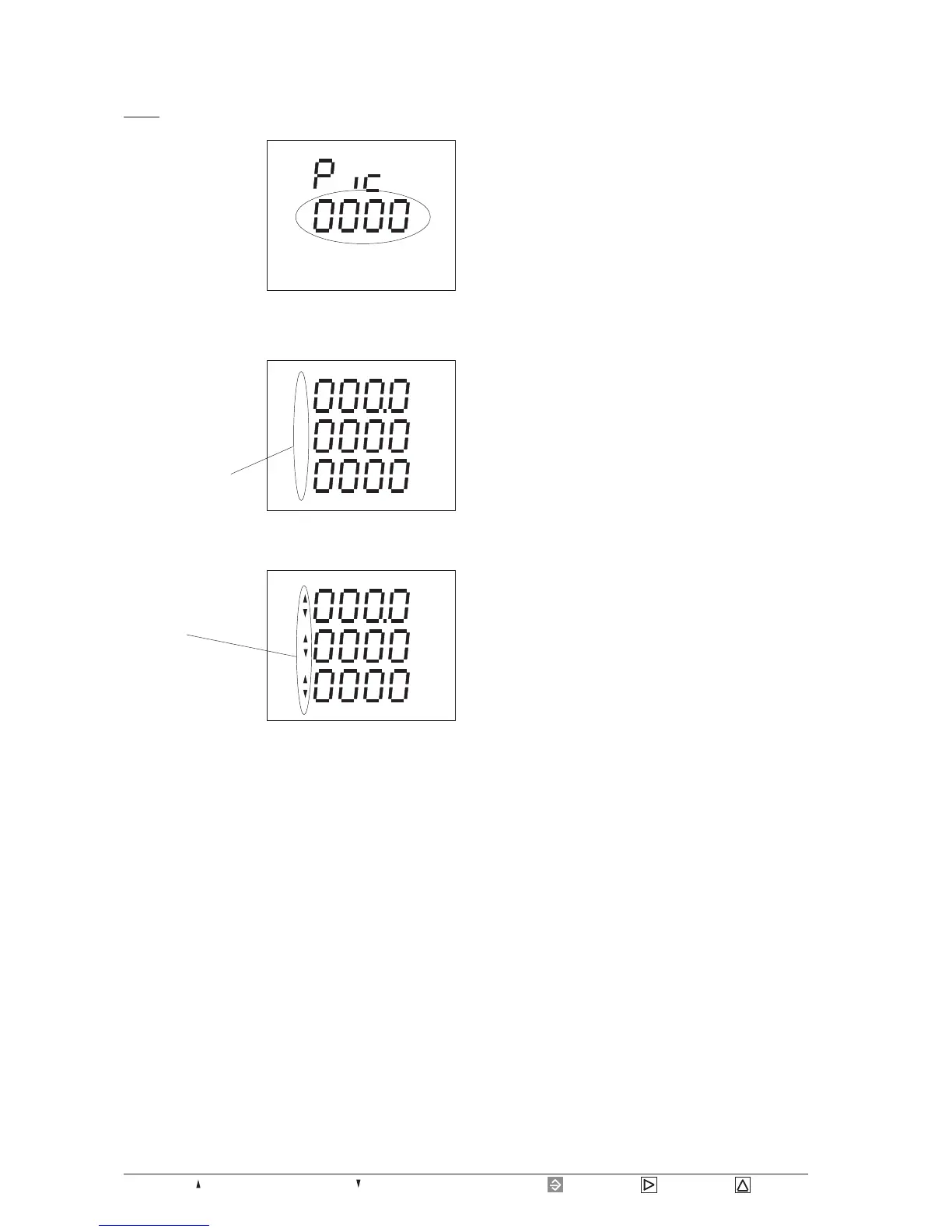
Program measured value selection
Select
Please scroll to display
"changing time Pic" in
menu CONF using key
3.
Confirm selection with
key 1.
The text EDIT appears.
The set changing time
is indicated and flashes.
In this example, a chan-
ging time of 0 seconds is indicated, which means the
measured value rotation is not active.
Change to the measu-
red value selection with
key 2.
In this example, the
measured value indica-
tion for voltage L
against N appears.
The measured value in-
dication has not been
programmed for the
measured value rotation yet.
Pressing key 1 shortly,
the measured value in-
dication becomes active
for the measured value
rotation.
Pressing key 1 again
shortly, the display
becomes inactive again.
Pressing key 1 longer,
you change back to the programming of changing time.
The number 1 of changing time is flashing.
By a long press of key 1 you save programming and go
back to the first measured value indication.
CONFEDIT
V
V
V
L3
L1
L2








 To Next Page