FX-1/FX-1R Maintenance Manual
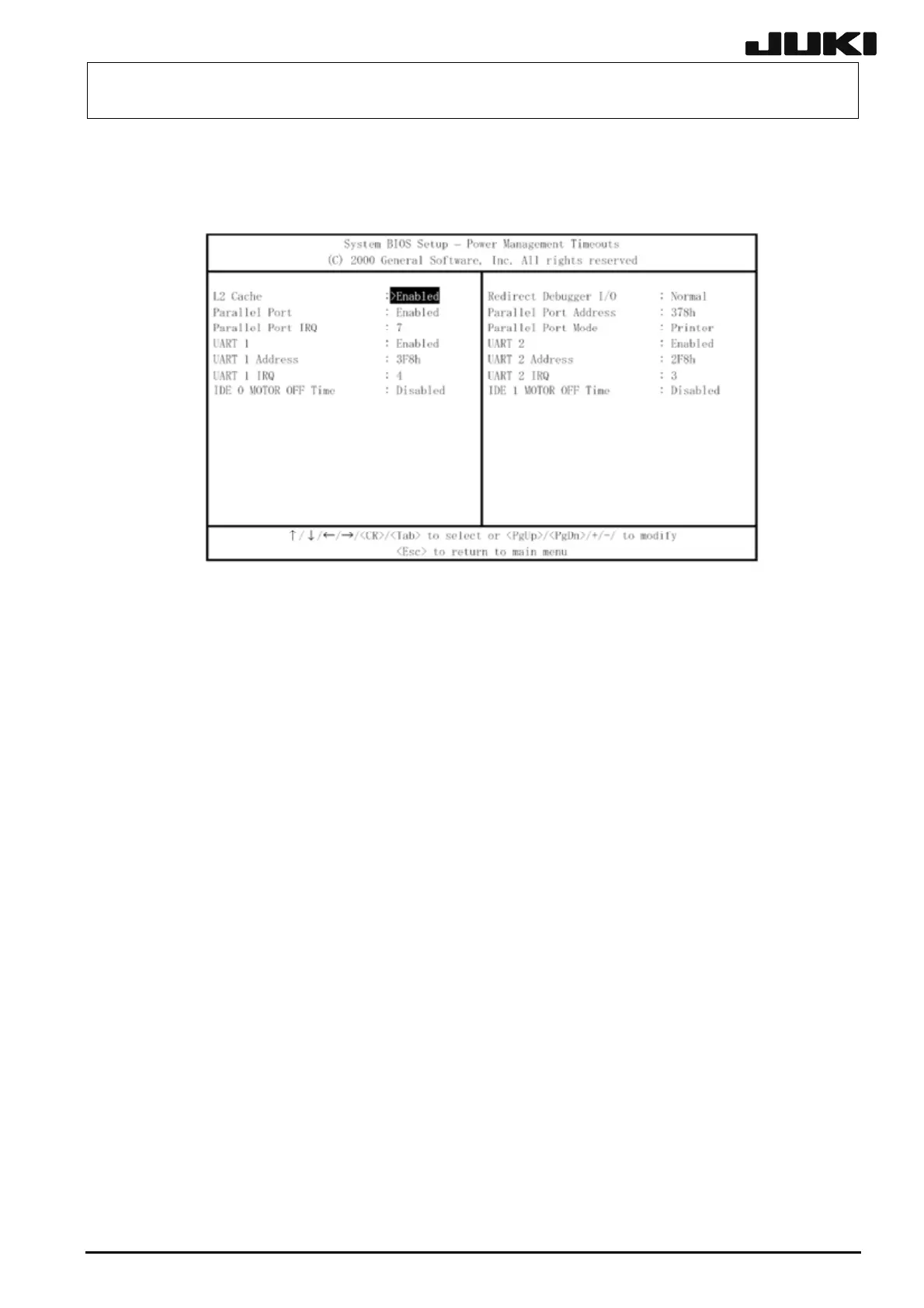
(6) Changing "Custom Configuration"
When the screen is transited to the Main screen, move the cursor to "Custom Configuration"
and display the following screen.
The contents displayed on the screen show the default values.
(7) Changing IDE 1 MOTOR OFF TIME
Using the arrow key, move the cursor to "IDE 1 MOTOR OFF TIME". After that, change
"Disabled" to "30min" using the <PgUp>, <PgDn>, <+>, or <-> key.
(8) Exiting the BIOS setup process
Press the <Esc> key to return the screen to the Main screen. From the menu shown on the
Main screen, select "Write to CMOS and Exit" to save the BIOS setting and exit the setup
process.
12-12
Rev. 2.00



 To Next Page
 Loading...




