FX-1/FX-1R Maintenance Manual
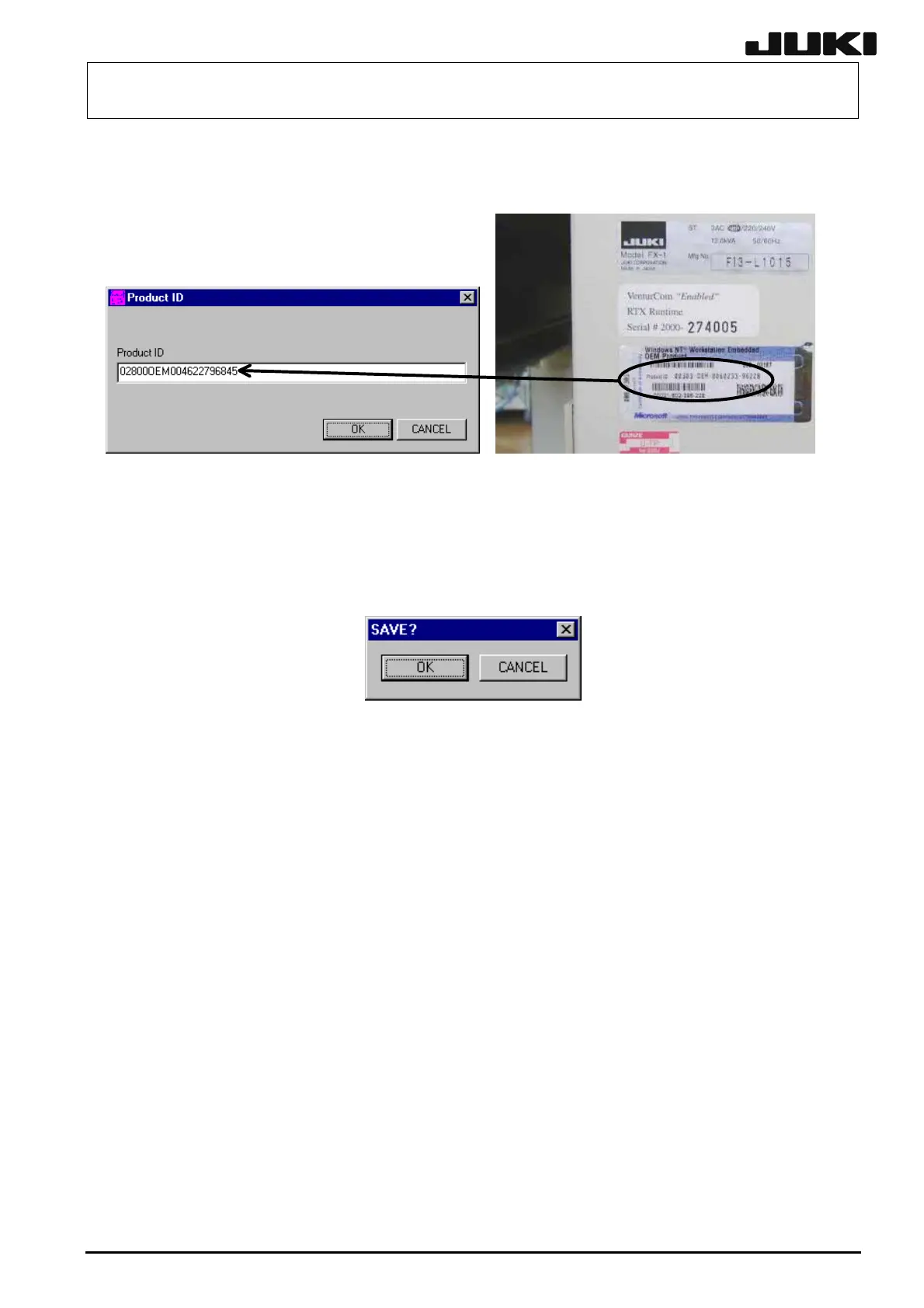
(3) The ProductID input screen will appear. Input the ProductID with hyphen (-) skipped that is
shown on the Certificate of Authenticity supplied with the machine.
The Certificate of Authenticity (showing the Product ID of WindowsNT) is described on the
license label (shown in the figure above) put around the pilot lamp on the right side of the main
unit.
(4) Select the [OK] button. The following Save confirmation screen will appear. Select the [OK]
button.
• Other drivers
In addition to the above description, if the CD-ROM of WindowsNT is required when setting
up the printer or network, use the contents of the CD-ROM since they are copied in the
following folder.
C:\WinNT\Options\Cab\I386
12-37
Rev. 2.00



 To Next Page
 Loading...




