5 Operation
26
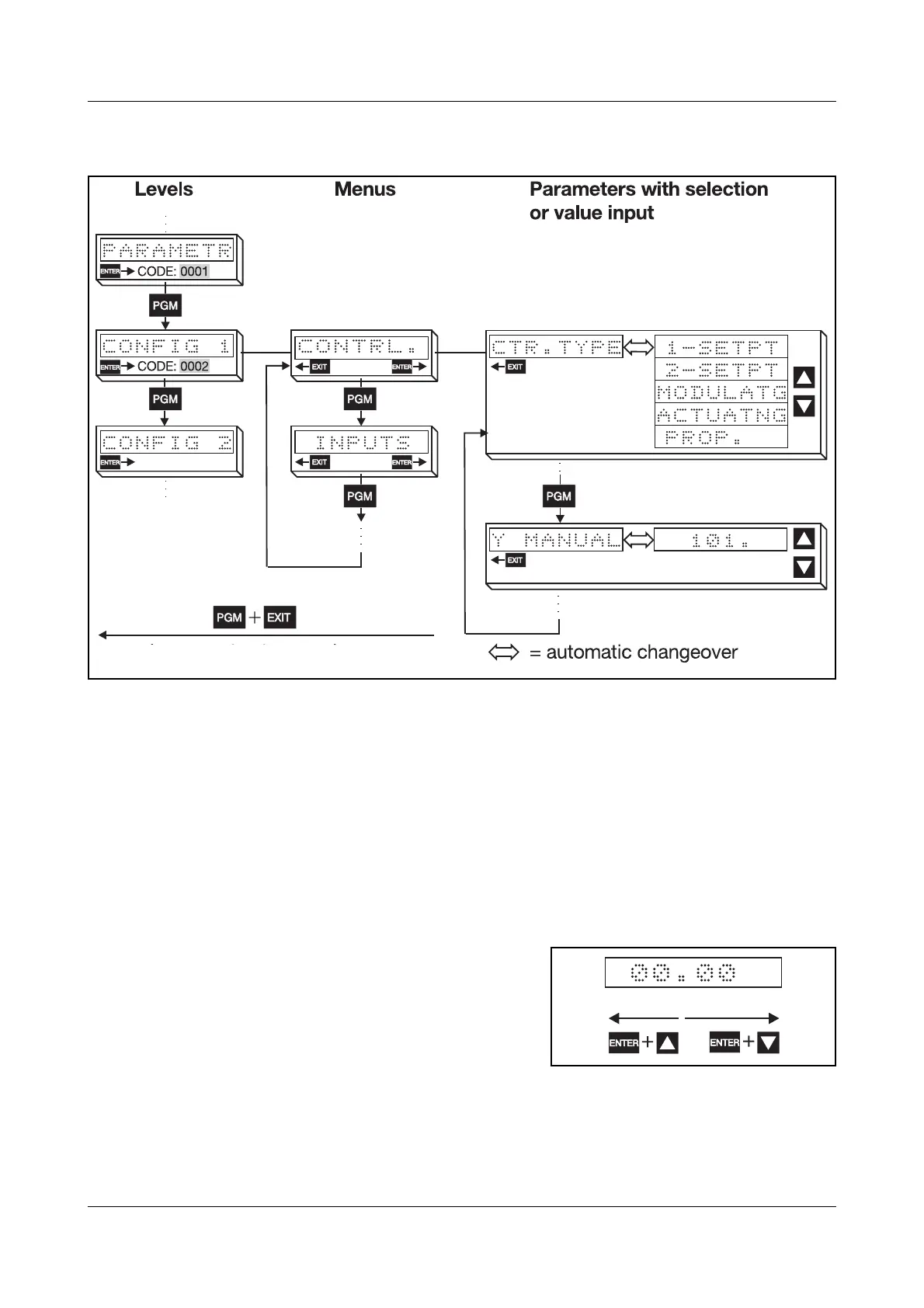
Levels and
menus
Each level is divided into menus, thus creating a tree structure which has a se-
lection or a value input at the end of each branch.
5.4 Entering values and selecting settings
Value input h Increase parameter value with I
h Decrease parameter value with
D
The longer the key is pressed, the more quickly the value changes. Approx.
1sec after releasing the key, the entry is accepted automatically (display flash-
es briefly).
Parameters can be altered within their value range or within the maximum val-
ues that can be displayed (e. g. 2 decimal places: -99.99 to +99.99).
Shifting the
decimal point
h Increase the decimal places with
E + I
h Decrease the decimal places with
E + D (last digit must be 0)
(return to basic status)
■ = factory setting


 To Next Page