39
7 Profile program editor
7.5 Deleting segments
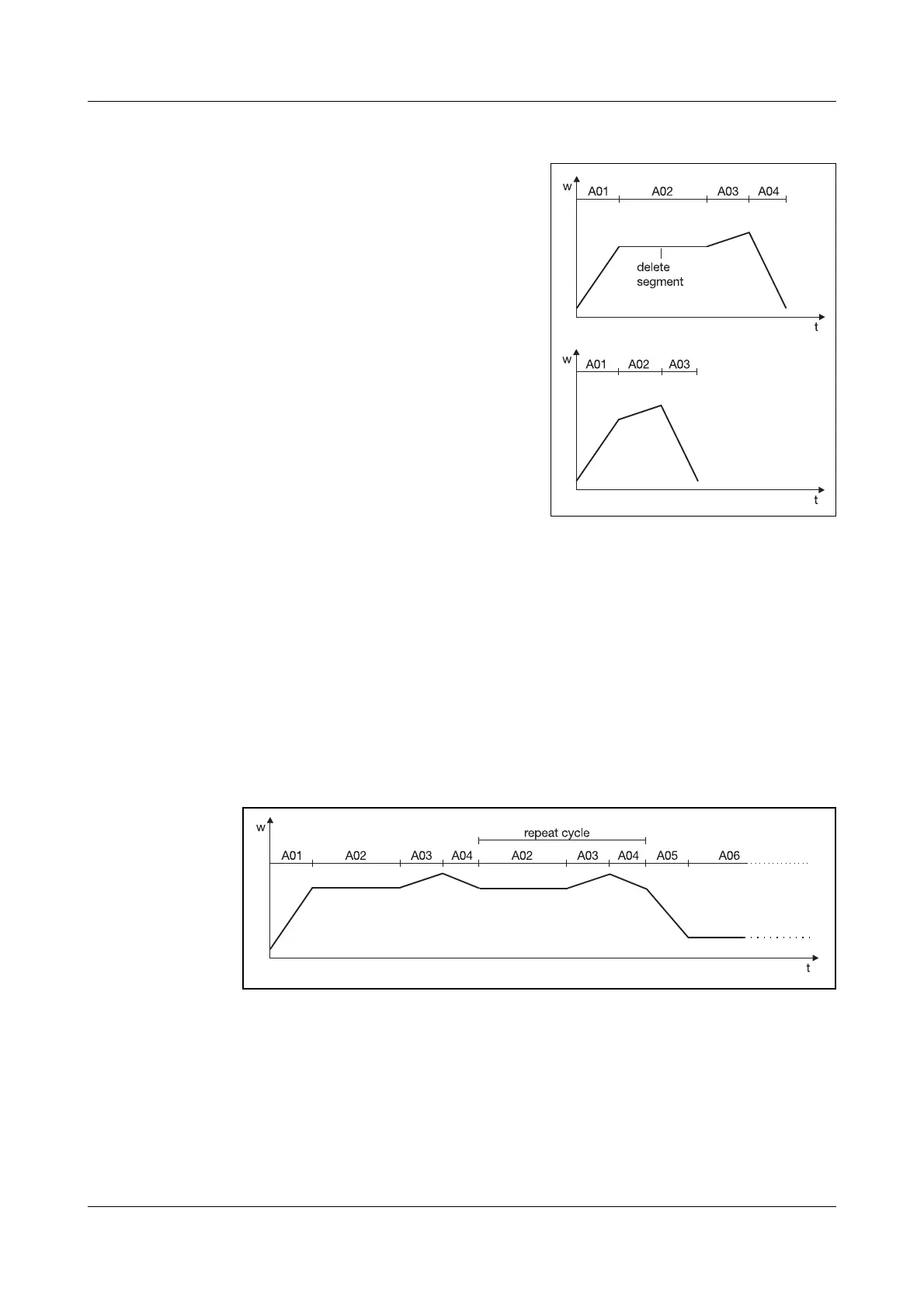
When a segment is deleted, the subse-
quent segments move up and are auto-
matically renumbered. The profile will
change according to the preconfigured
setpoints.
h Select “Delete segment”
h Continue with
E
h Enter the segment number of the
segment to be deleted
(in this case: 2)
h Confirm with
E
7.6 Programming repeat cycles
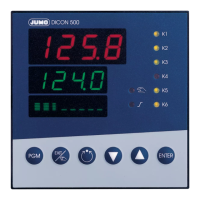
A group of consecutive segments can be repeated up to 99 times or indefinite-
ly (input: -1). Repeat cycles are programmed in the menu of the last segment
in the group. The first segment of the group is defined in the setting “Target
segment”.
Example A02 — A04 are to be repeated once.
h Edit segment 4
h Set the repeat cycles to “1”
h Set the target segment to “2”


 To Next Page