37
7 Profile program editor
7.2 Editing segments
An existing segment can be edited.
The segment number entry is limited
by the segment that was defined last.
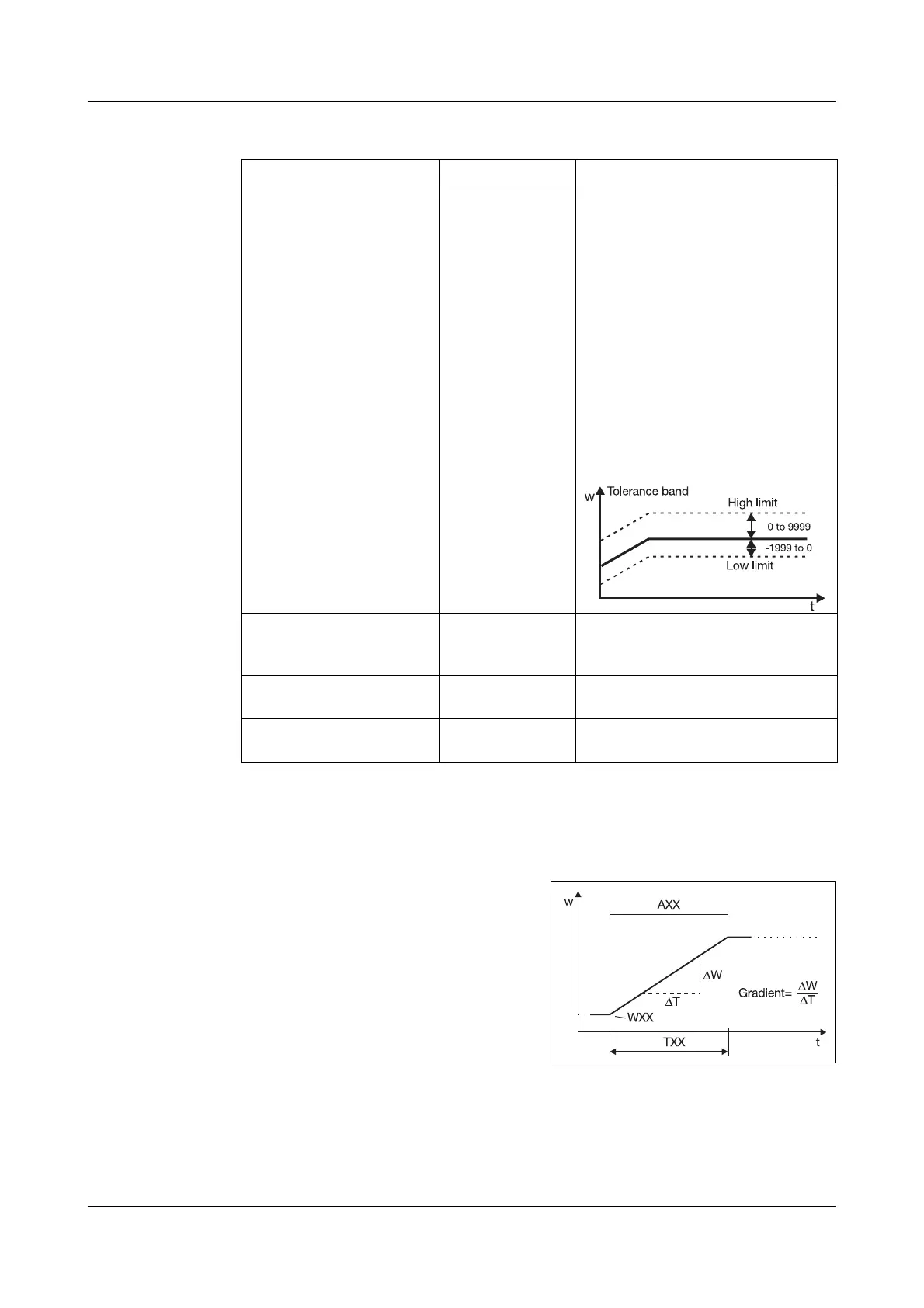
A segment is defined through the
input of a setpoint and a segment
time or gradient.
PGM EDIT ➔ PGM NO. (1—10)
Parameter Value/selection Description
Insert segment
Segment number
Segment setpoint
Segment time
Gradient
Operating contact 1
…
Operating contact 8
Minimum limit
of tolerance band
Maximum limit of
tolerance band
Parameter set
number
Repeat cycles
Target segment
➔ SEG INS.
➔ SEG NO.
➔ SETPOINT
➔ SEG TIME
➔ DEGC/MIN
➔ OPCNTCT1
…
➔ OPCNTCT8
➔ TOL.MIN
➔ TOL.MAX
➔ PARA.SET
➔ CYCLES
➔ TARGTSEG
1.
0.
00:00:00
0.
OFF
OFF
-1999.
9999.
1
0.
1.
1—100
Value within the setpoint limits
00:00:00—99:59:59
0—999
ON
OFF
-1999 to 0 (0 = no limiting)
0 to +9999 (0 = no limiting)
1—2
-1—0 to +99 (-1 = infinite)
1—100
Copy segment
Segment number
Target segment
➔ SEG COPY
➔ SEG NO.
➔ TARGTSEG
1.
1.
1—100
1—100
Delete segment
Segment number
➔ SEG DEL.
➔ SEG NO. 1. 1—100
Delete program ➔PGM DEL. 0. -1—10 (-1=delete all programs)
factory-set code: 1001
Factory settings are shown bold.
If the segment time is 0, then the segment will not be accepted.
All digits must be confirmed with
E.



 To Next Page