5 Operation
32
5.9 Display switching
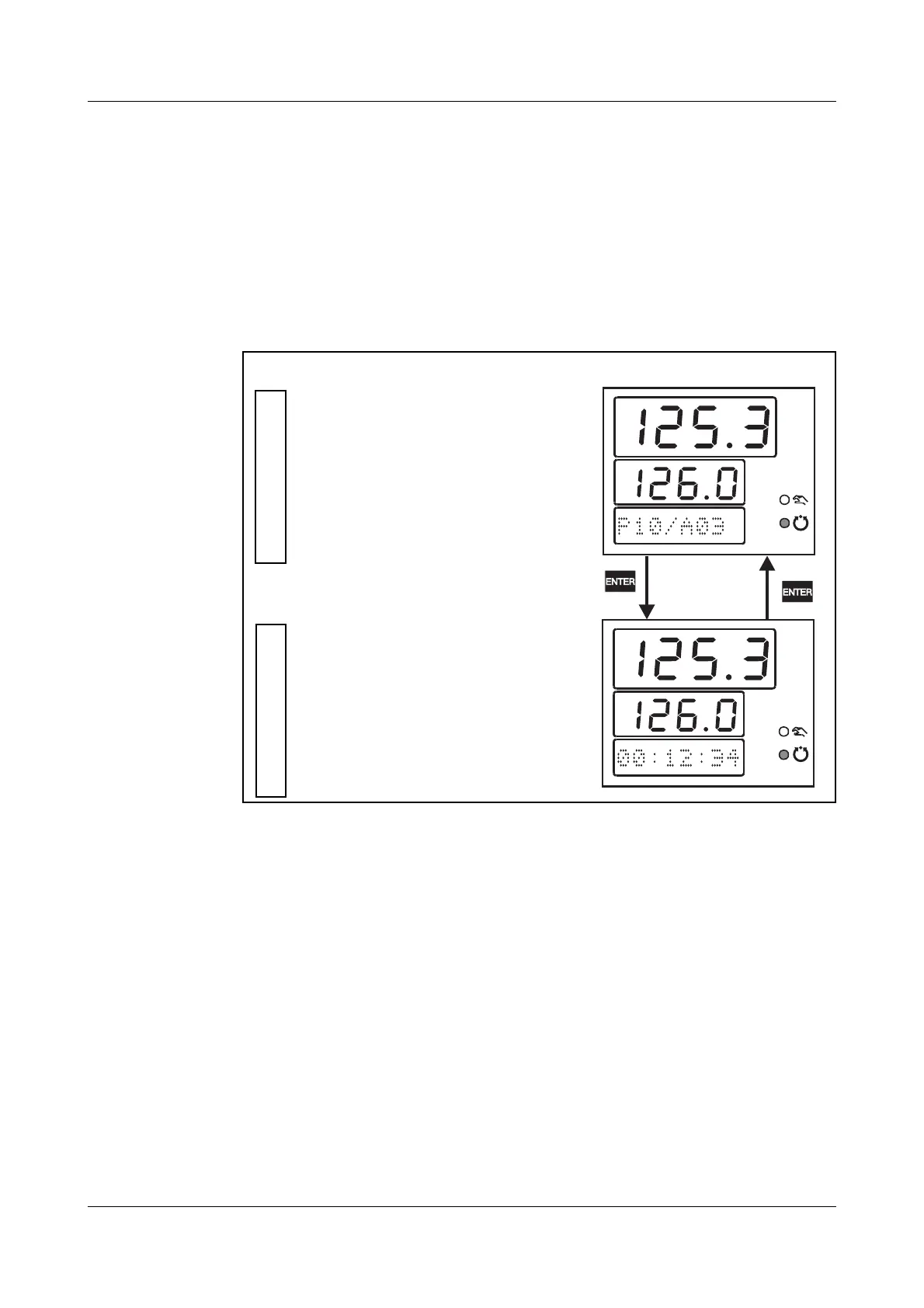
Two display configurations can be defined which determine the display of val-
ues and process variables on the 7-segment displays and the dot-matrix dis-
play.
The presentation in the dot-matrix display is only active in automatic mode.
h Switch display with E
or automatic changeover after an adjustable time period.
Display switching can be de-activated.
Relevant
settings
Configuration level 1 r Display r Configuration 1+2
Configuration level 1 r Display r Automatic display changeover
Display 1: Process value
Display 2: Setpoint
Display 3: Program status
Display 1: Process value
Display 2: Setpoint
Display 3: Residual program
run-time
Configuration 1
Configuration 2
Example



 To Next Page