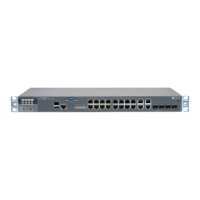
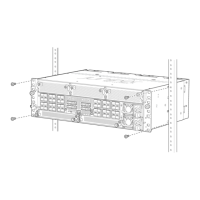
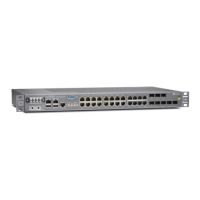
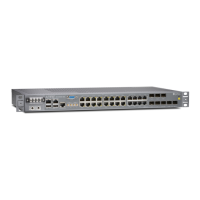
Rack Requirements for an ACX5000 Router | 86
ACX5048 and ACX5096 Network Cable and Transceiver Planning | 88
Determining Transceiver Support for the ACX5000 | 88
Cable Specifications for QSFP+ and QSFP28 Transceivers | 89
Calculating Power Budget and Power Margin for Fiber-Optic Cables | 91
How to Calculate Power Budget for Fiber-Optic Cable | 92
How to Calculate Power Margin for Fiber-Optic Cable | 92
Fiber-Optic Cable Signal Loss, Attenuation, and Dispersion | 94
Signal Loss in Multimode and Single-Mode Fiber-Optic Cable | 94
Attenuation and Dispersion in Fiber-Optic Cable | 94
ACX5048 and ACX5096 Management Cable Specifications and Pinouts | 95
Cable Specifications for Console and Management Connections for an ACX5000 Router | 95
Management Port Connector Pinouts for an ACX5000 Router | 96
Console Port Connector Pinouts for an ACX5000 Router | 97
USB Port Specifications for an ACX5000 Router | 98
Initial Installation and Configuration
ACX5048 and ACX5096 Installation Overview | 101
Unpacking and Mounting the ACX5048 and ACX5096 Routers | 102
Unpacking an ACX5000 Router | 102
Mounting an ACX5000 Router in a Rack or Cabinet | 103
Before You Begin Rack Installation | 104
Four Post Procedure | 106
Two Post Procedure | 108
Connecting the ACX5048 and ACX5096 to Power | 109
Connecting the ACX5000 Router to Earth Ground | 110
Connecting AC Power to an ACX5000 Router | 112
Connecting DC Power to an ACX5000 Router | 114
Connecting the ACX5048 and ACX5096 to External Devices | 120
Connecting an ACX5000 Router to a Management Console | 120
Connecting an ACX5000 Router to a Network for Out-of-Band Management | 121
Initially Configuring the ACX5000 Router | 122
v


 To Next Page