•
Figure 13 on page 26 shows the location of the LEDs on the uplink module ports on the
SFP+ and SFP+ MACsec uplink modules.
•
Figure 14 on page 26 shows the location of the LEDs on the uplink module ports on the
XFP uplink module.
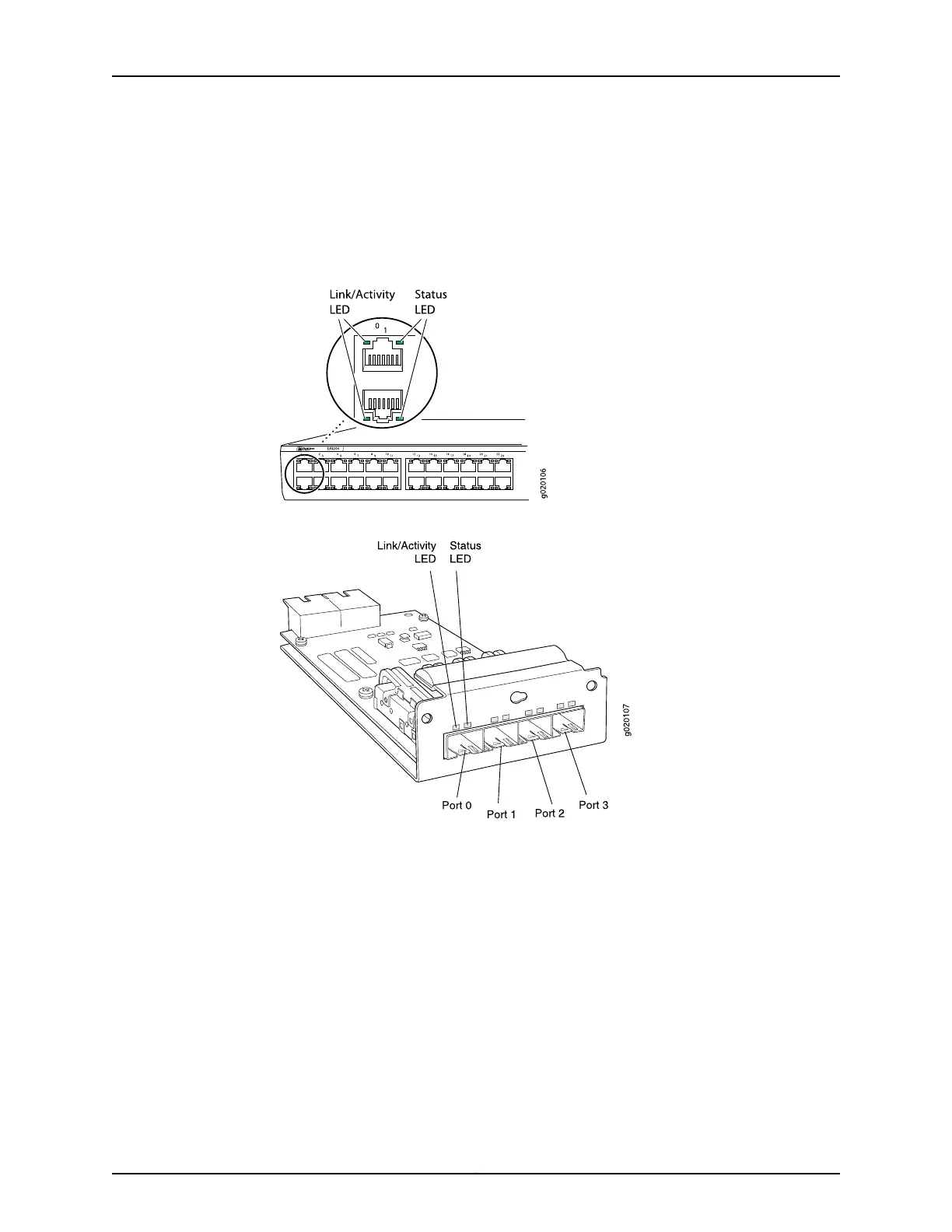
Figure 11: LEDs on the Network Ports on the Front Panel
Figure 12: LEDs on the Uplink Module Ports on the SFP Uplink Module
25Copyright © 2017, Juniper Networks, Inc.
Chapter 2: Chassis Components and Descriptions




 To Next Page