Instructions for use ELECTROmatic TM and TMM/TMC
3 Description of the product | 3.5 Control panel
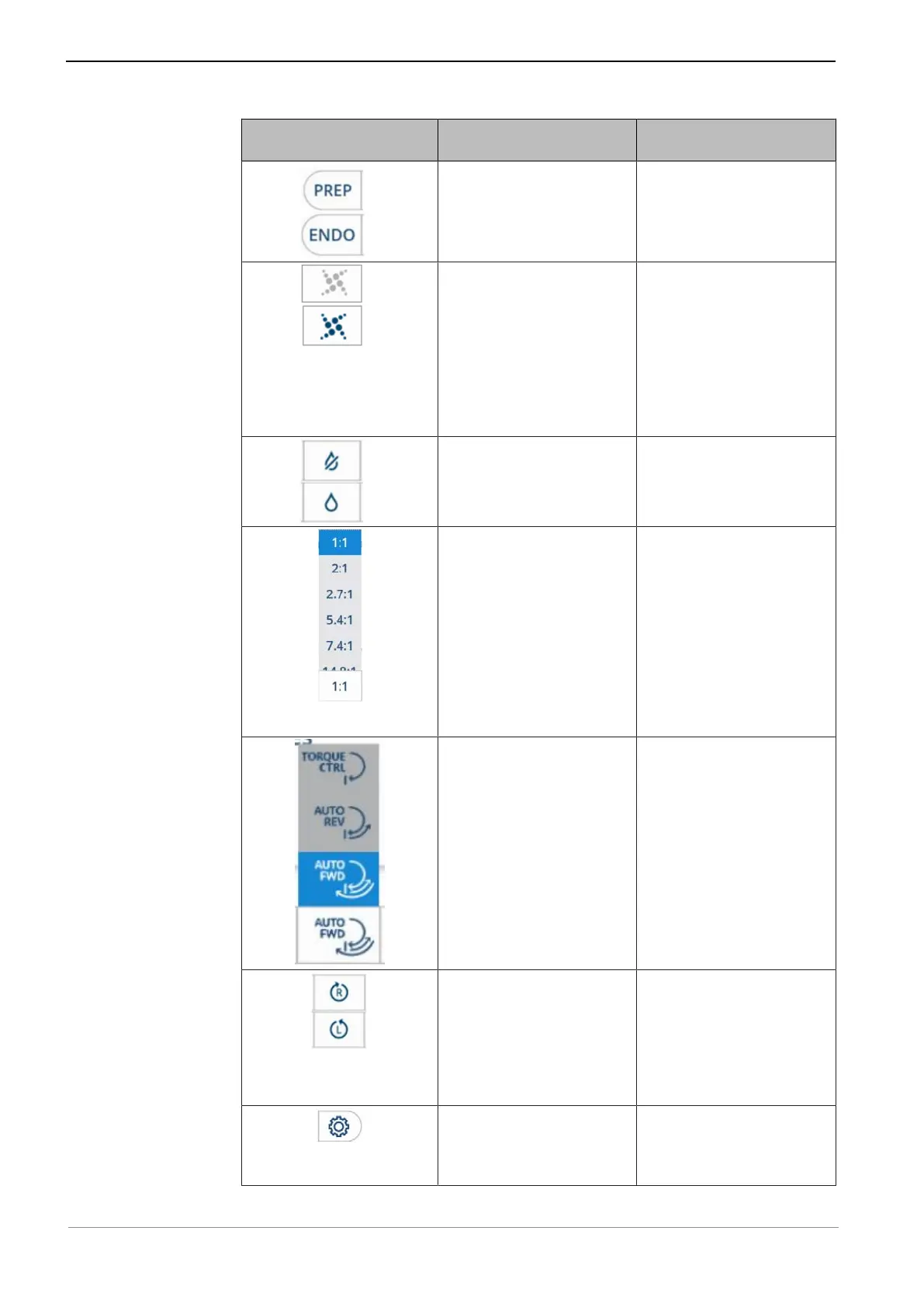
Control element Name/type of control
element
Feature
Toggle switch
"ENDO"/"PREP" modes
▶ Press the control ele-
ment, "ENDO"/"PREP"
mode, to toggle
between PREP and
ENDO mode.
Toggle switch
"SAFEdrive"
▶ Press the control ele-
ment, "SAFEdrive", to
switch SAFEdrive On/
Off.
See also:
2 6.4.3 Protection func-
tion SAFEdrive, Page
59
Toggle switch "Spray wa-
ter"
▶ Press the control ele-
ment, "Spray water",
to switch the spray
water On/Off.
Selection list "Instrument
transmission ratio"
▶ Press the control ele-
ment, "Transmission
ratio", to open the se-
lection list.
▶ Tap on a transmission
ratio in the selection
list or scroll the selec-
tion list up or down to
show more selection
options, and select
one.
Selection list "Torque
mode"
▶ Press the control ele-
ment, "Torque mode",
to open the selection
list.
▶ Tap on torque mode in
the selection list.
Toggle switch "Direction
of motor rotation"
▶ Press the control ele-
ment, "Direction of
motor rotation", to
switch the direction of
motor rotation to
clockwise/counter-
clockwise.
Submenu "Settings" ▶ Press the control ele-
ment, "Settings", to
start the "Settings"
menu.
23 / 90









 To Next Page