Instructions for use ELECTROmatic TM and TMM/TMC
4 Installation | 4.7 Installation position 4: Mount control panel as remote control
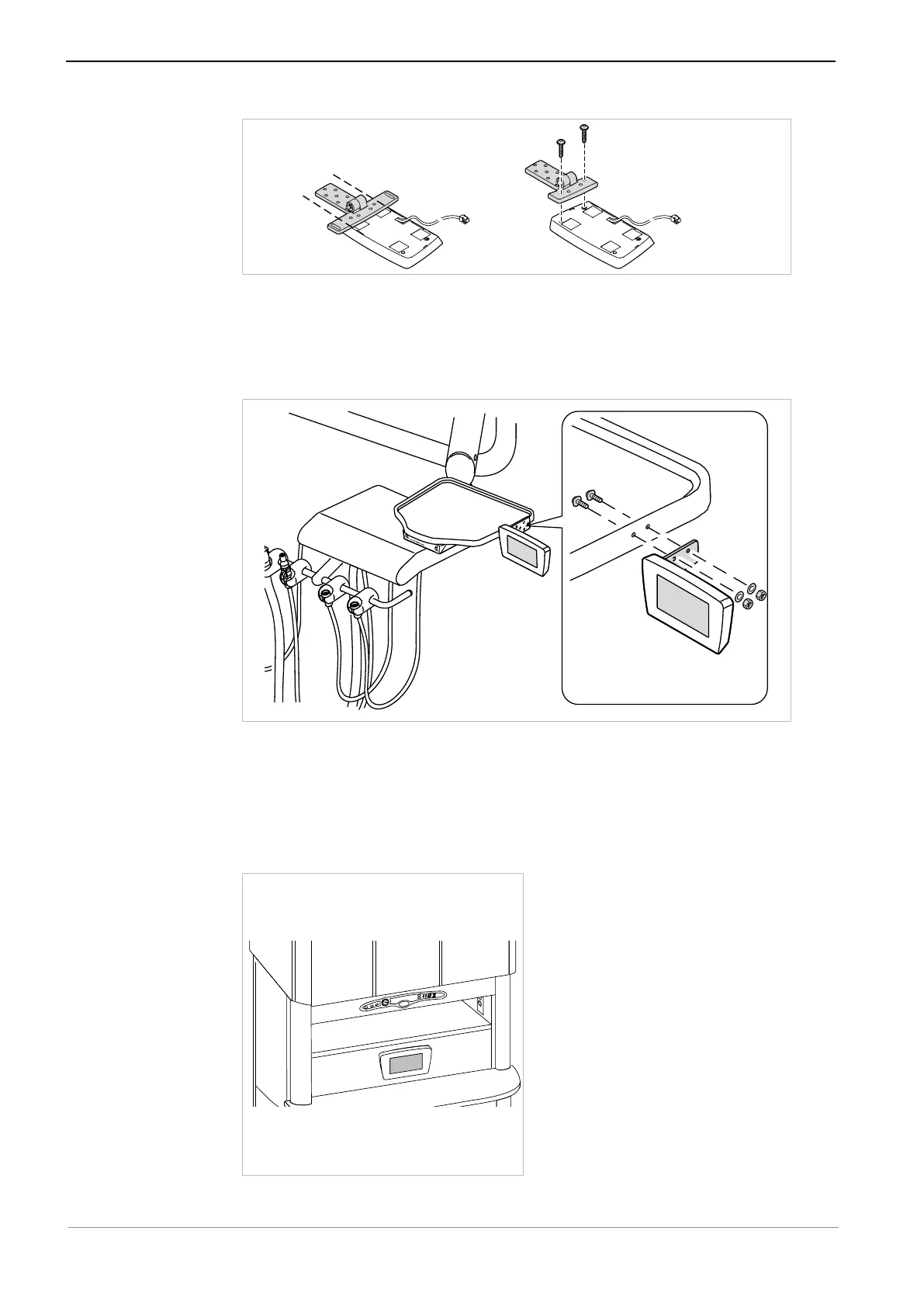
▶ Mark the fixing points on the holder and drill the holes.
▶ Use the 2 screws ④ and the washers ② to screw the mounting bracket with
control panel to the holder and secure it with the nuts ①.
▶ Align the ELECTROmatic in its final ergonomic position and screw it down
such as to be hand-tightened.
▶ Mount the control unit.
See also:
2 4.4 Installation position 1: Mount below a holder, Page 36
4.7.4 Mount control panel to cabinet/wall
Installation on a cabinet/wall
47 / 90









 To Next Page