Instructions for use ELECTROmatic TM and TMM/TMC
6 Operation | 6.5 ENDO Mode
Manufacturer File system Manufacturer File system
COLTENE ▪ HyFlex™ EDM
▪ HyFlex™ CM
Dentsply ▪ ProFile®
▪ ProTaper®
Universal
▪ ProTaper Next
▪ ProFile® GT
▪ PathFile™
▪ GT Series X®
▪ ProFile®
Vortex®
▪ Protaper Gold
▪ Vortex Blue
▪ TRUShape
FKG ▪ BioRace
KOMET ▪ F360
MICRO-MEGA ▪ Hero 642®
▪ Revo-S™
Kerr Endodontics
(SybronEndo)
▪ K3™
▪ Lightspeed
▪ TF™
Twisted Files
VDW ▪ Mtwo®
6.5.3 Defining/changing ENDO file sequences in the file
editor
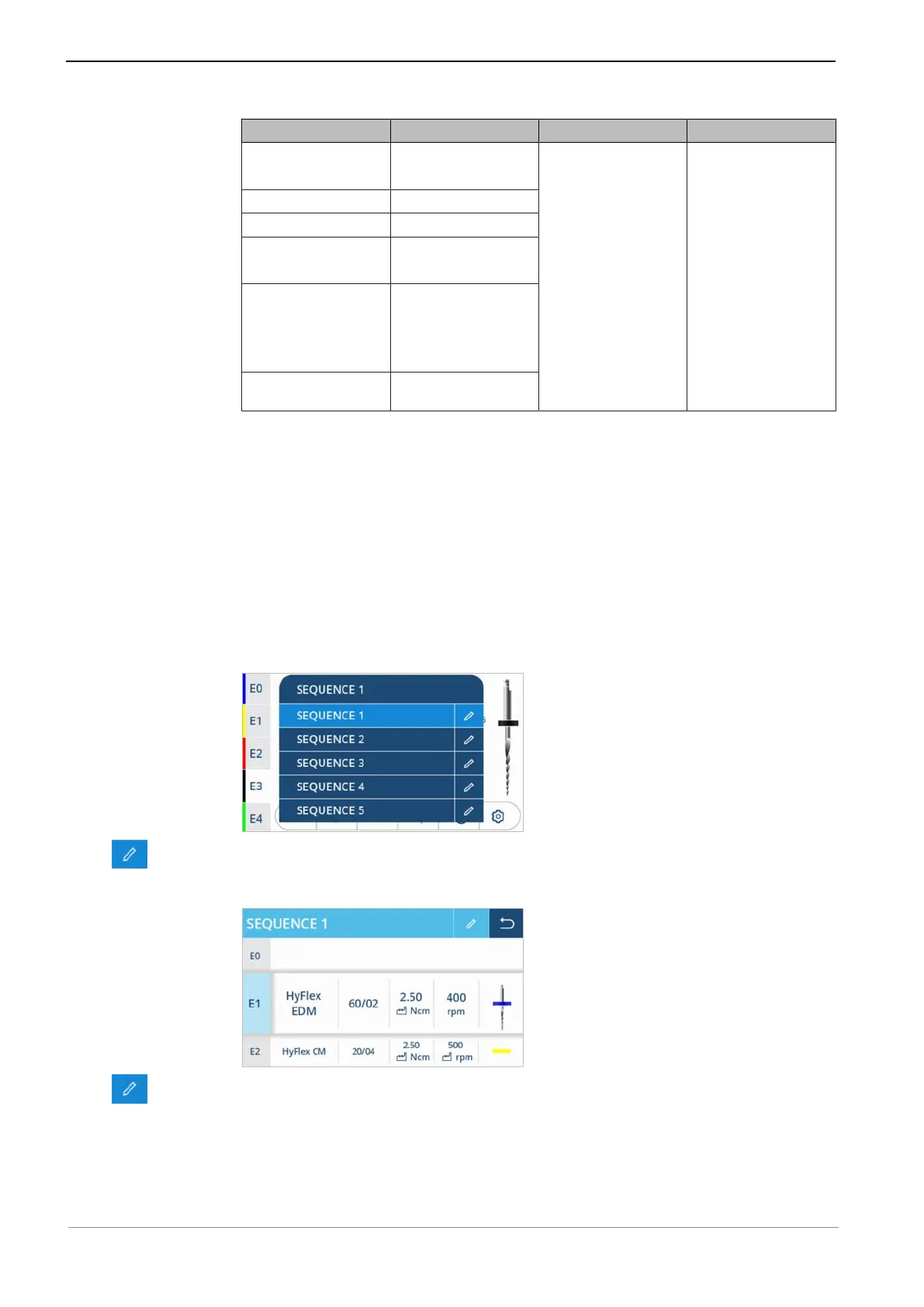
The user can compile individual workflows by defining file sequences in the file
editor. Up to 5 different file sequences with 10 files each (e.g. E0 to E9) can be
defined. Files from different file systems can be combined in a file sequence.
The 1st sequence includes exemplary data that needs to be adapted by the
user.
▶ Open the file editor, then tap file sequence "SEQUENCE 1" to display the se-
lection list of the file sequences.
▶ Tap the "Pen" control element to edit the sequence.
ð The display shows file sequence "SEQUENCE 1" in editing mode.
▶ Tap the "Pen" control element again to edit the sequence name.
63 / 90










 To Next Page