69
Drum Brake - Rogue XP
NOTE: Remove wheels and axle sleeves before beginning the drum brake instructions.
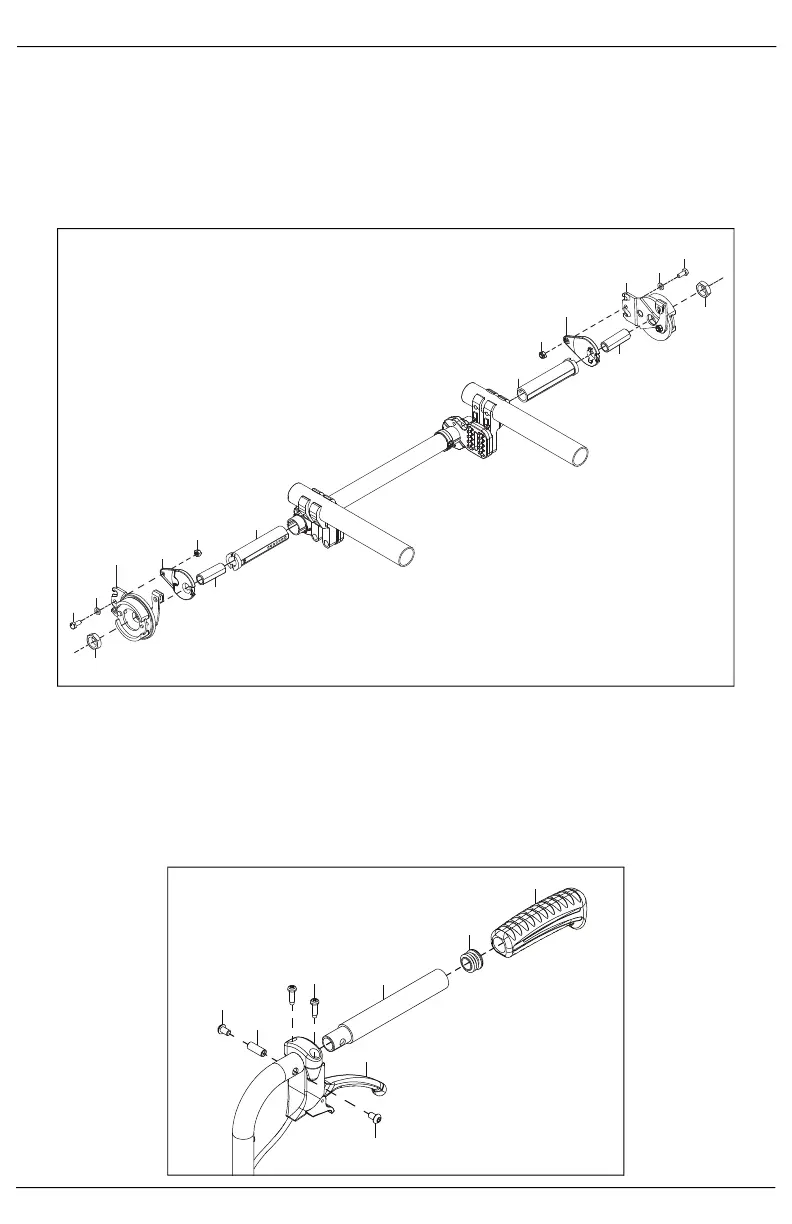
1. Install the drum brake adapter (D) to the drum brake rotor (C or I) with bolt (A), washer (B) and nut (E)
using two 10mm wrenches.
2. Install the drum brake rotor assembly to the chair using the camber tube adapter (H) and axle sleeve
(G) which are secured with the nut (F) on the outside of the drum brake rotor.
NOTE: If camber is desired, the camber comes from the camber tube adapter (H) which is available
with 0°, 2°, 4°, 6° and 8° of camber.
3. Install the cable to the trigger lever (D) by removing the lever from the mount and removing the cable
core from the cable jacket and routing it through the rearmost hole in the lever. Replace the lever and
thread the core back through the cable jacket.
4. Install trigger lever (D) and extension adapter (E) to the back post handle with four screws (A & C) and
threaded barrel (B).
5. Install the tube end plug (F) on the back of the extension adapter.
6. Install the push handle grip (G) onto the extension adapter.



 To Next Page