KINOVA
®
Gen3 Ultra lightweight robot User Guide 30
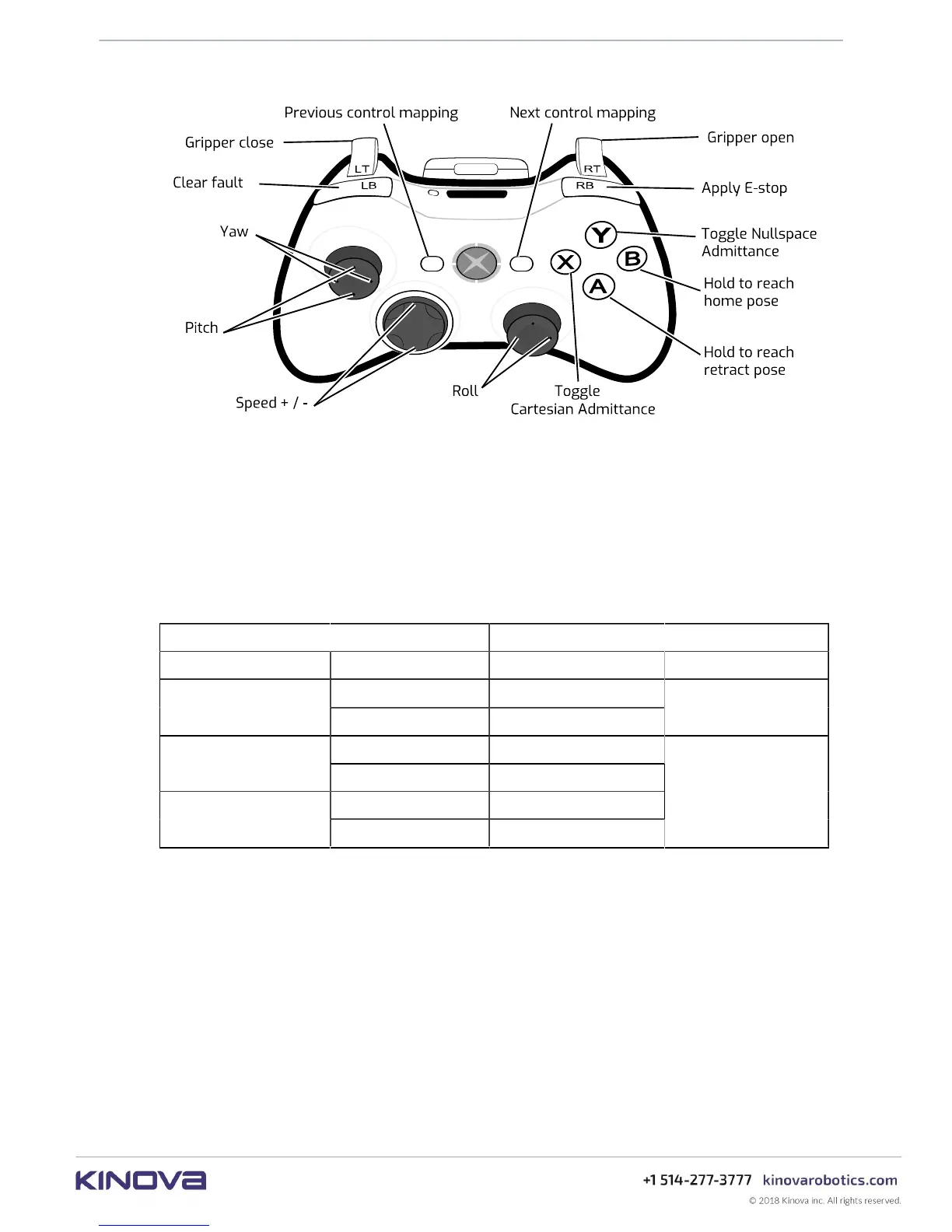
Figure 7: Twist angular controls with Xbox gamepad
Joint mapping
Joint control offers direct control of the rotational movement of the joint actuators. In this
mode you can toggle through the joints (actuators) one by one, starting with the first and going
through in increasing order. On reaching the last actuator, it will then cycle back to the first. The
joint angular speed (ω) can be controlled.
Table 8: Joint - general controls plus:
Action Control
Toggle admittance Joint X button
ω-
left
Joint speed
ω+
right
L stick
increase up
Speed
decrease down
Previous left
Navigate joints
Next right
D-pad



 To Next Page