44
5 Use moving oor trailer
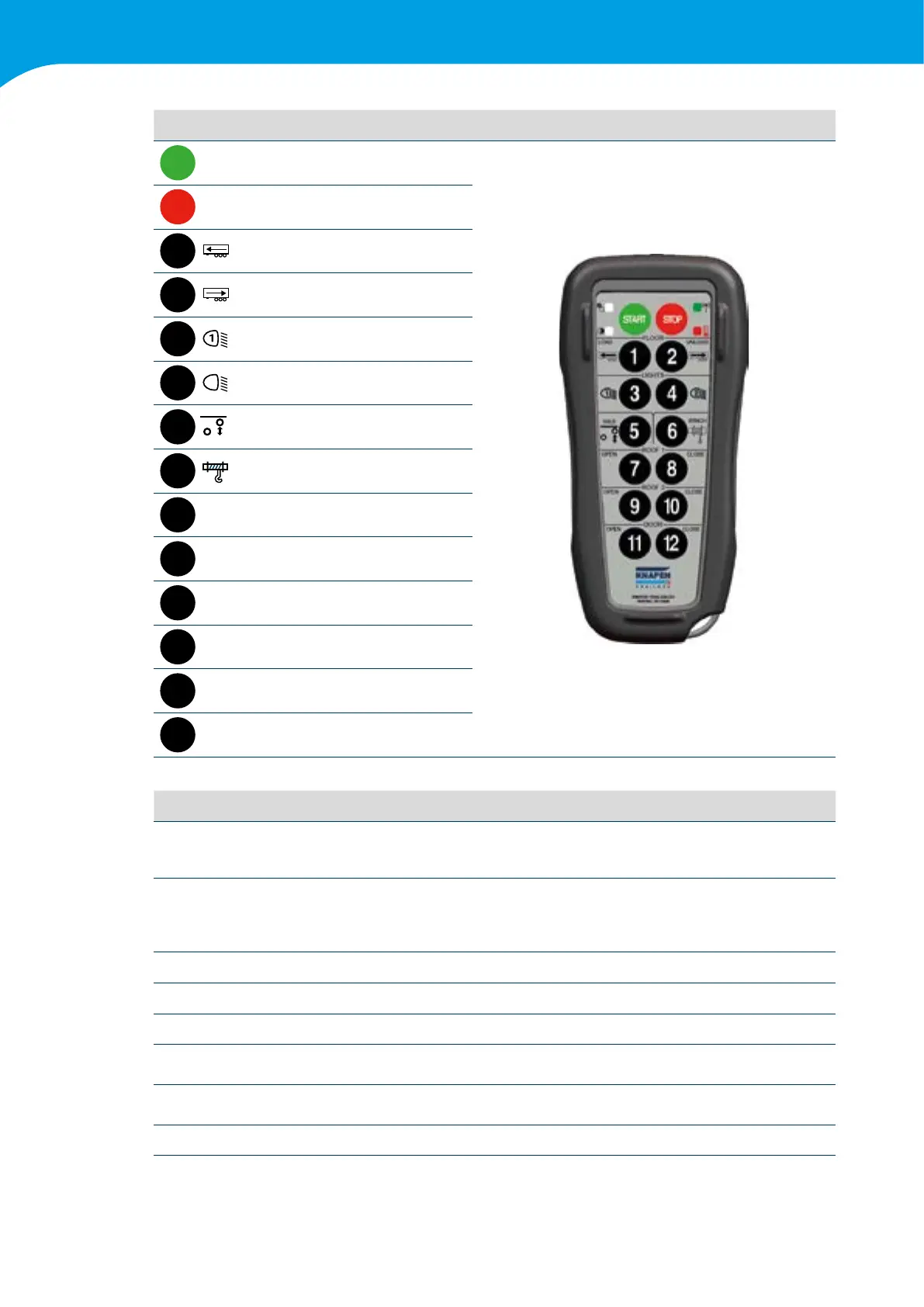
Button Function Mode 12-Function remote control
START
SYSTEM START -
STOP
SYSTEM STOP -
1
FLOOR "LOAD” M
2
FLOOR "UNLOAD” L
3
LIGHTS1 L
4
2
LIGHTS2 L
5
AXLE M
6
WINCH M
7
ROOF 1 "OPEN” M
8
ROOF 1 "CLOSE” M
9
ROOF 2 "OPEN” M
10
ROOF 2 "CLOSE” M
11
DOOR "OPEN” M
12
DOOR "CLOSE” M
Functions
SYSTEM START Press the START button to switch on the receiver. Press START a second time to ensure
the functions can be operated.
SYSTEM STOP Asystemstop(nooperationpossible)canbeachievedindifferentways:
• when no function has been operated for a time longer than 2 minutes
• when the STOP button is pressed
• when the connection is lost because the transmitter is out of range
FLOOR "LOAD” Controlstheloadfunctionofthemovingoor.
FLOOR "UNLOAD” Controlstheunloadfunctionofthemovingoor.
LIGHTS1andLIGHTS2 Switchtheworklightsonoroff.(Attention:Thisisoptional)
AXLE This operate the axle lift. Holding it down for less than 5 seconds is to lift. Holding it
downforlongerthan5secondsmeansforcedlowering.(Attention:Thisisoptional)
OPEN and CLOSE These 6 buttons are used to open and close the option(s) you chose, such as an
automatic roof or a hydraulic valve.
WINCH This operates the winch.



 To Next Page