45
User Manual EN | v201906
Mode
M As long as the user keeps the button pressed, the corresponding function on the
receiver will remain active
L Functioningisthesameaswithalightswitchinthehouse:pressingonceisONand
the next press is OFF.
Funktion
1 Floor "Unload"
B: Floor
D:
2 500mm
2x1qmm (7214-20)
2 500mm
2x1qmm (7213-20)
6
8
13
10
9
11
D: Power
B: Sicma
10 000mm
2x1qmm (7214-20)
14
5
2pol.ASS2 SW
2pol.Buchse
2pol.Buchse
3
6/3
12
15
Unload
Load
WS / 4
SW / 7
B
D
B
D
1
4
14
6
913
12
10
15
3
6
/
3
5
8
11
2
7
2 Floor "Load"
3 Close (Roof 1 / Powersheet)
4 Supply-
5 Lights 2
6 Open (Roof 1 / Powersheet)
7 Supply +
8 Winch
9 Open Door
10 Pump
11 Open Roof 2
12 Close Roof 2
13 Lights 1
14 Door close
15 Lift Axle
Lighting of the remote control
The remote control is equipped with a light sensor which detects whether it is necessary to switch on the button
lighting. Press a random button (except STOP) once to switch on the button lighting. A second pressing of the
desired button will control the function.
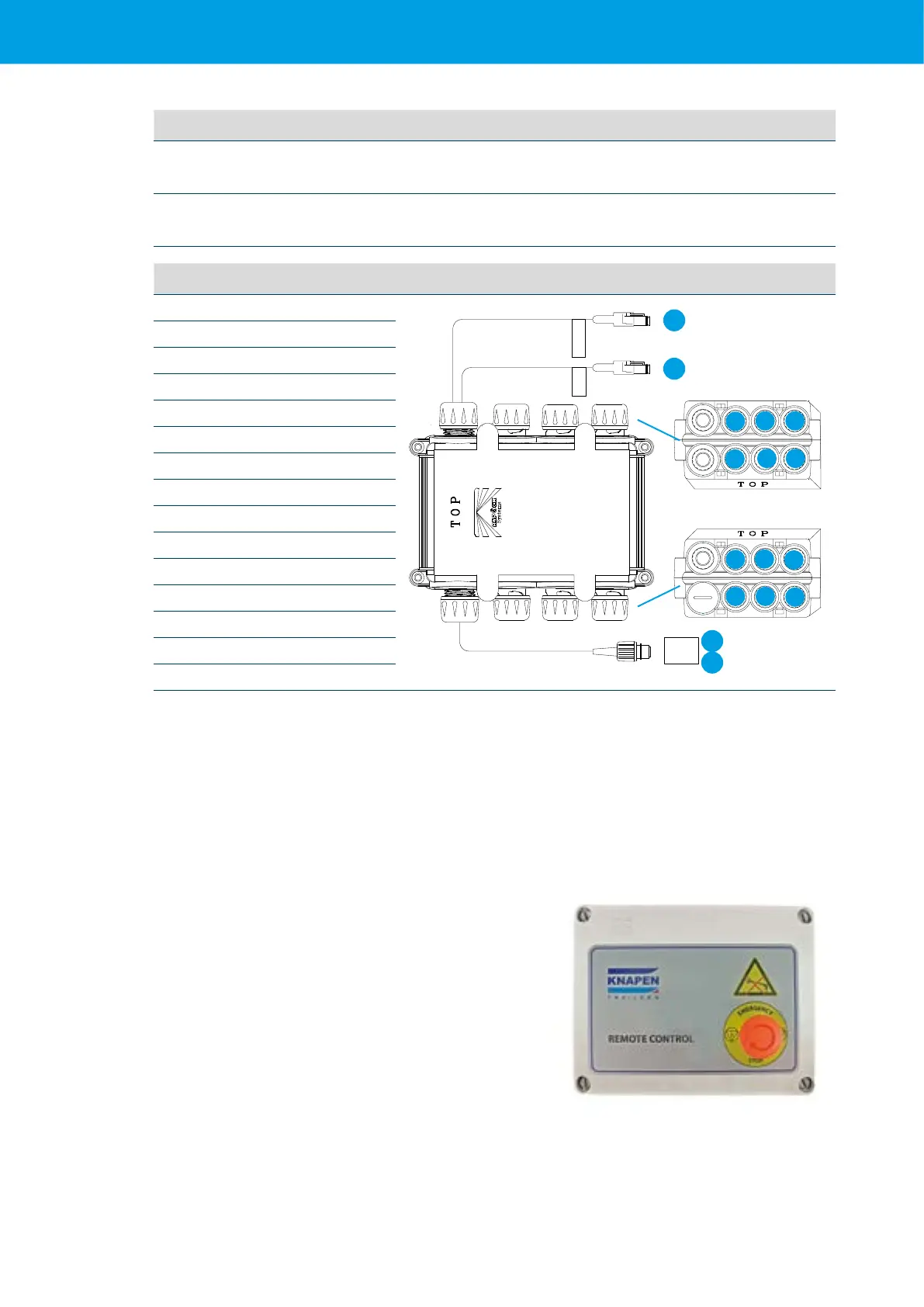
5.8.2 EMERGENCY BUTTON
Intheeventofanemergency,theremote-controlled
functions can be stopped by means of an emergency
button on the casing of the receiver.
The receiver is mounted in a plastic box against the
chassis,inthevicinityoftheoorsystem.
(See Chapter 2)
Activate:
Press the emergency button to activate it
The emergency button must be deactivated to reactivate
theremote-controlfunctions.Restartthesystemviathe
remote control.
Deactivate: Deactivate the emergency button turning the
knob clockwise.



 To Next Page