73
User Manual EN | v201906
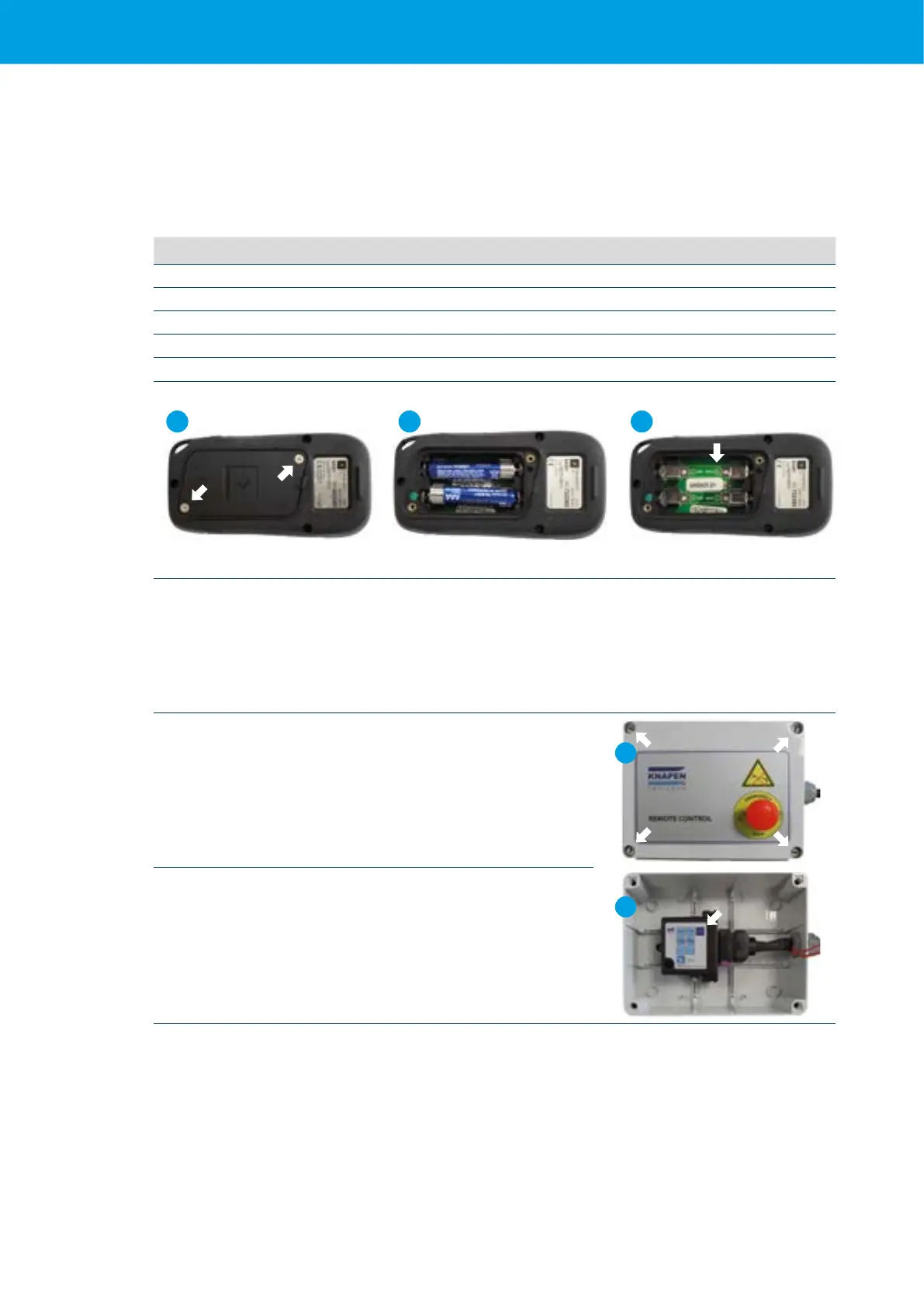
7.5.1 Replace batteries in the transmitter
Requirements:
1 Small cross screwdriver
2 Batteries: 5-and6-functionremotecontrol:2xAAA1.5Valkalinebatteries
12-functionremotecontrol: 2xAA1.5Valkalinebatteries
Step
1 Open the battery compartment
2 Remove the batteries from their holders
3 Insertthenewbatteries.MakesurethatthepolarityofthebatterymatchestheillustrationonthePCB
4 Testthetransmitter'soperationbycheckingwhetherthegreenLEDblinkseverytimeabuttonispressed
5 Now close the battery compartment cover together with the two screws (1)
21 3
7.5.2 Emergency control of the receiver
Incaseofloss/defectoremptybatteriesofthetransmitter,allfunctionscanstillbeoperatedviatheintegrated
emergency control on the receiver.
1 Removethelidoftheplasticboxwithaatscrewdriver.
1
2
2
The receiver is now visible. All functions available on the
transmitter can also be found on the receiver.
To operate a function, you must push the ENABLE button together
with the button for the intended function.



 To Next Page