74
7 Troubleshooting
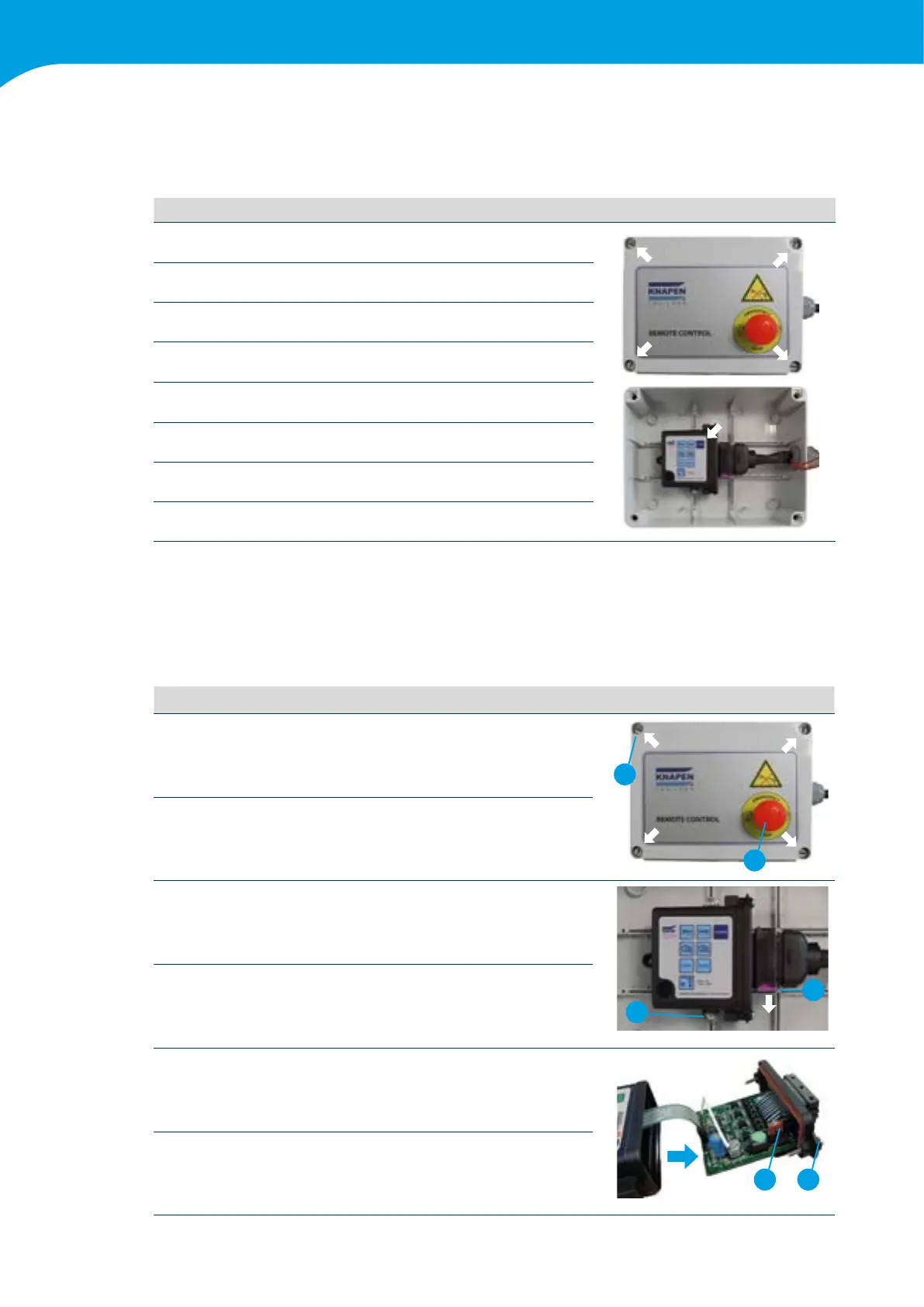
7.5.3 Pairing the transmitter and receiver
Ifthetransmitterorreceiverneedstobereplaced,itcaneasilybepaired.
This is necessary to let transmitter and receiver communicate with each other.
Step
1
The receiver is mounted in a plastic box against the chassis in
thevicinityoftheoorsystem.
2 Removethelidoftheplasticboxwithaatscrewdriver.
3 Makesurethetrailer'slightingison.
4
Activate the emergency button so that the receiver does not get
any power.
5
Push the ENABLE button on the receiver and deactivate the
emergencybutton.ReleasetheENABLEbuttonafter3-4seconds.
6 Turn the transmitter on by pressing the start twice.
7 Press 3 random buttons on the transmitter at the same time.
8 Transmitter and receiver are now paired.
7.5.4. Replacement of fuse in the receiver
The receiver has internal protection against overloading and a possible short circuit on the corresponding outputs.
For additional protection, the receiver is also equipped with an internal main fuse. To inspect and replace the fuse
followthefollowingsteps:
Step
1
Activate the emergency button so that the receiver does not get
any power.
2
1
2 Open the casing where the receiver is located
3 Unscrew the receiver
3
4
4
Now disconnect the connector at the bottom by sliding the
purple clamp to the side
5
Unscrew the two screws on the bottom of the receiver and
slide the PCB out of the casing. (Pay attention to the keyboard
cabling)
56
6
The fuse can now be inspected and replaced if necessary. (mini
plug-infuseof10A)



 To Next Page