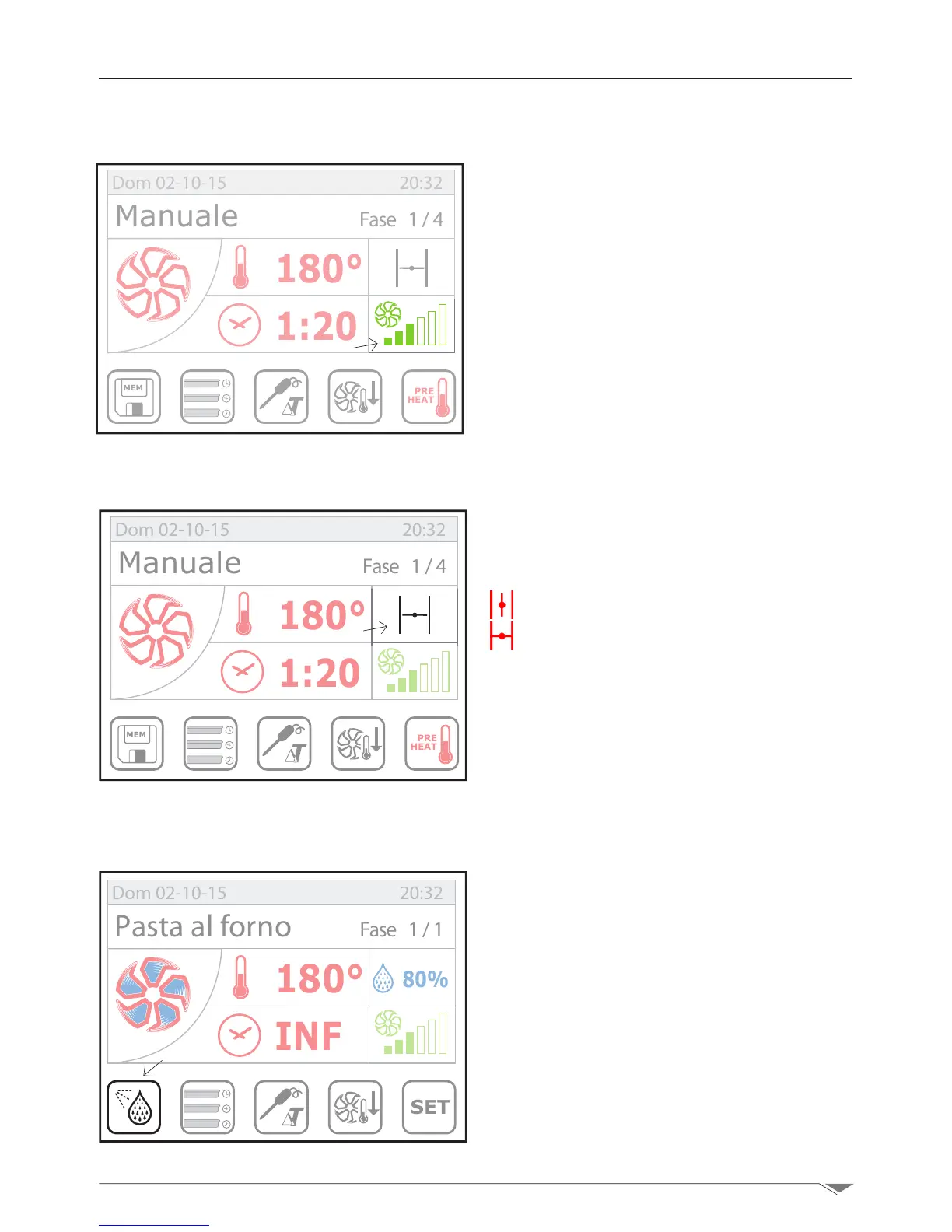
In CONVECTION or COMBI cooking mode,
select the fan speed setup page on display
(S5 - g. 20)andchoosethedesiredspeed
turning the dial M clockwise to increase the
value or counterclockwise to decrease it.
Conrmbypressingthe dialM or the dis-
play S5.
The fan/fans of the oven features/feature 6
rotational speeds that can be set by the user.
MEM
PRE
HEAT
180°
1:20
Manuale Fase 1/4
Dom 02-10-15 20:32
In CONVECTION mode, select the position
of the throttle valve by pressing on the icon
on the touch screen (S4 - g. 21).Thepo-
sitions can be:
Valve open
Valve closed
The valve has the task of maintaning or
expelling the moisture outside the oven.
When the valve is open, the higher the fan
speed, the greater the evacuation of mois-
ture from the cooking chamber.
MEM
PRE
HEAT
180°
1:20
Manuale Fase 1/4
Dom 02-10-15 20:32
3.6. Manual humidier
In CONVECTION or COMBI mode, if you
press the icon on the touch screen (S6 -
g. 22) you can manually add moisture
during cooking.
The pressure enables direct injection of wa-
ter on the fan that is further vaporized in
the cooking chamber.
Water is injected as long as the icon is
pressed.
3. Manual setup
3.4. Setting the fan speed
g. 20
S5
g. 21
S4
SET
80%
180°
INF
Pasta al forno Fase 1/1
Dom 02-10-15 20:32
g. 22
S6
3.5. Manual adjustment of the throttle valve



 To Next Page