22
3. Manual setup
3.12. Automatic cooling during cooking
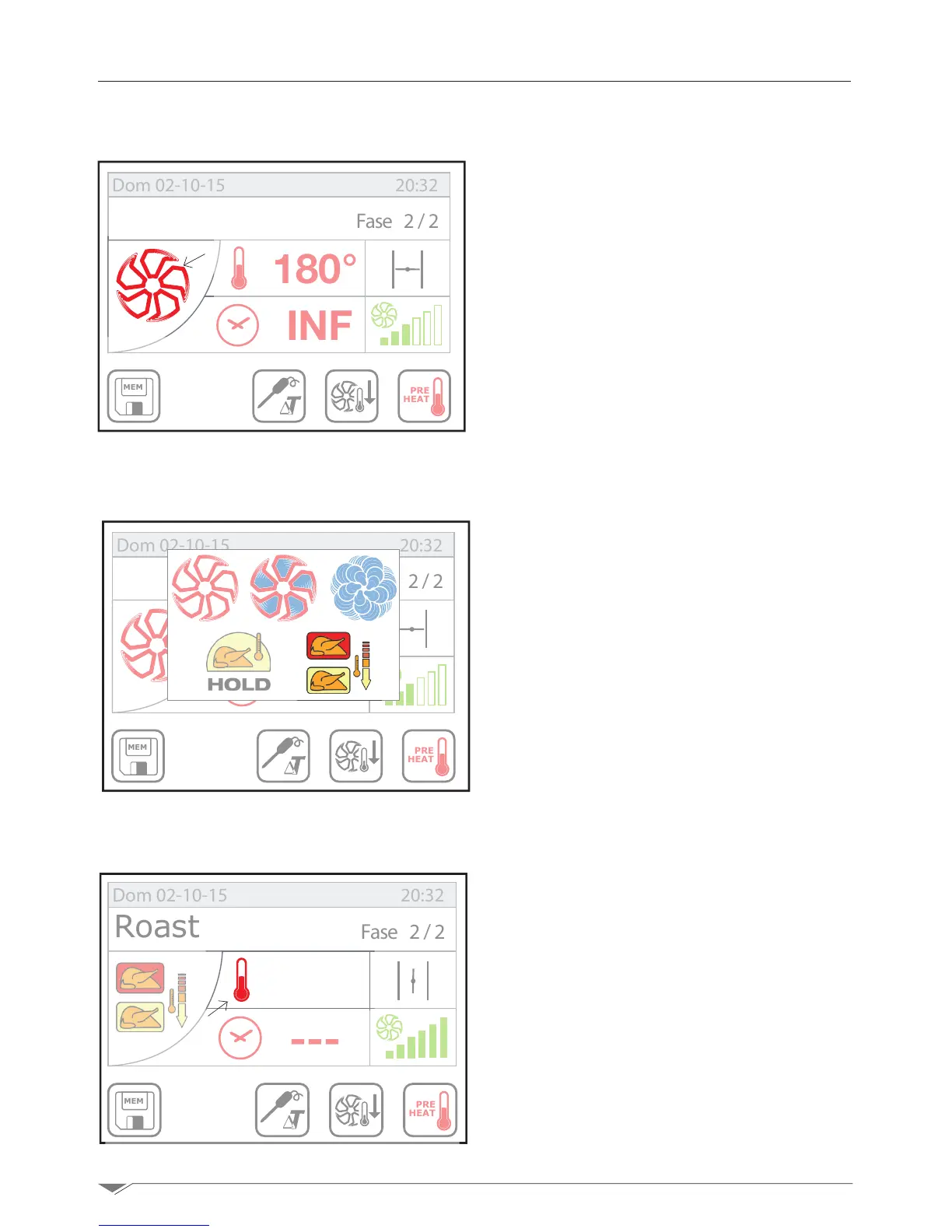
The AUTOMATIC COOLING during cook-
ing enables setting a cooling phase inside the
cooking chamber between two phases of the
cooking program (see section 3.14 pag. 24),
for example, between a browning and a low-
temperature cooking phase.
Note: the automatic cooking icon (ref. and
g.33)isvisibleonly from phase 2.
Set the automatic cooling by pressing the
cooking mode icon (S1g.32)andselectthe
cooling icon (e - g. 33).Thensetthecooling
temperature by pressing the temperature icon
(S2g.34)andturningthedialM.Conrmby
pressing the dial M or the pop-up.
Note: in AUTOMATIC COOLING mode the
“time” cannot be set because this phase will
last until the temperature inside the cook-
ing chamber reaches the set value. In order
to speed up the automatic cooling process,
we recommend you keep the fan speed un-
changed as well as the position of the throttle
valve in relation to those proposed by the oven
automatically.
THE automatic cooling can be set up to 100°C.
This phase should be carried out with the door
close. If the door is opened during the AUTO-
MATIC COOLING , the phase is interrupted.
After reaching the set cooling temperature,
the oven automatically switch to the next
phase(ifany).
MEM
PRE
HEAT
180°
INF
Fase 2/2
Dom 02-10-15 20:32
MEM
PRE
HEAT
180°
INF
Fase 2/2
Dom 02-10-15 20:32
e
S1
MEM
PRE
HEAT
100°
---
Fase 2/2
Dom 02-10-15 20:32
Roast
Roast
S2
g. 32
g. 34
g. 33



 To Next Page