24
3. Manual setup
3.14. Programming a recipe with severa cooking phases.
Every single cooking phase described above
can be stored for composing a cooking pro-
gram with multiple phases.
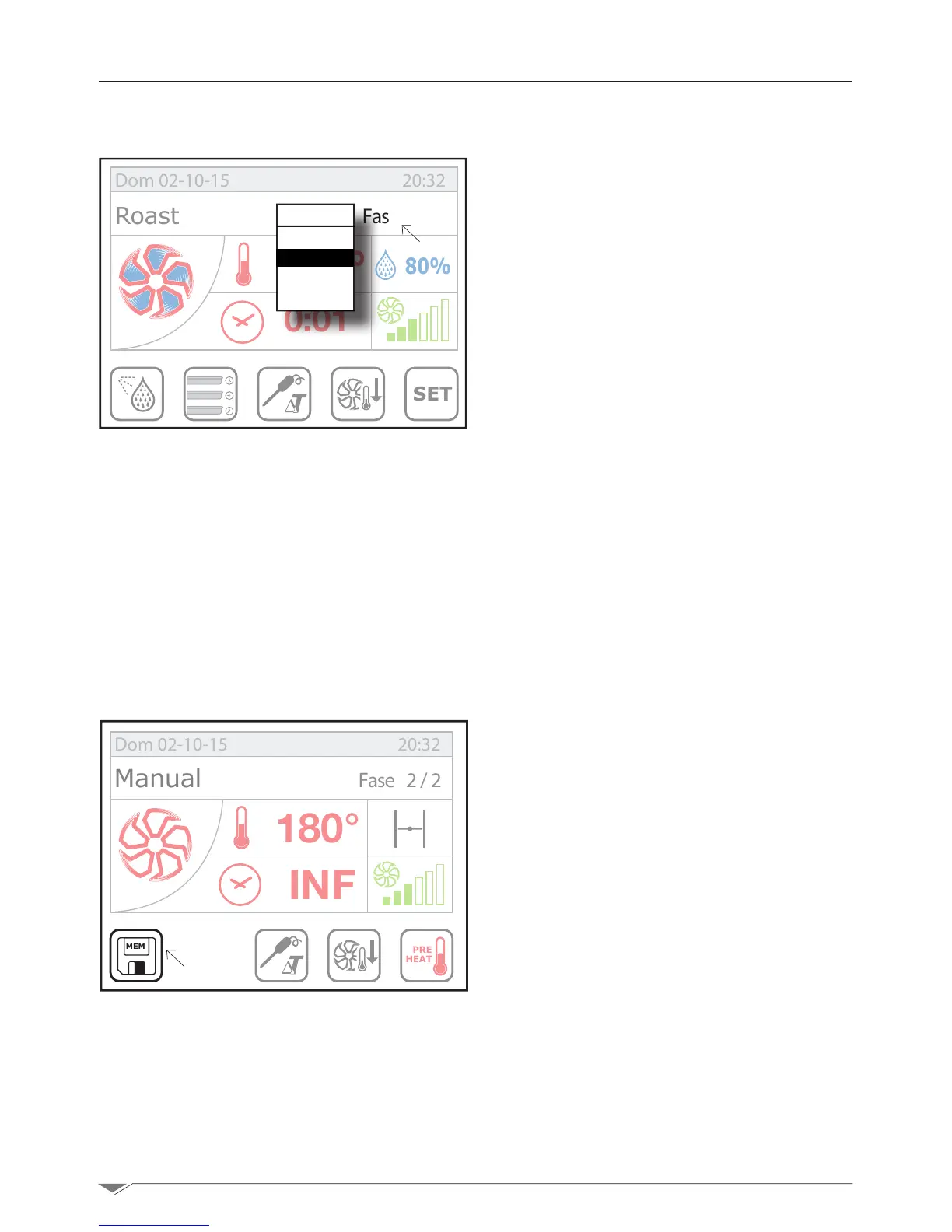
After setting the rst phase, press the key
S13 - Phase (g. 36). Thus you will access
the hidden menu (g. 42).
Turn the dial M clockwise showing the writing
“New”andconrmbypressingthedialM or
clickdirectlyontheword“New”.
Now you can enter the cooking parameters of
the second phase.
IF you repeat the steps above, you can enter
into the same cooking program up to 9 dif-
ferent phases.
Note: if the time set for the timer is in-
nite (INF), it shall not be possible to add
a new phase.
3.15. Memorizing and managing the recipes
THE cooking program created inside the elec-
tronic recipe book of the oven can be saved.
Once you have nished creating a cooking
program, press the key S6
g. 37 to ac-
cess the recipe management page (g. 38
next page).
Turn the dial Mselect“Save”andpressthe
dialtoconrm.
Now select the group (g. 39 next page)in
which to save the program: Starters, Meat,
Fish, Greens, Bread, Dessert.
Once you have chosen the group in which to
save the recipe, you must enter the name of
the recipe (Es. Roast Beef)andpress“End”.
MEM
PRE
HEAT
180°
INF
Fase 2/2
Dom 02-10-15 20:32
Manual
SET
80%
180°
INF
Pasta al forno Fase 1/1
Dom 02-10-15 20:32
Roast
0:01
Phase
1
New?
g. 36
g. 37
S13
S6



 To Next Page