79
Measurement
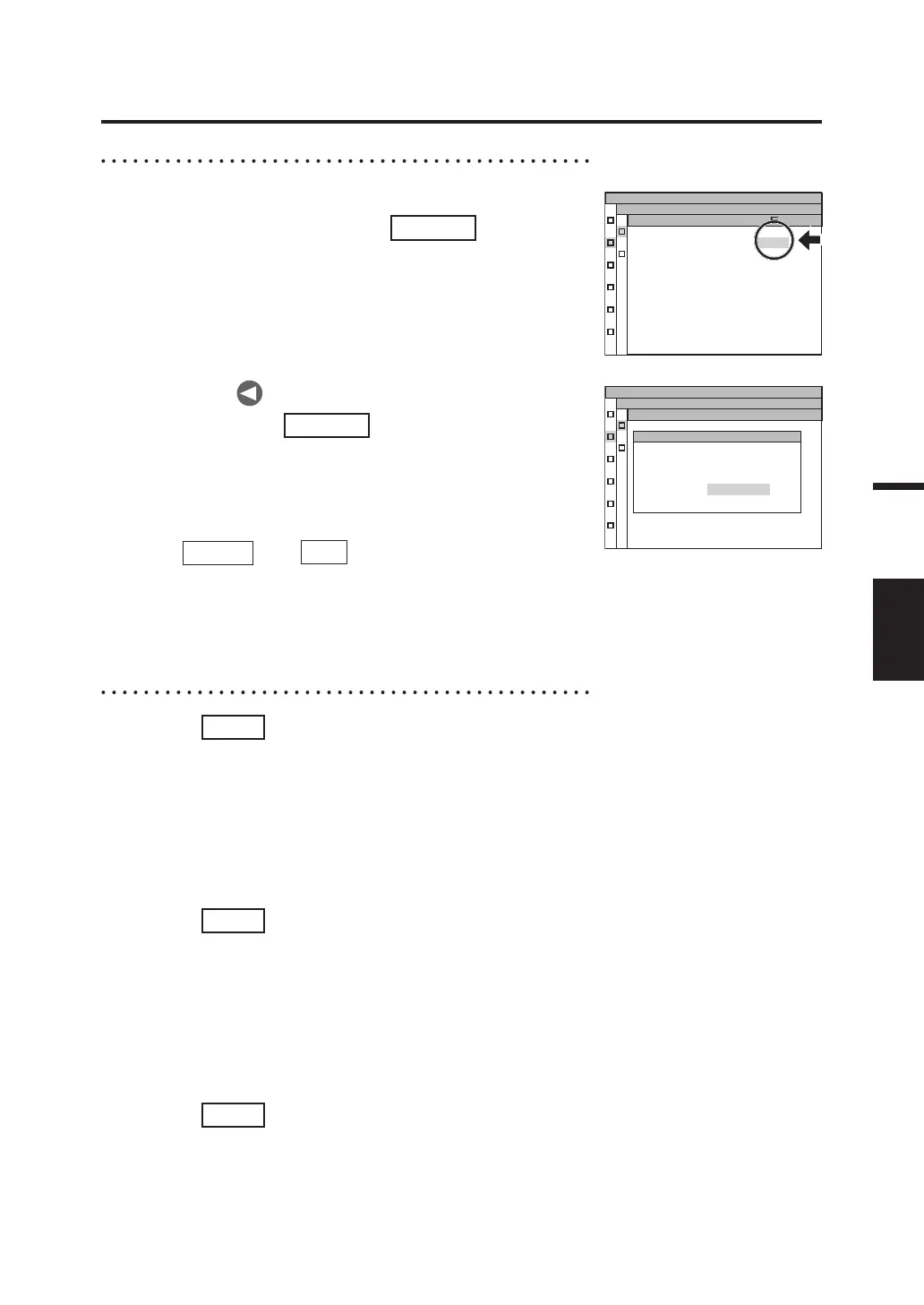
When collectively deleting all memory data:
5
-b-1. Select [ALL] and press
ENTER
key.
The MENU - MEMORY - MEM.DELETE
- DELETE (for confirming deletion)
screen appears on the LCD.
MEM.DATA ALL
Lv
x
y
MEMORY
MEM.DELETE
5
-b-2. Press key to select [OK], and
then press
ENTER
key.
All memory data is deleted, and the
MENU - MEMORY - MEM.DELETE screen
appears again on the LCD.
By selecting [CANCEL] and pressing either
ENTER
key or
ESC
key, deletion of all memory
data is canceled and the MENU - MEMORY -
MEM.DELETE screen appears again on the LCD.
MEM.DATA NO.10
Lv 5.4220E+1
x 0.4045
y 0.4073
OK CANCEL
DELETE
Delete
all data ?
MEMORY
MEM.DELETE
6
. Press
ESC
key.
The MENU - MEMORY screen appears again on the LCD.
7
. Press
ESC
key.
The MENU screen appears again on the LCD.
8
. Press
ESC
key.
The MEAS screen appears again on the LCD.



 To Next Page
 Loading...









