58
Setting
Baud Rate Selection for RS-232C Communication
The baud rate when connecting to a PC via RS-232C can be set as desired.
* Baud rate : 1200, 2400, 4800, 9600, 19200, 38400, 57600, 115200, 230400, 460800, 921600
* Factory default setting : 115200
Memo
This operation is not necessary when connecting to a PC via USB. In addition, changing the baud rate setting has no
effect on USB communication speeds.
Operating Procedure
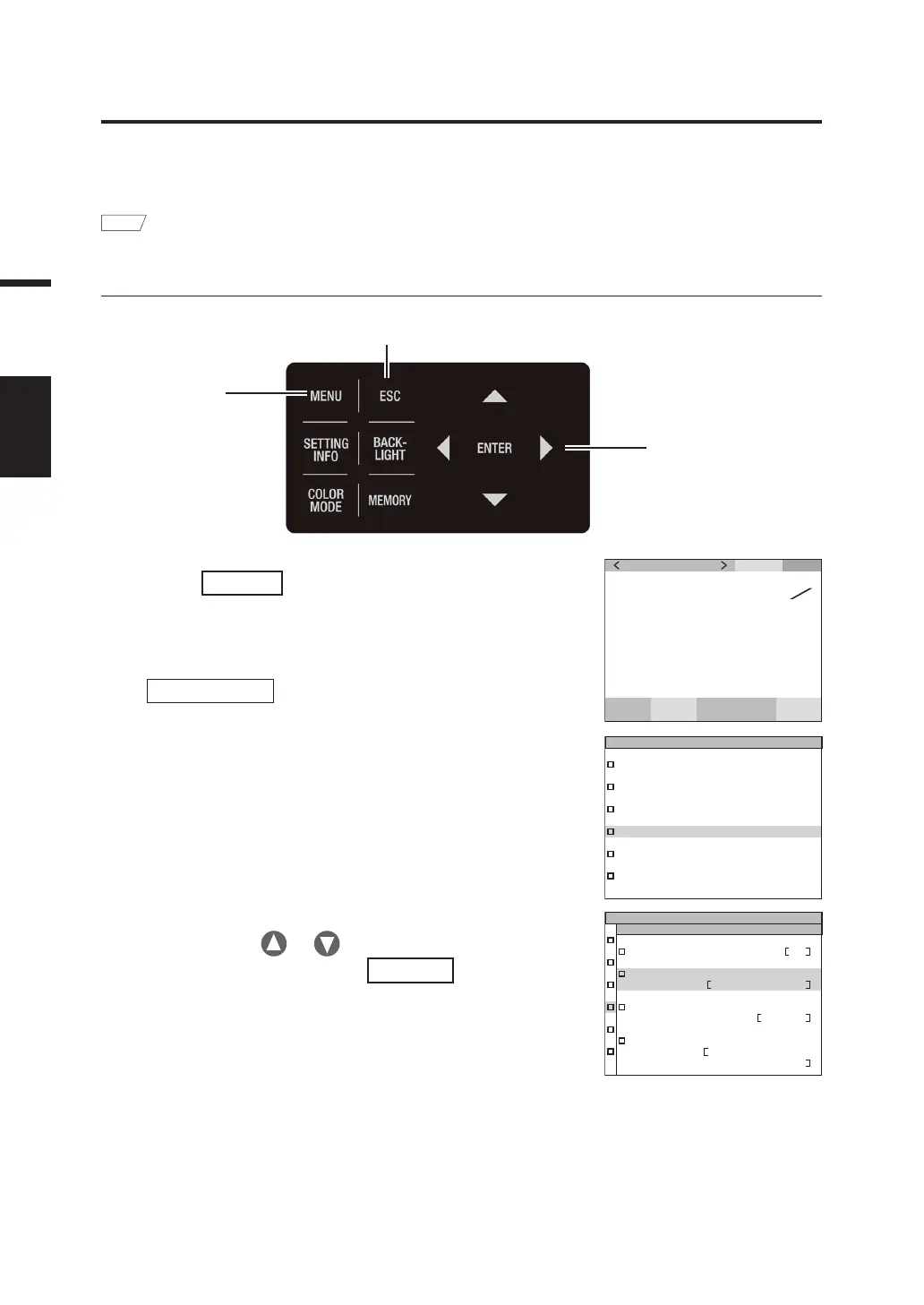
1
6, 7
1. Press
MENU
key when the MEAS screen
is displayed.
The MENU screen appears on the LCD.
When the backlight of the LCD has been turned off via
BACKLIGHT
key on the MEAS screen, the
backlight is turned on.
SPD
CMF
SYN
[
Hz
]
ACC
cd
m
2
Lv
63.60
0 . 4015
0 . 4061
x
y
MEAS
MEMORY
OPTION
SETUP
DARK MEASUREMENT
INFORMATION
2. Press either or key to select
[SETUP] and then press
ENTER
key.
The MENU - SETUP screen appears on the LCD.
The current set contents are displayed in the [RS-232C
BAUDRATE] item.
DATA FORM
F
EXT VOLTAGE
3.3V
DATE TIME
2022/10/11
13:38:10
RS-232C BAUDRATE
115200bps
SETUP
(
2/3
)
2, 3, 4, 5



 To Next Page
 Loading...









