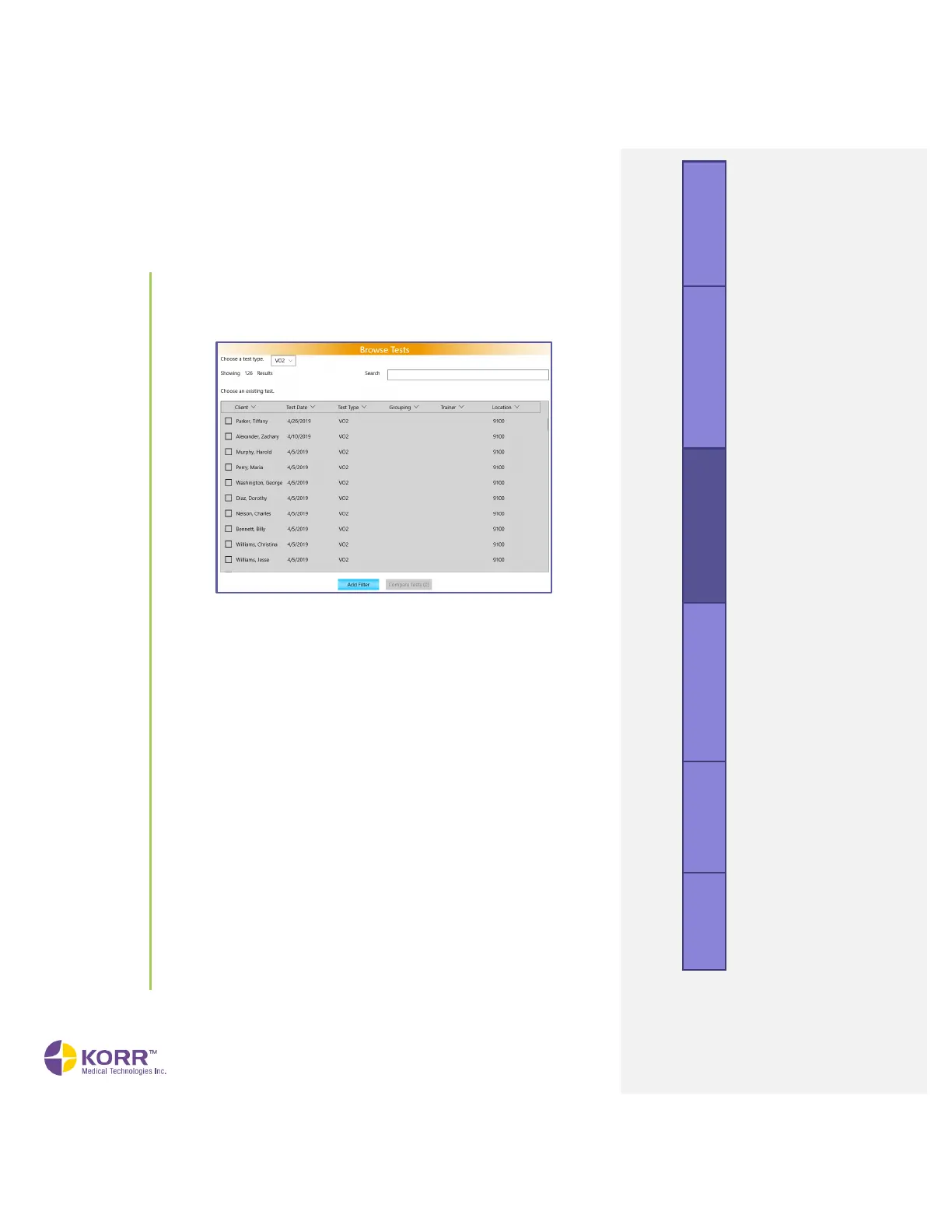
To browse tests, follow the steps below.
1. Select the Browse Tests option from the menu. A screen similar to
the following displays.
2. Select the type of test you are searching for, RMR or VO
2
Max, from
the dropdown box.
3. The Browse Tests screen allows you to locate tests, using the
following options.
● Search. The Browse Tests screen allows you to locate tests by
searching the client’s name or the trainer’s name in the search
bar.
● Sort. The arrows at the top of the columns allow you to sort each
field alphabetically or numerically. Simply click on the arrow to
sort. To reverse the order, click again.
● Add Filter. Click the Add Filter button at the bottom of the screen.
The filter options will appear. Use this option to filter by the
following categories:
o Client. Bring up all tests performed by the client of that
name.
o Test Date. Select a single date or a range and locate all
tests performed during that time.
o Grouping. Locate all tests recorded under a particular
grouping.
o Trainer. Locate all tests performed by a particular trainer.
o Location. Bring up all tests performed at a particular
location.



 To Next Page