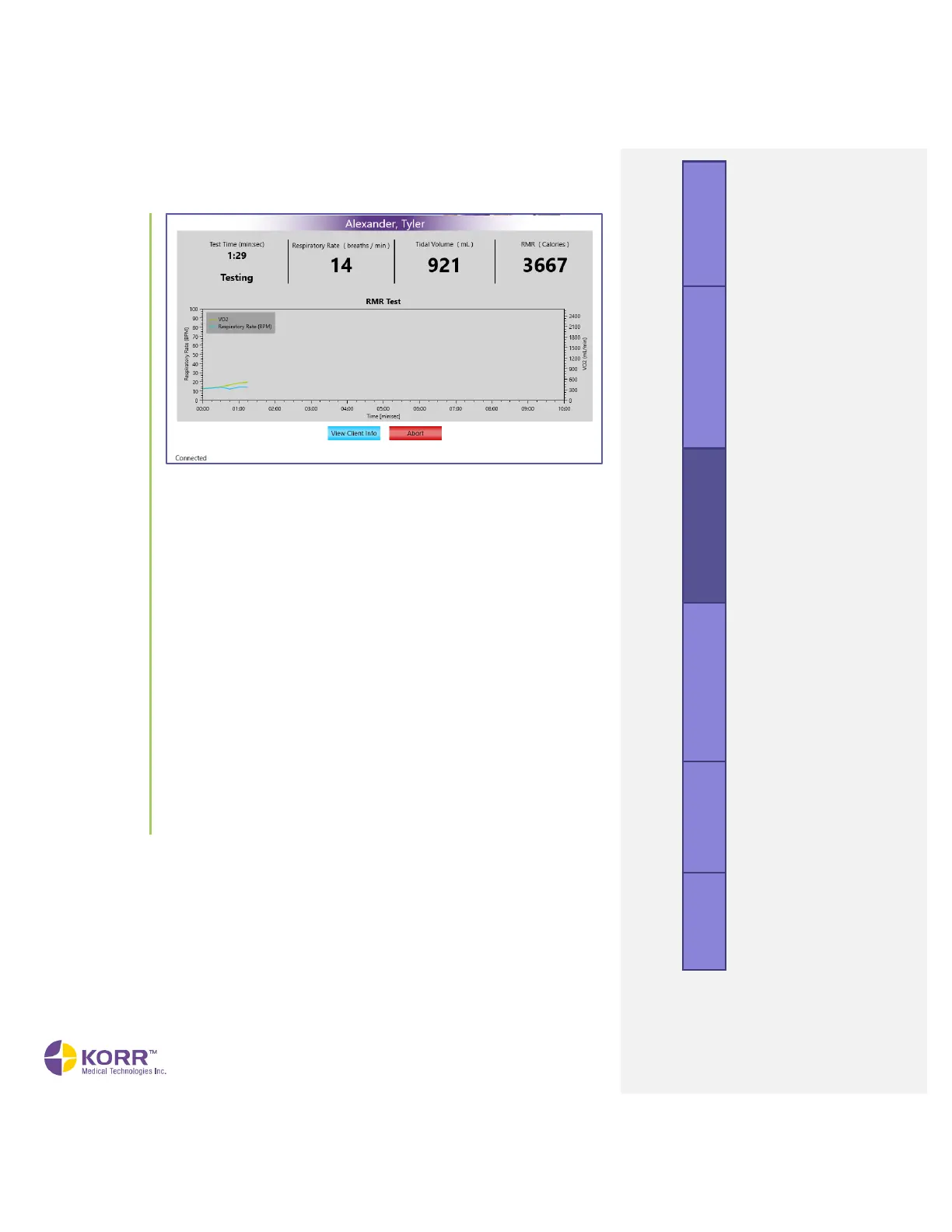
• Test time. The length of time the test has been running.
• Respiratory rate. Rate of breathing displayed in breaths per
minute.
• Tidal volume. The volume of air in a single breath of expired
air.
• RMR. The RMR is the current resting metabolic rate calculated
at that point of testing, displayed in Calories per day.
• View Client Info. Replaces the data update at the top of the
screen with the client’s name and other information entered
previously.
• Abort. To stop the test prior to its completion, click the Abort
button. This stops the test and discards the data.
12. Test Complete. When the test has reached its minimum test length
and has also gathered the required amount of steady state data, the
CardioCoach PRO will indicate the test is complete with an audible
alert.
a. Dispose of the MetaBreatherMAX and nose clip.
b. Prepare Results.
13. Begin Drying Cycle. At the completion of the test, the CardioCoach
PRO will begin a drying cycle that will automatically turn off after 20
minutes.
results.



 To Next Page