▪ The trash can icon will delete the stage from your
sequence.
▪ The (+) Add Stage button will allow you to add a new
stage to your sequence.
▪ You may need to scroll down to see all stages.
4. When you are finished editing a protocol, click the Save button.
To create a new protocol, follow the steps below.
1. Select the Edit Protocols option from the main menu or the menu bar
at the top of the screen.
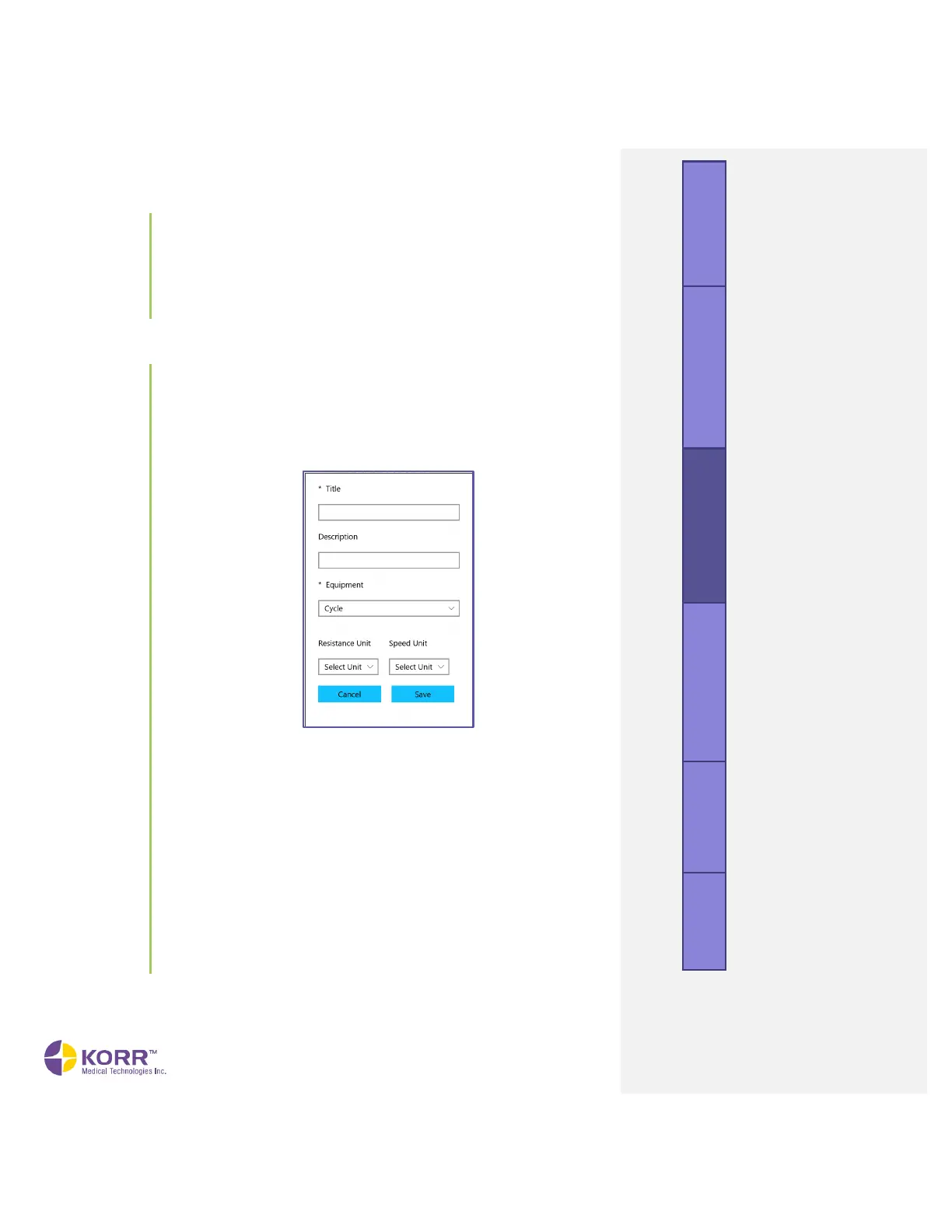
2. Click the Create New button. A popup box similar to the following
displays.
3. Complete the information, as described below. Some fields are specific
to the type of equipment selected.
a) Title. Create a name for your protocol.
b) Description. Enter a custom description.
c) Equipment. Select the equipment from the dropdown box. The
next options appear after an equipment type is selected.
d) Resistance Unit. Shown only when Cycle is selected as the
Equipment. Select the units of resistance from the dropdown
box.
e) Speed Unit. Select the units of speed from the dropdown box.
f) Incline Unit. Shown only when Treadmill is selected as the
Equipment. Define the units of incline from the dropdown box.
4. Click the Save button. A screen similar to the following displays:



 To Next Page