Part 2: Overview of display values and settings User Area
23
~ Hinged cover OPEN search for level to the right with Ç,
open with
Ä
User Area
All the settings that can be made by the operator of the
system.
Installation
All settings that cannot be assigned to a consumer circuit
(consumer circuits: heating circuits and HW).
Ä Select value, Ç adjust and Ä save
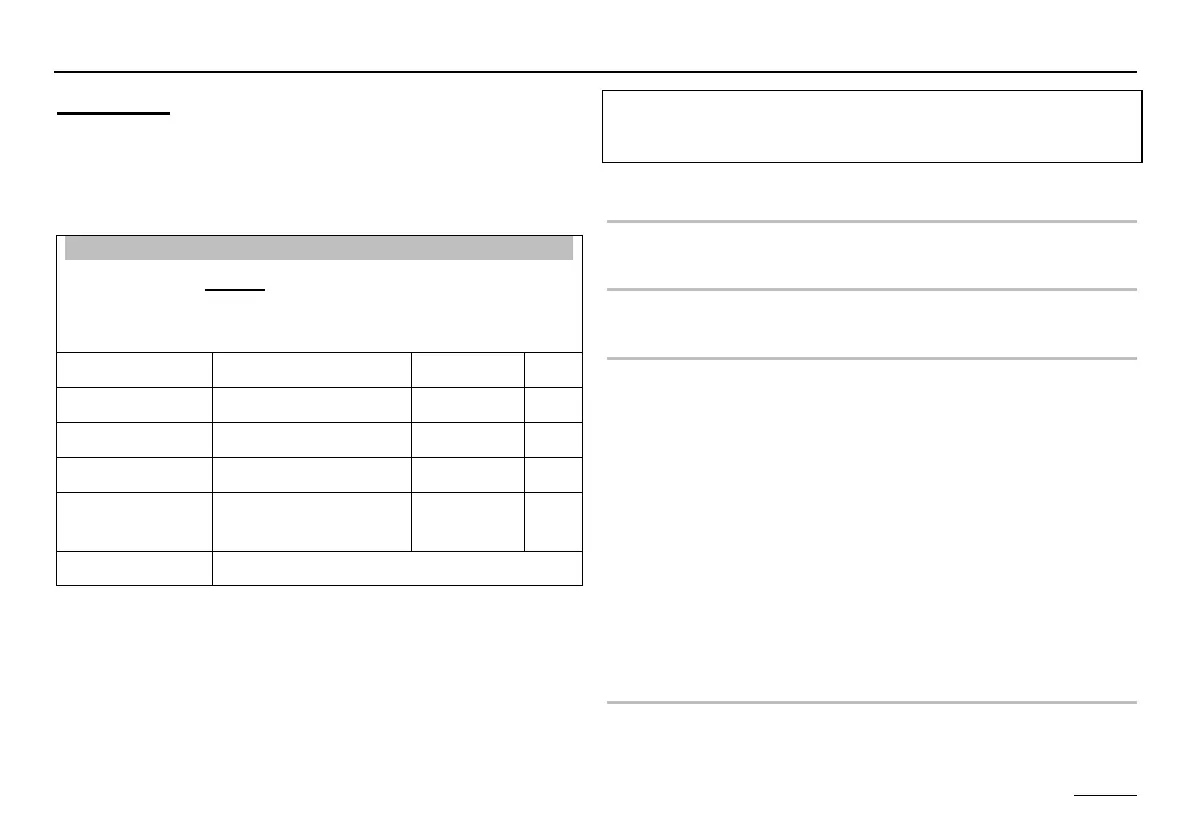
Designation Value range Default IV*)
GERMAN Acc. to version GERMAN
CONTRAST (-20) – (20) 0
DISPLAY SEL Sensor, weekday - - - -
SELECT
PROG
Heat circuit 1,
Heat circuit 2
1
RETURN Exit level using Ä
*) IV = Internal Values:
Space for entering the parameters stored in the system!
GERMAN => Language
Select controller language
CONTRAST
Adjust intensity of display
DISPLAY SEL
Select additional display in standard operation
- - - - => no additional display of
DAY => Week day (Mon, Tue, Wed, ....)
T-OUTSIDE => Outside temperature
T-FLOW D 1 => Flow temperature heating circuit 1
T-FLOWD 2 => Flow temperature heating circuit 2
T-DHW => Hot water temperature (upper)
T-HS => Heat generator temperature
T-ROOMD 1 => Room temperature heating circuit 1 =>
*)
T-ROOMD 2 => Room temperature heating circuit 2 =>
*)
*) only if remote control is connected
SELECT PROG
Select heating circuit whose heating program is shown in
the standard display.


 To Next Page