Expert area Part 2: Overview of display values and settings
42
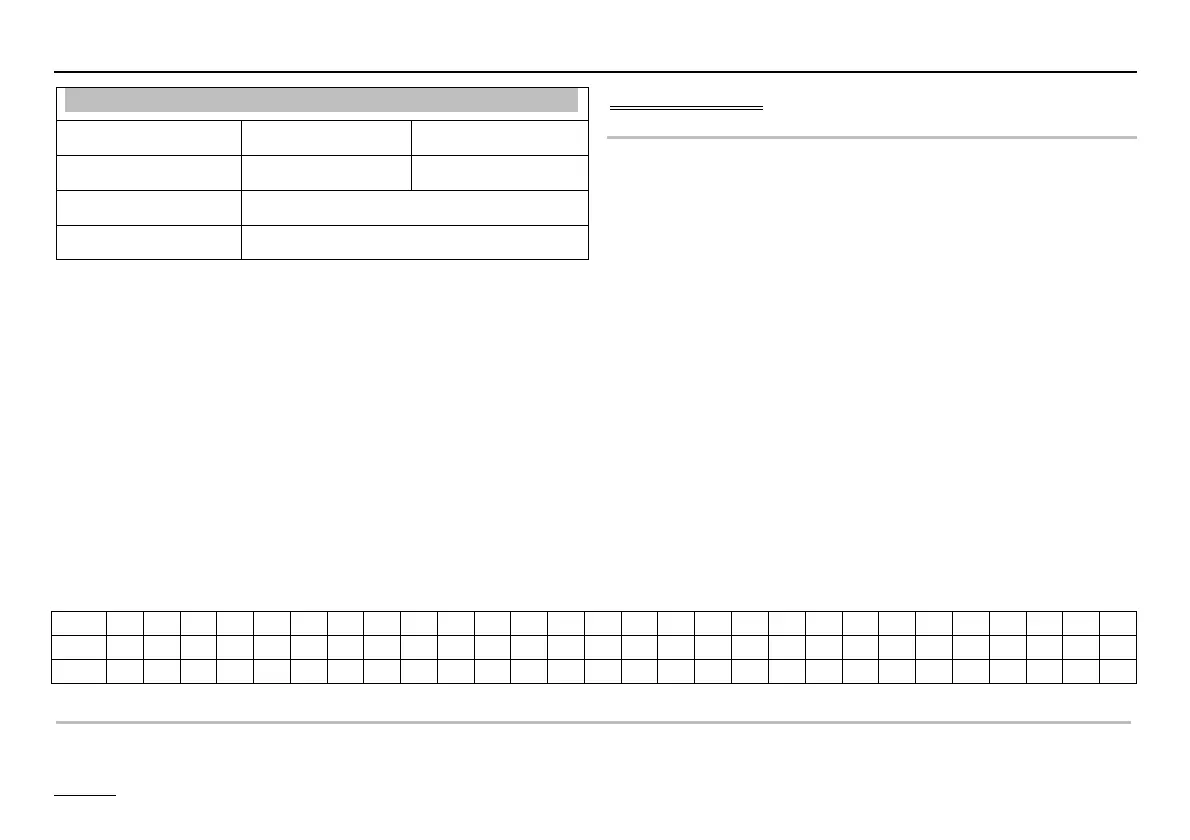
DAY 1 2 3 4 5 6 7 8 9 10 11 12 13 14 15 16 17 18 19 20 21 22 23 24 25 26 27 28
VT 25 25 25 55 55 55 55 25 40 55 55 55 55 55 55 55 55 55 55 40 25 --- --- --- --- --- --- ---
=>
SCREED PROGR (Program setting)
Ä => Screed program; Ç Select day; Ä => Activate adjustment date; Ç Set flow temperature;
Ä => Save setting; Ç Select next day or exit screed program using "RETURN" + Ä.
Installation
Designation Value range Default
SCREED 00, 01 (OFF/ON) 00 = OFF
SCREED PROGR See explanation!
RETURN Exit level using Ä
! Start day is not included:
The screed program starts with the "Day 1"
temperature setting and switches to "Day 1" at
00.00 hrs and then to the next day at 00.00 hrs and
so on. The current day is marked with an "x" in the
"SCREED PROGR" program.
! After the function has been cancelled/terminated the
controller continues heating using the set operating
mode. If no heating is required, set the operating
mode to i = Standby / OFF.
Screed program
SCREED (activation of screed drying process)
The screed program can be used for function heating in
accordance and for heating freshly laid screed ready for
flooring.
! The screed drying process can only be performed
for the mixer circuits of the HS controller.
After starting, the program runs through the set flow tem-
peratures. The integrated mixer circuits control to the set
flow temperature. The heat generator provides this tem-
perature irrespective of the operating mode that has been
selected. This is marked in the standard display by the en-
try "SCREED" and a display of the current flow tempera-
ture.
The freely adjustable program runs for a maximum of
28 days. The flow temperatures can be set to a value of
between 10 °C and 60 °C for each day. The entry "----"
stops the program (also during operation for the following
day).


 To Next Page