Timer Program Area Part 2: Overview of display values and settings
30
F
2
D
D
I
F
2
B
D
I
Symbols:
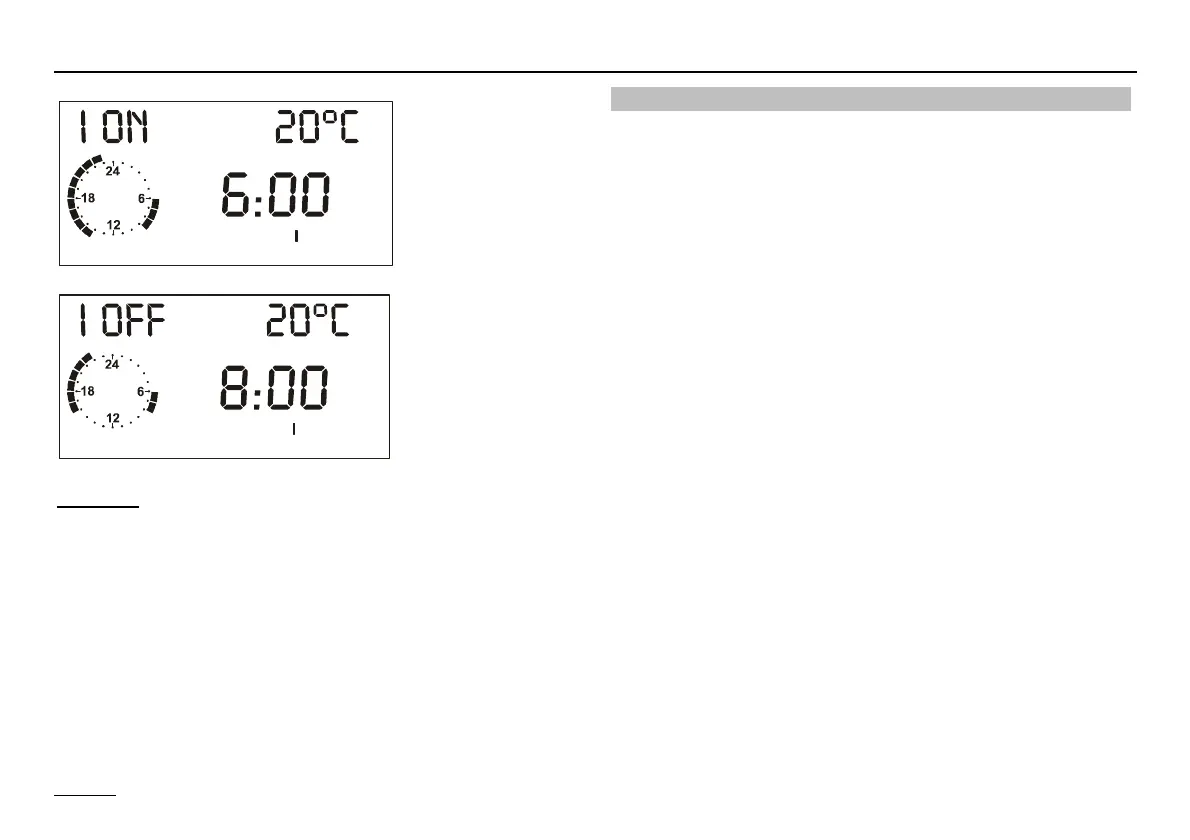
I ON = First switch-on time (I OFF = first switch-off time)
20 °C = Set room temperature for displayed heating time
Clock = Approximate program display [full hours]
D 1 = Program for heating circuit 1
F
2
= Heating program 2, F
1
= Heating program 1
DI = Start time 1, IB = Stop time 1, DII = Start time 2,
IIB = Stop time 2, DIII = Start time 3, IIIB = Stop time 3
Timer/heating program adjustment
Ç Select weekday (Mo-Su) or block
(MO - FR => Monday-Friday, SA - SU => Saturday-
Sunday, MO - SU => Monday-Sunday)
Ä Open weekday/block (see left)
=> "I ON 20 °C" First switch-on time – set value I = 20 °C
Ç Set first switch-on time => for example 6:00 hrs.
Ä Confirm first switch-on time
=> „I OFF 20 °C" First switch-off time – set value I
= 20 °C
Ç Set first switch-off time => for example 8:00 hrs
Ä Confirm first switch-off time
=> „II ON 20 °C" Second switch-on time – set value II
= 20 °C
Ç Ä Switch-on and switch-off times 2 and 3 are entered
in the same way - please enter all values!
Ç Select another weekday/block for entry or exit heating
program 2 with "RETURN" and set another program.
! The heating times are not saved until all the times
for a weekday/block have been entered.
"- - - -" for a switch-on/switch-off time => The relevant
heating timer is deactivated.


 To Next Page