MAL-OPS-1026 v3 12
A solid LED light indicates that the device is fully charged.
LED colours and light operation can be used in conjunction to give full information
on device performance.
Example: A white LED flashing every five seconds illustrates that the D5 RIID is
operating normally and has normal battery levels.
The D5 RIID operates in three distinct modes: Search Mode without ID, Search
Mode with ID, and Confirmation Mode.
Search Mode without ID continuously scans an area for threats and alarms if a
high gamma or neutron level is detected. Isotopes are not identified in this mode.
Search Mode with ID continuously scans an area for threats and alarms when a
high gamma or neutron level is detected. Isotopes are identified in real-time in this
mode.
Confirmation Mode allows a user to take a longer scan to collect spectral data and
perform isotope identification.
5.1. Search Mode without ID
5.1.1. Accessing Search Mode without ID
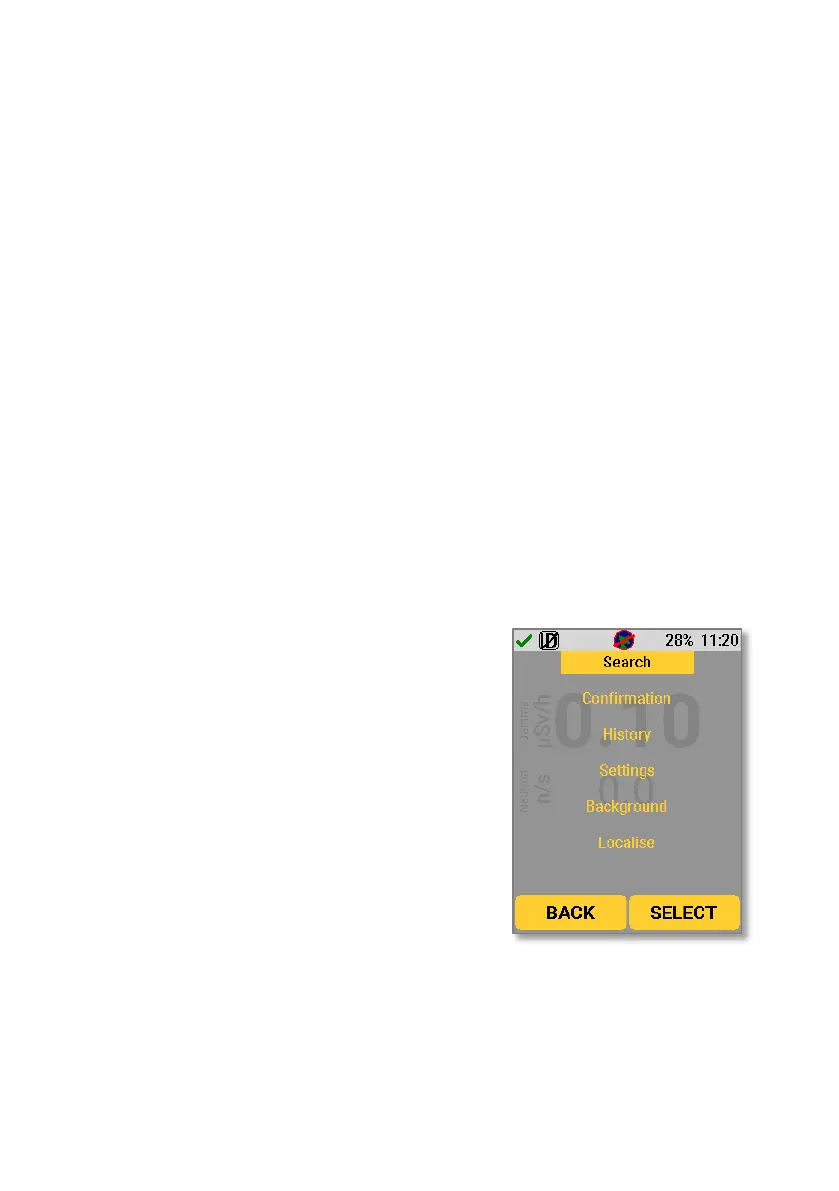
Search mode can be accessed by pressing
either the up or down key to bring up the
main menu. The up and down keys can
then be used to navigate the menu. When
“Search” is highlighted, use the right key to
select. The device will then show the
Search Mode screen.



 To Next Page