MAL-OPS-1026 v3 40
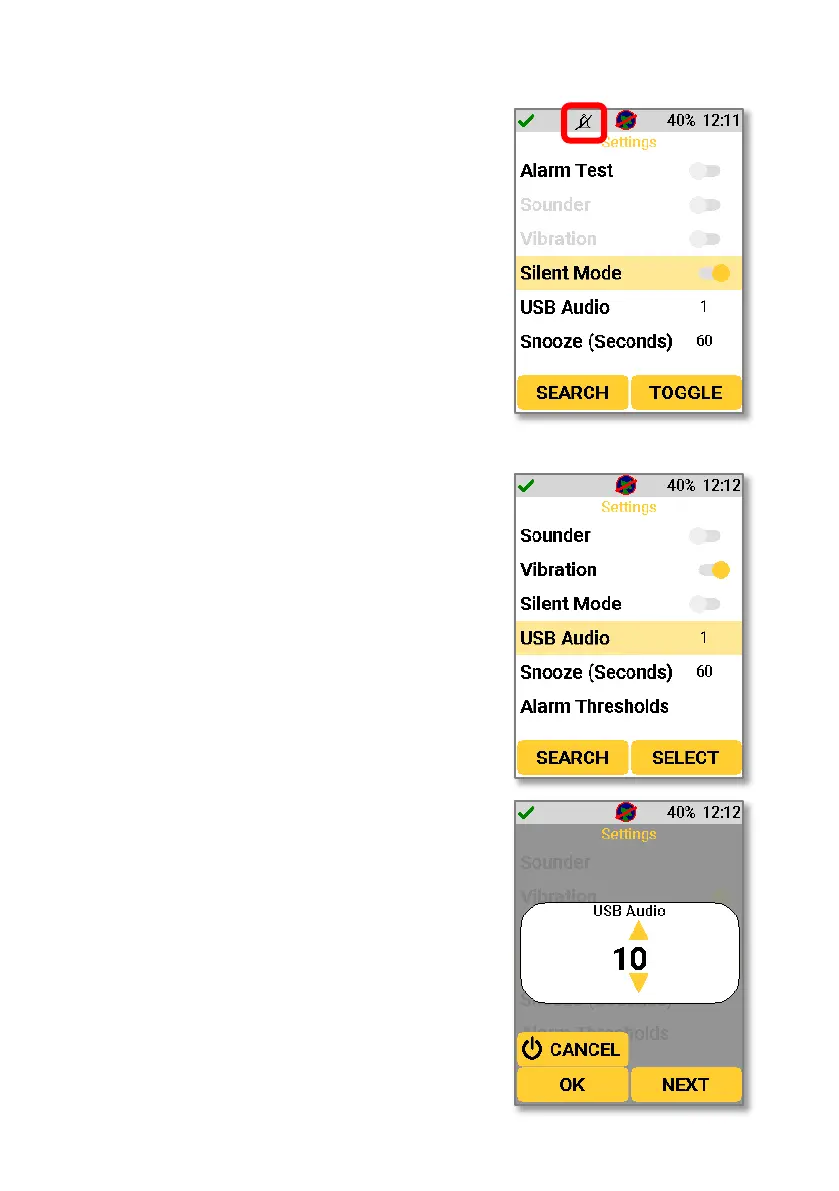
Silent mode can be enabled in the D5 Settings
App, as described in Section 12. If this setting is
enabled, then a user would be able to disable
both the sounder and vibration at the same
time, thus entering a truly silent mode. A bell
icon with a line through it will show in the top
bar to indicate that silent mode is enabled.
Navigating to the USB audio setting allows a
user to change the sounder volume.
A value between 0 and 10 can be chosen,
whereby 0 is the lowest level and 10 is the
highest level of sounder. The level can be
changed using the up and down keys.



 To Next Page