MAL-OPS-1026 v3 47
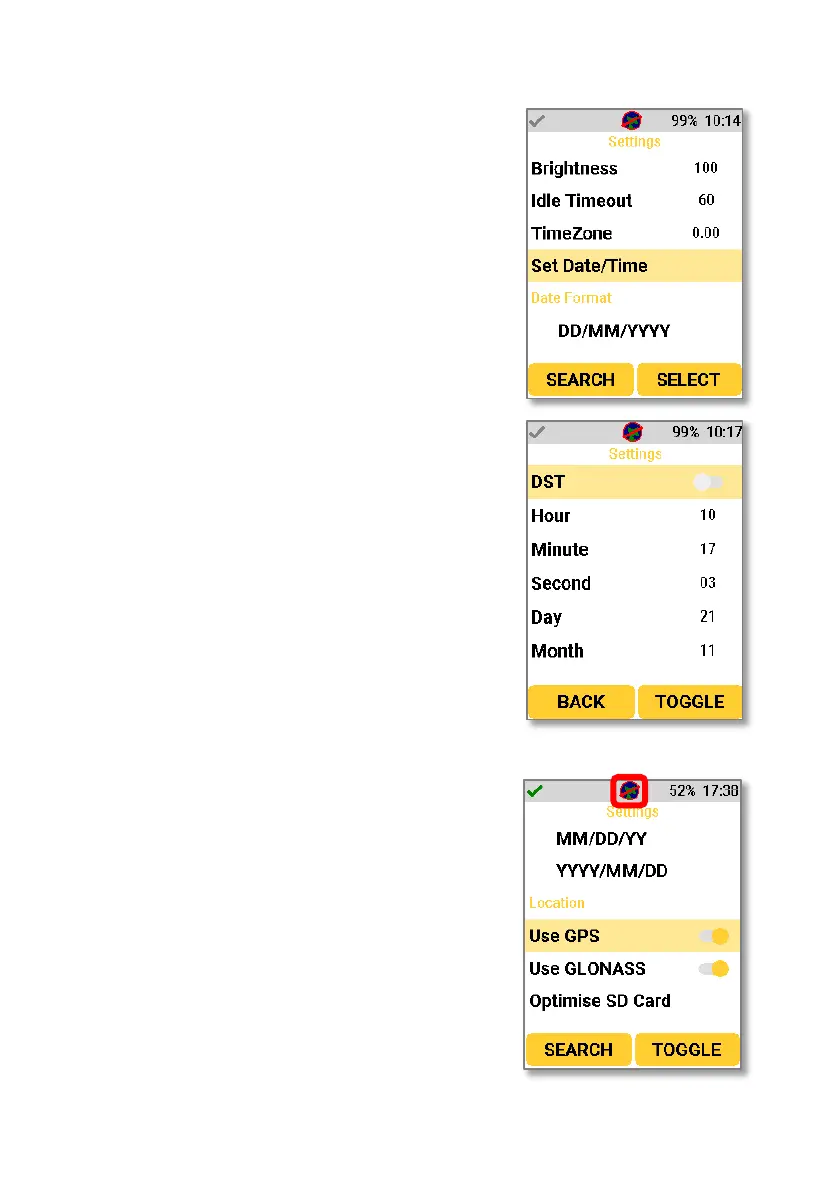
The date and time can be set in the D5
RIID on device settings.
Enabling the DST setting turns on daylight
saving time.
All other relevant date and time
information can be set.
A user can enable or disable both GPS and
GLONASS using the location settings. The
GPS icon is shown in the top bar. If GPS is
on but not connected, then the icon will
have a red line through it. If GPS is
connected, then an icon will be shown
without the red line.



 To Next Page