MAL-OPS-1026 v3 27
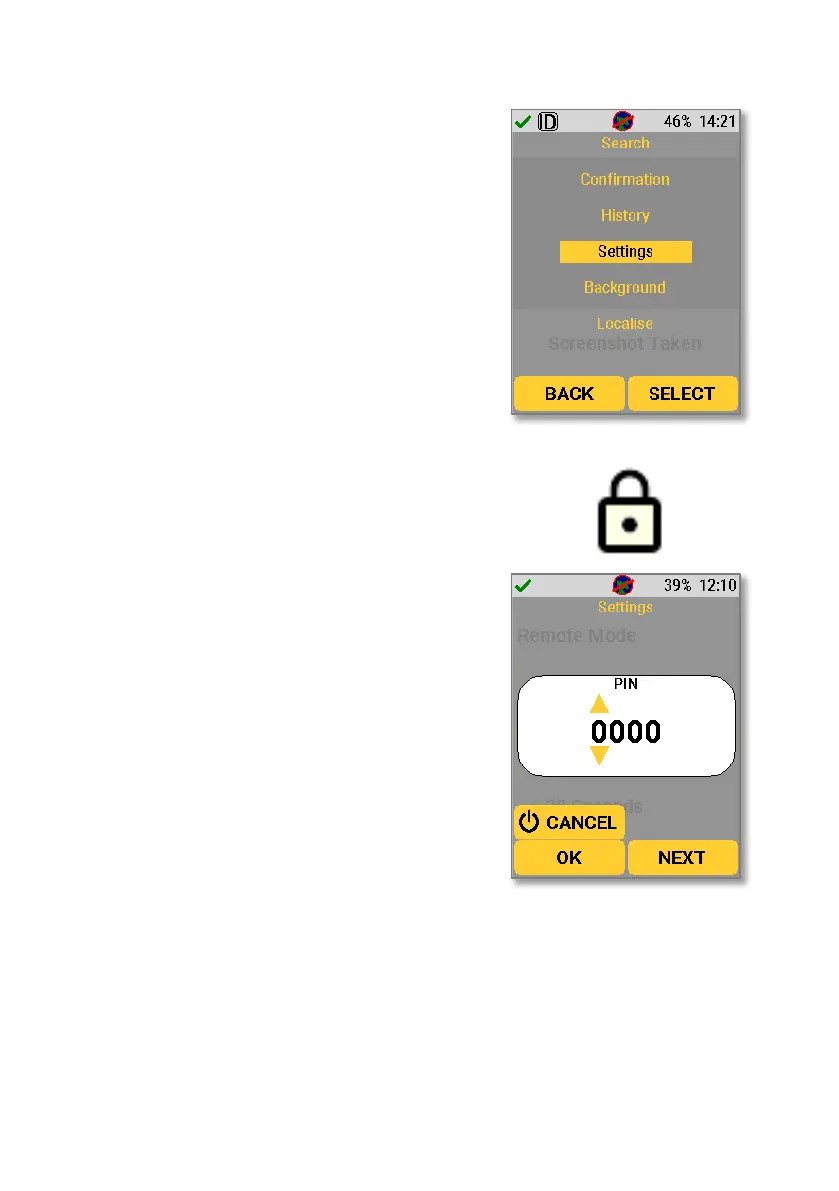
The device settings can be accessed by pressing
the up or down key when in Search Mode or
Confirmation Mode to bring up the main menu.
The up and down keys can then be used to
navigate to “Settings”.
From there, individual settings can be selected
using the navigation keys.
Restricted settings are indicated by a lock icon.
To access a restricted setting, a user must enter
a four-digit pin. The navigation keys can be used
to cycle through the numbers to enter the key.
The standard four-digit pin is 0000. The pin can
be changed by the user on the D5 Settings app
(Section 12).
The status section of the settings gives information on the device itself, the
current power, GPS, radiometrics and WiFi. Pressing “Next” will cycle to the next



 To Next Page