MAL-OPS-1026 v3 33
Covert mode disables all communication methods. This includes both WiFi and
Bluetooth. If this mode is enabled, a user will not be able to turn either WiFi or
Bluetooth on when using the device and they will instead be greyed out. This
setting must be enabled in the D5 Settings App, as described in Section 12.
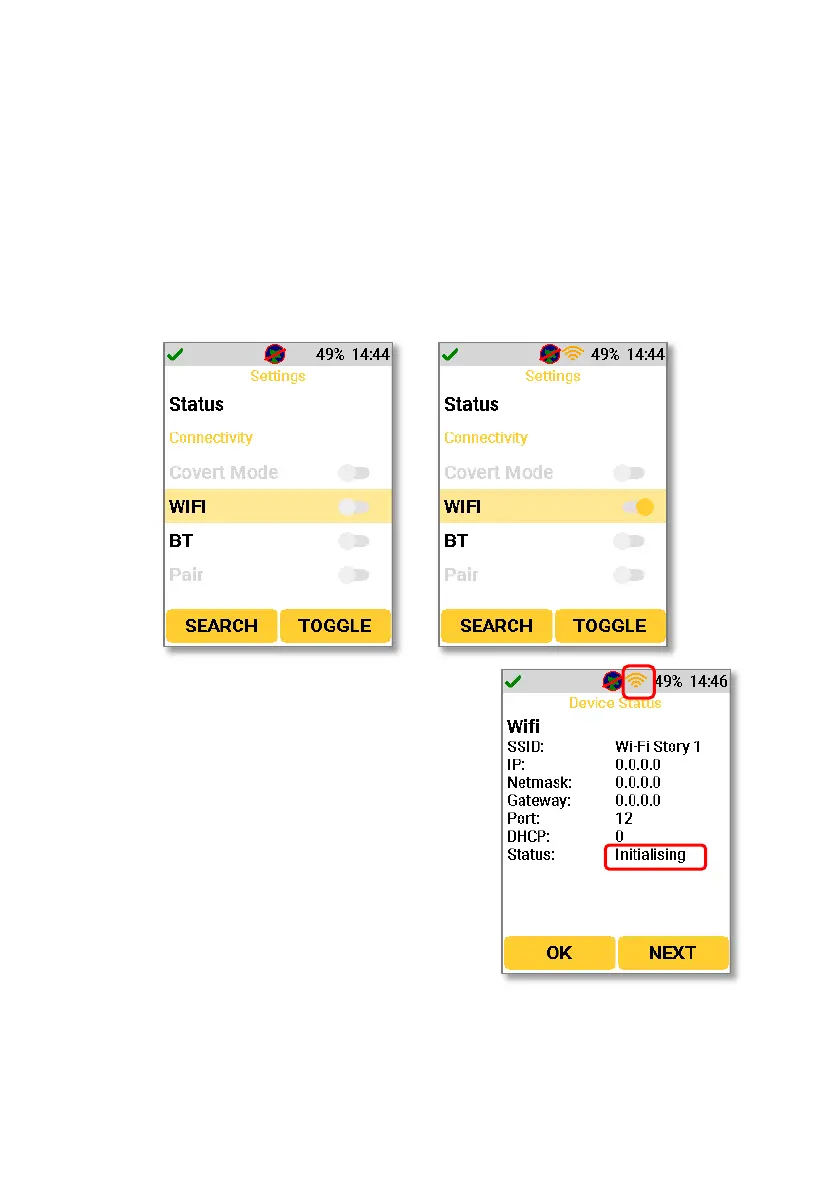
Navigating to the WiFi setting will allow the user to turn WiFi functionality on and
off. Using the right-hand key to select the “toggle” function turns the function on
When the WiFi functionality is turned on, the
D5 RIID will enter a WiFi initialising mode. The
fact that WiFi is initialising is shown by an
orange WiFi icon on the screen’s top bar.
When the WiFi is initialising, the WiFi status will
show as “Initialising” as shown below.
If the WiFi initialising procedure fails, the WiFi status will show as “Init Error” as
shown below. The WiFi icon on the screen’s top bar will also show as red.



 To Next Page