MAL-OPS-1026 v3 18
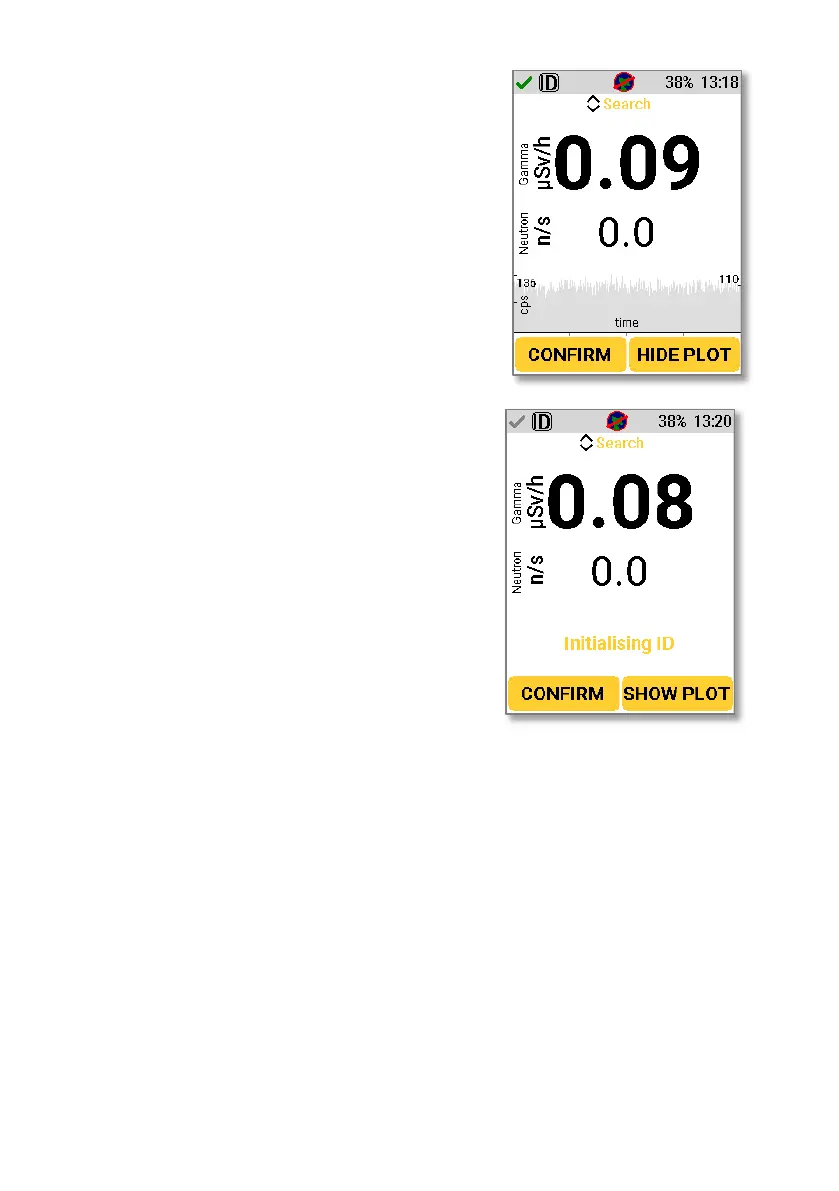
Clicking the right key to select “Show Plot”
brings up a view of the real time spectral
data, showing counts per second on the y
axis and time on the x axis. This can be
hidden again by pressing “Hide Plot”.
When first navigating to Search Mode
with ID, the unit will initialise for
approximately 30 seconds. After this time,
the D5 RIID will be in a fully initialised
identification mode and can be used to
identify isotopes. Once initialisation is
complete, the device is ready to use in
Search Mode. Any errors with this process
will be indicated.
5.2.3. Alarms in Search Mode with ID
Search Mode with ID allows for isotope identification. All alarms which occur in
Search Mode without ID are present in Search Mode with ID, including a high
gamma alarm, high neutron alarm, high dose alarm and over range alarm. Search
Mode with ID also has the added benefit of identifying isotopes.
For full information on the Over Range alarm, see Section 8.
5.2.3.1. High Gamma Alarm
As background levels of radiation vary as time progresses, so too must the
threshold above which an alarm would sound. A high gamma alarm is triggered
when the count rate registered by the gamma-ray detector is assessed as being
significant (above threshold; the count rate is a result of background radiation plus
a radioactive source). The alarm threshold works by calculating sigma, the
standard deviation of how much the count rate fluctuates, and then multiplies it
by a value k, which is set by a user. The value k determines how many standard



 To Next Page