MAL-OPS-1026 v3 35
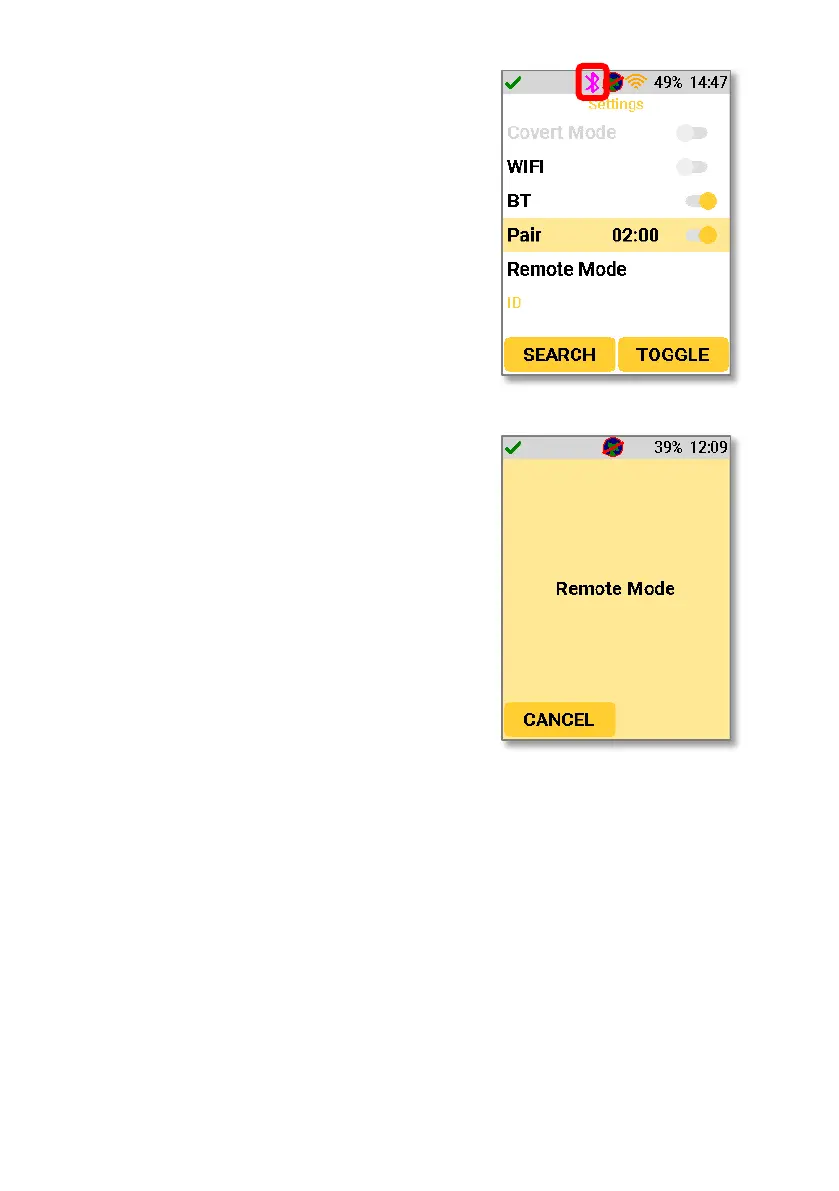
If Bluetooth is turned on, a white Bluetooth
icon will be shown in the top bar. If the device
has entered Bluetooth pairing mode, then a
purple Bluetooth icon will be shown in the top
bar. If Bluetooth connection is successful, then
the Bluetooth icon will be blue.
Accessing remote mode allows the user to view
the incoming data on their computer screen as
opposed to the device screen and take
confirmation mode readings remotely. The D5
RIID must be connected to a computer or
laptop to enable remote mode via the D5
Settings App (as described in Section 12.7.5)
and remote mode must be accessed on the
device.
A user can navigate between Search Mode without ID and Search Mode with ID
using this setting.
Navigating to the Search Mode ID setting will allow the user to turn identification
functionality on and off. Using the right-hand key to select the “toggle” function
turns the function on and off.



 To Next Page