MAL-OPS-1026 v3 34
If any fault with the WiFi module occurs, a “WiFi Module Error” will appear on the
screen. This will be accompanied by the usual fault indication, shown by a yellow
triangle with a black exclamation mark in the top left-hand corner.
If WiFi connection is successful, then the WiFi icon will be green.
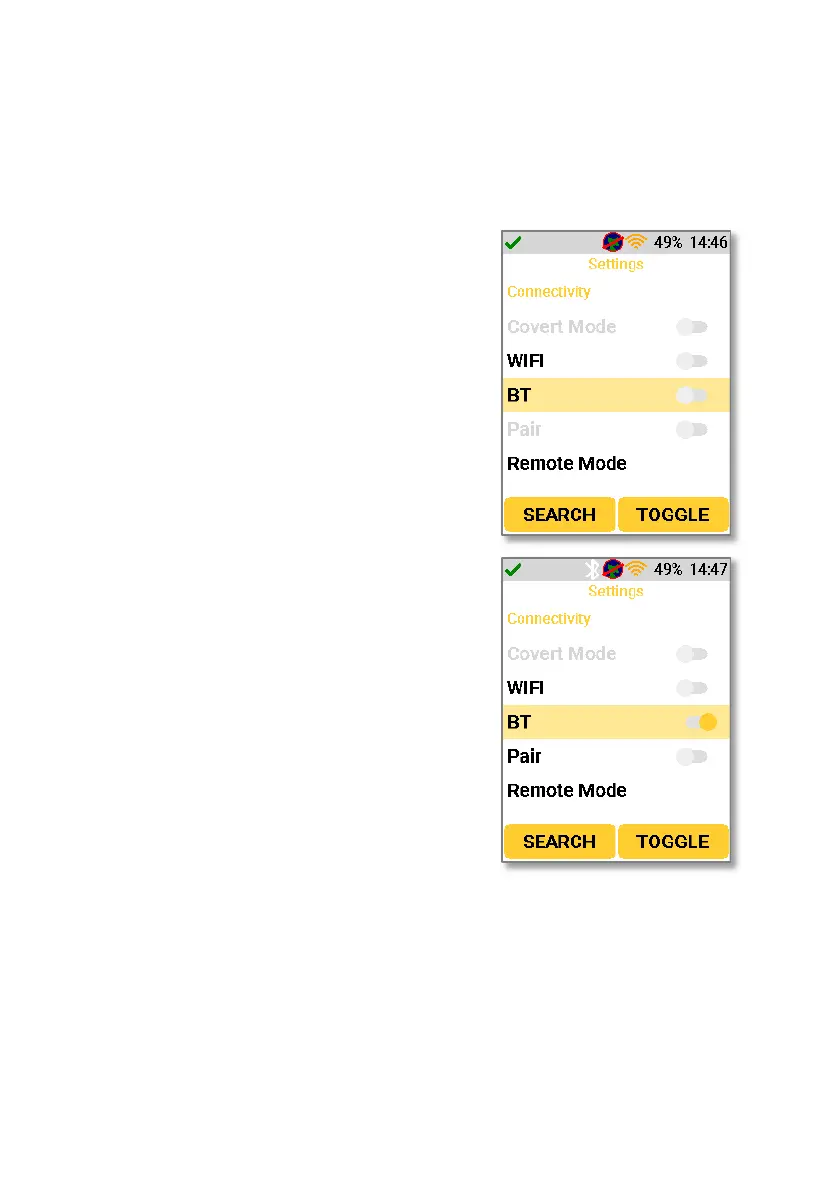
Navigating to the Bluetooth setting will allow
the user to turn Bluetooth functionality on and
off. Using the right-hand key to select the
“toggle” function turns the function on and off.
To pair the device via Bluetooth, the pair
function should be turned on. This is
immediately below the Bluetooth setting and is
only enabled when the Bluetooth setting is
turned on. When “Pair” is enabled, the D5 RIID
will enter Bluetooth pairing mode for a period
of two minutes. This two minute period is
shown by a countdown below the setting.
During this two minute period, the device is
discoverable by other devices and can be
connected via Bluetooth.



 To Next Page