MAL-OPS-1026 v3 20
A high dose alarm will occur if the dose
rate threshold is exceeded. For
information on viewing and changing the
dose rate alarm threshold, see Section
9.17.1.
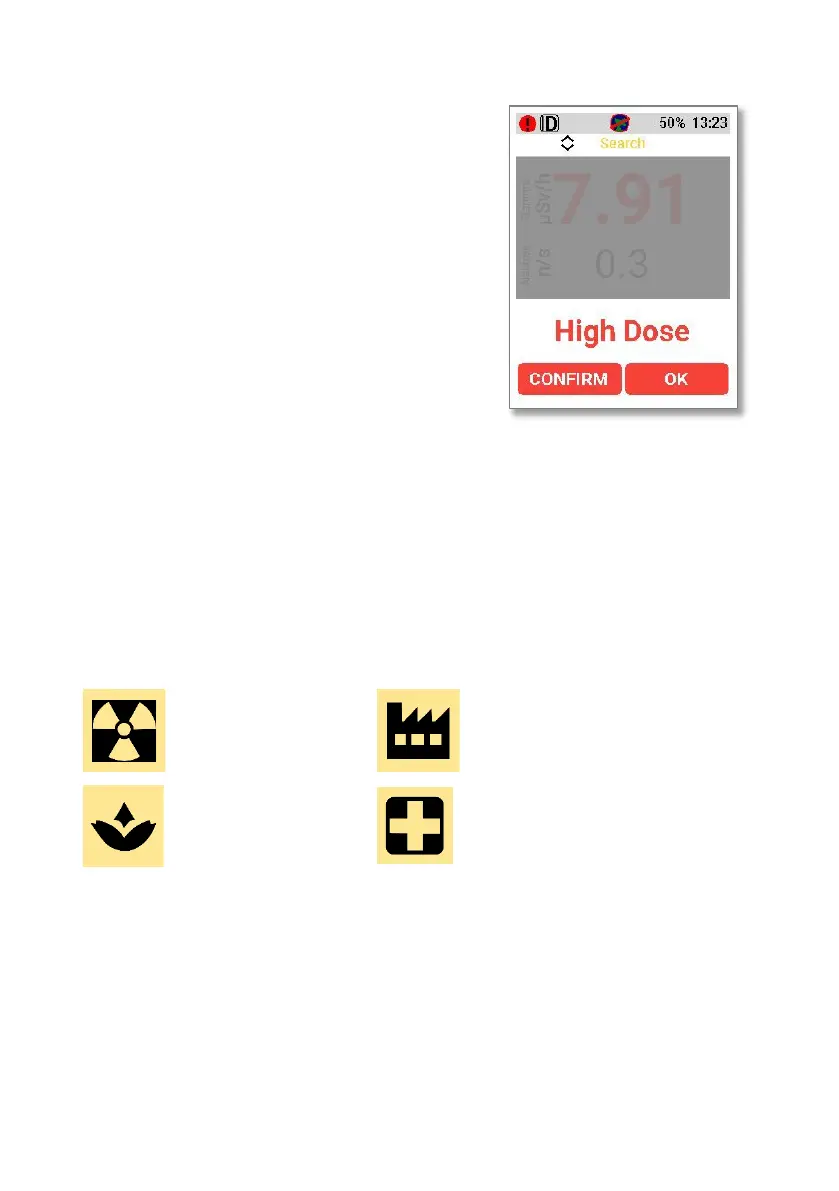
If a high dose alarm occurs, the following
screen will be shown:
Using the right key to select “OK” will
dismiss the alarm. Using the left key to
select “Confirm” will take the device into
confirmation mode (Section 5.3).
Note that the exclamation point in the red
circle in the top left-hand corner will
remain in place until the threat is
removed, even if an alarm is dismissed.
5.2.3.4. Isotope Identification Alarms
If the D5 RIID encounters an isotope which is in its isotope library, an isotope
identification alarm will be shown. This alarm identifies the isotope, as shown in
the Ba-133 example shown below. Each isotope will be categorised as industrial,
medical, NORM or special nuclear material as shown by the associated icon. The
categorisation icons are as follows:
Special Nuclear
Material icon
Industrial icon
NORM icon
Medical icon
The confidence level is also shown on the alarm.
The D5 RIID can detect multiple isotopes. If multiple isotopes are detected, then
the alarm indication will show “1 of 2”, “1 of 3”, “1 of 4” etc depending on the
number of isotopes. Using the left-hand button to select “Next” will show the
other identified isotope.
Clicking “OK” will dismiss the alarm and prompt the user to move to Confirmation
Mode.



 To Next Page