MAL-OPS-1026 v3 37
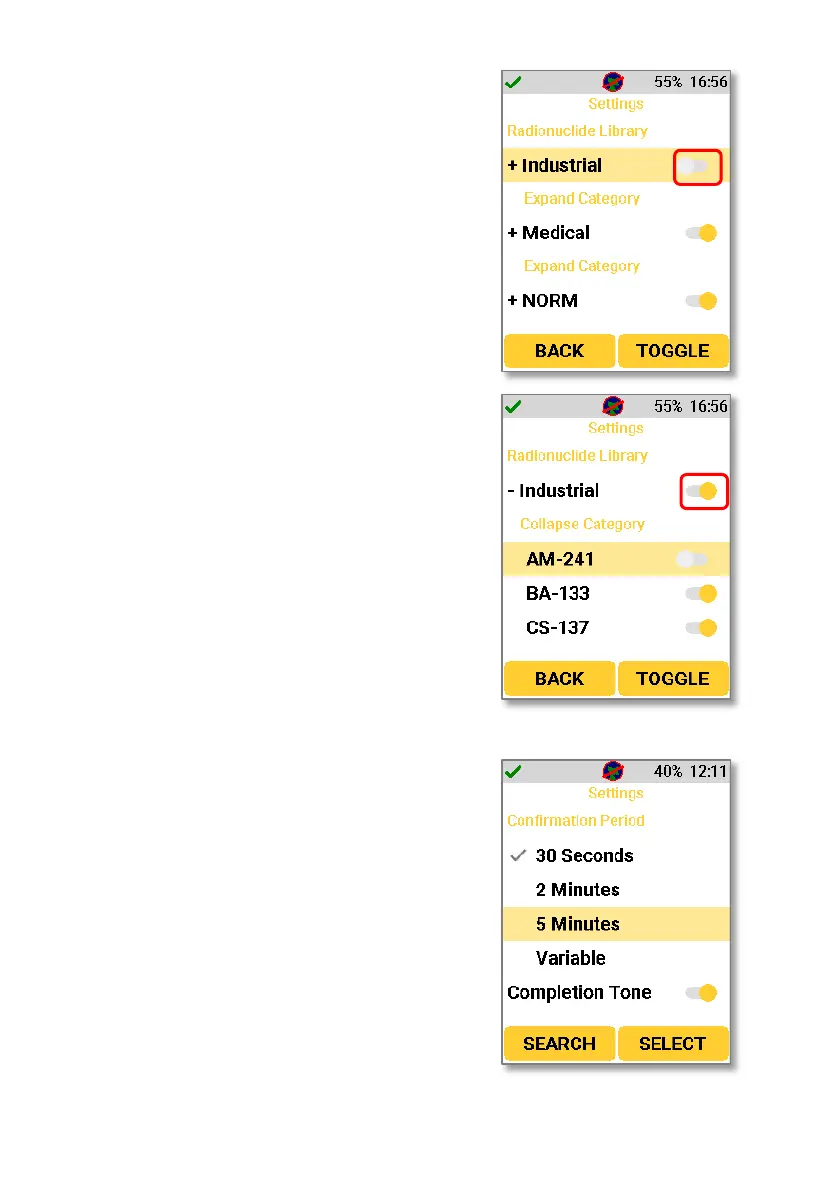
In this setting, it is possible to customise the
identification library. A whole category can be
turned off by disabling that category in settings,
as shown below.
Using the navigation keys to move to and select
“Expand Category” will show all isotopes in the
selected category. From here, individual
isotopes can be disabled. If an isotope is
disabled, then the device will not be detected
by the D5 RIID in either Search Mode or
Confirmation Mode. Doing this will not disable
the whole isotope category and will just disable
the identification of the specific isotope.
Navigating to the Confirmation Period section
of the settings allows a user to choose the
confirmation mode scan time, which will be
applied to all confirmation mode scans. It is
possible to choose a scan time of 30 seconds, 2
minutes, 5 minutes, or a variable confirmation
time.



 To Next Page