Settings
44
Pos: 68.7 /Überschri ften/Überschri ften 2/U-Z/Verriegelu ng einstellen @ 91\mod_132 6177560227_78.doc x @ 777175 @ 2 @ 1
11.2 Adjust Locking
Pos: 68.8 /BA/Einste llungen/Mähwerke/Easy Cut/Verriegelu ng einstellen Bild EC R 280/320/360 @ 207\mod_1386838 115372_78.doc x @ 1717643 @ @ 1
EC-402-0
2
3
Fig. 23
Pos: 68.9 /BA/Einste llungen/Mähwerke/Easy Cut/Verriegelu ng einstellen Text EC R 280/ 320 CV / EC R 360 @ 91\mod_13261763 46008_78.docx @ 777147 @ @ 1
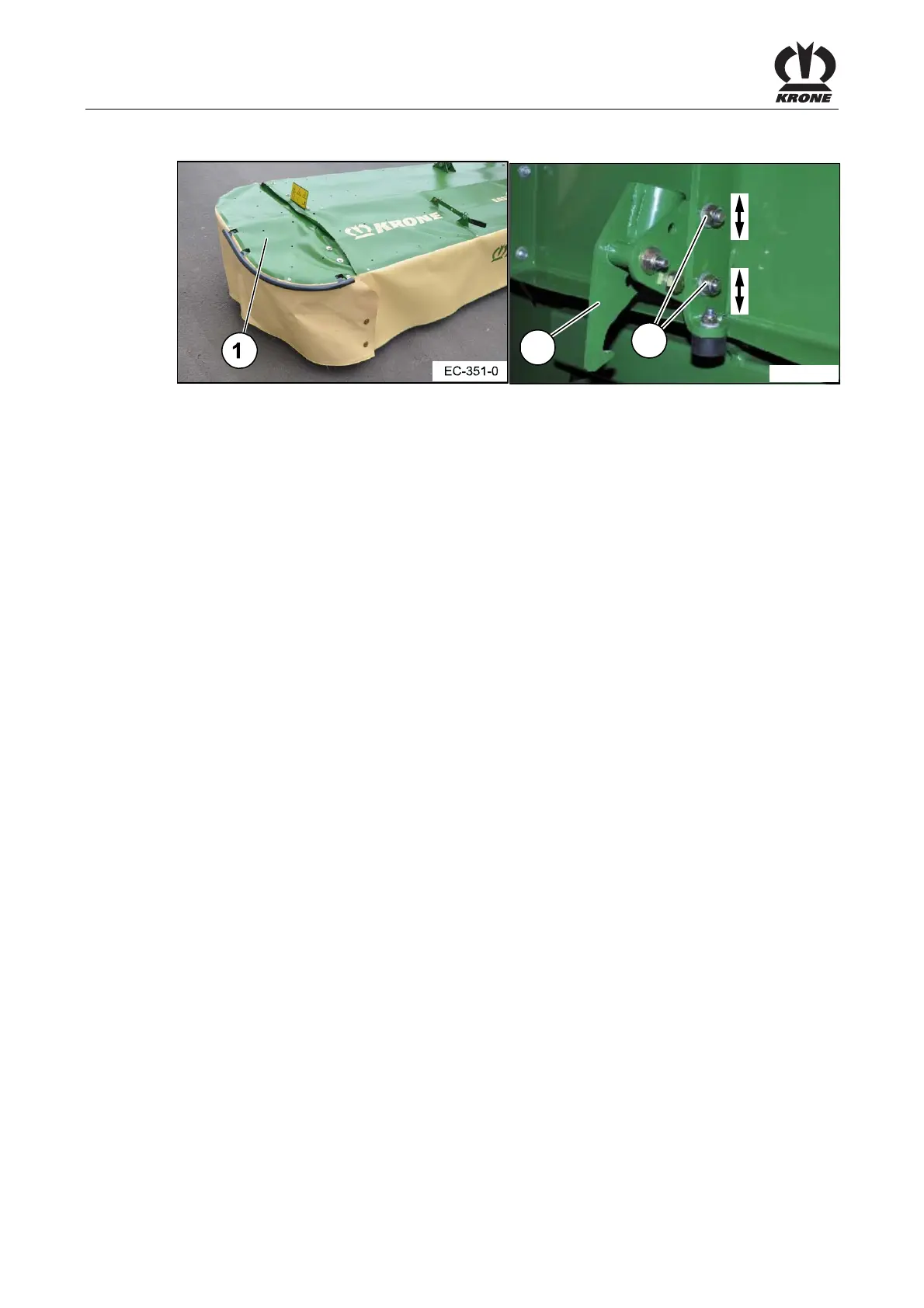
The locking (2) prevents during use that the side panel folds up and that foreign objects are
slung away. Therefore, it is very important to ensure before every use that the side panel (1) of
the machine is folded down and that the locking (2) is secured.
The side panel (2) must be adjusted in that way that
• the side panel (1) folds down when swivelling the machine from transport position to
working position and that it is secured by the locking (2)
• the side panel (1) slides independently from the locking when swivelling the machine from
working position to transport position and that the side panel is folded over to transport
position. Thus the transport height is reduced.
If this is not the case, the locking (2) must be set via the screw connection (3).
To do this:
• Loosen the screw connection (3)
• Readjust the locking in the oblong hole
• Tighten the screw connection (3)
Pos: 68.10 /Layout Module /---------------Seitenumbruch---------------- @ 0\mod_1196175311226_0. docx @ 4165 @ @ 1



 To Next Page
 Loading...