LaCie 5big network Administering Your LaCie 5big network
User Manual page 42
Saving and Loading System 4.5.7.1.
Configurations
It’s a good idea to save your system configuration in case the
5big needs to be reformatted or reset. You can then reload the
configuration so that your settings, shares, groups and users are
not lost.
ImpOrTANT INfO: Share content (files) is not saved in a
configuration file.
To save the current configuration:
Click on 1. System and then Maintenance.
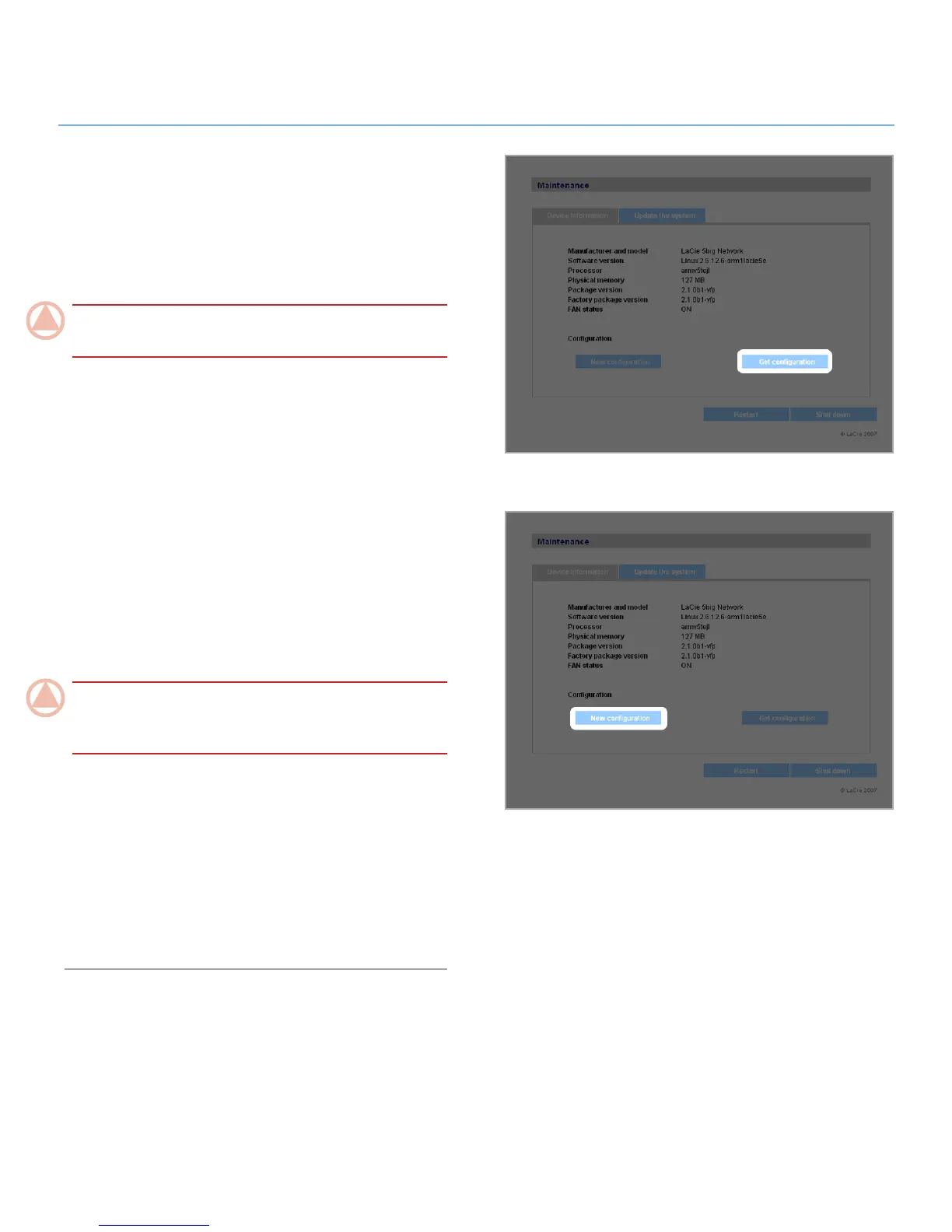
Click the
2. Get Configuration button (Fig. 4.5.7.1-A). When
the confirmation dialog opens, click Save File.
Internet Explorer users: The XML defining the configuration will
open in the browser window. To save the configuration, select
File > Save as… In the Save as type menu in the Save As
dialog, select XML Files (*.xml) and choose a location to save
the file.
Firefox and Safari users: Your browser will save the file to the
browser’s default download location. The configuration file is
an XML file.
ImpOrTANT INfO: Do not save configuration files on the
5big network alone. If data loss occurs, the configuration file
may also be lost.
To load a saved configuration:
Click on 1. System and then Maintenance.
Click the
2. New Configuration button (Fig. 4.5.7.1-B).
Click
3. Browse… and select a configuration file from your
computer.
Click
4. Apply.
Figure 4.5.7.1-A
Figure 4.5.7.1-B













 To Next Page