LaCie 5big network Administering Your LaCie 5big network
User Manual page 43
Updating the System4.5.7.2.
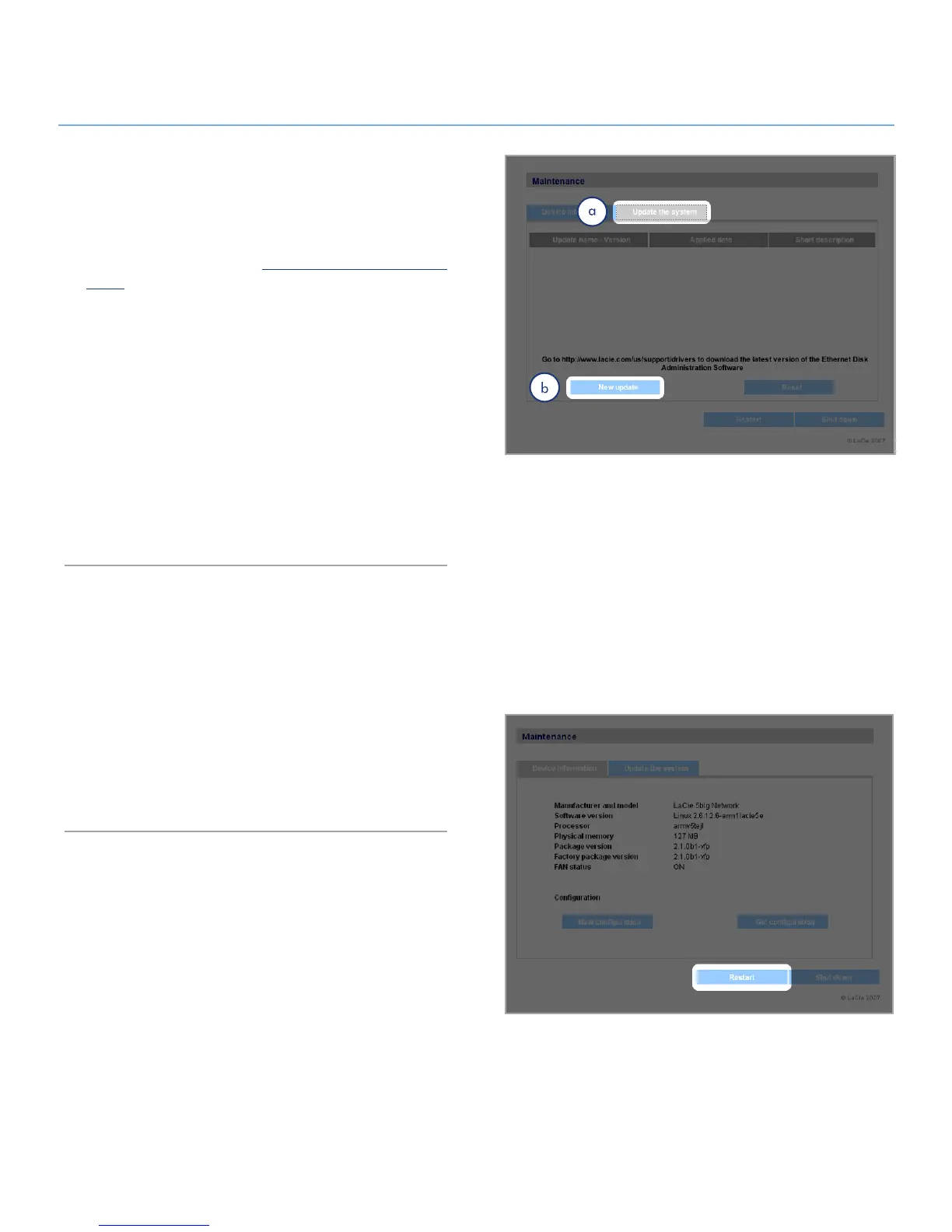
Firmware updates may become available for the 5big network.
To install firmware updates:
Download updates from 1. www.lacie.com/support/down-
loads/.
Click the
2. Update the system tab (a) in Maintenance (Fig.
4.5.7.2).
Click
3. New Update (b).
Click
4. Browse… and select an update file from your com-
puter.
Click
5. Apply.
During the system update you will not have access to the device
and users will not be able to access shares. When the update is
complete, the login page will open.
Figure 4.5.7.2
Figure 4.5.7.3
Restart4.5.7.3.
To restart the 5big network, click the Restart button (Fig. 4.5.7.3).
The restart process takes a few minutes. When the machine has
restarted, the login page will open.













 To Next Page