3. INSTALLATION
23
3-9. CHANGING SCORING BLADE
1. Press the emergency button
2. Set the scoring blade in 90 degree by turning the hand wheel A (Fig. 3-7.1)
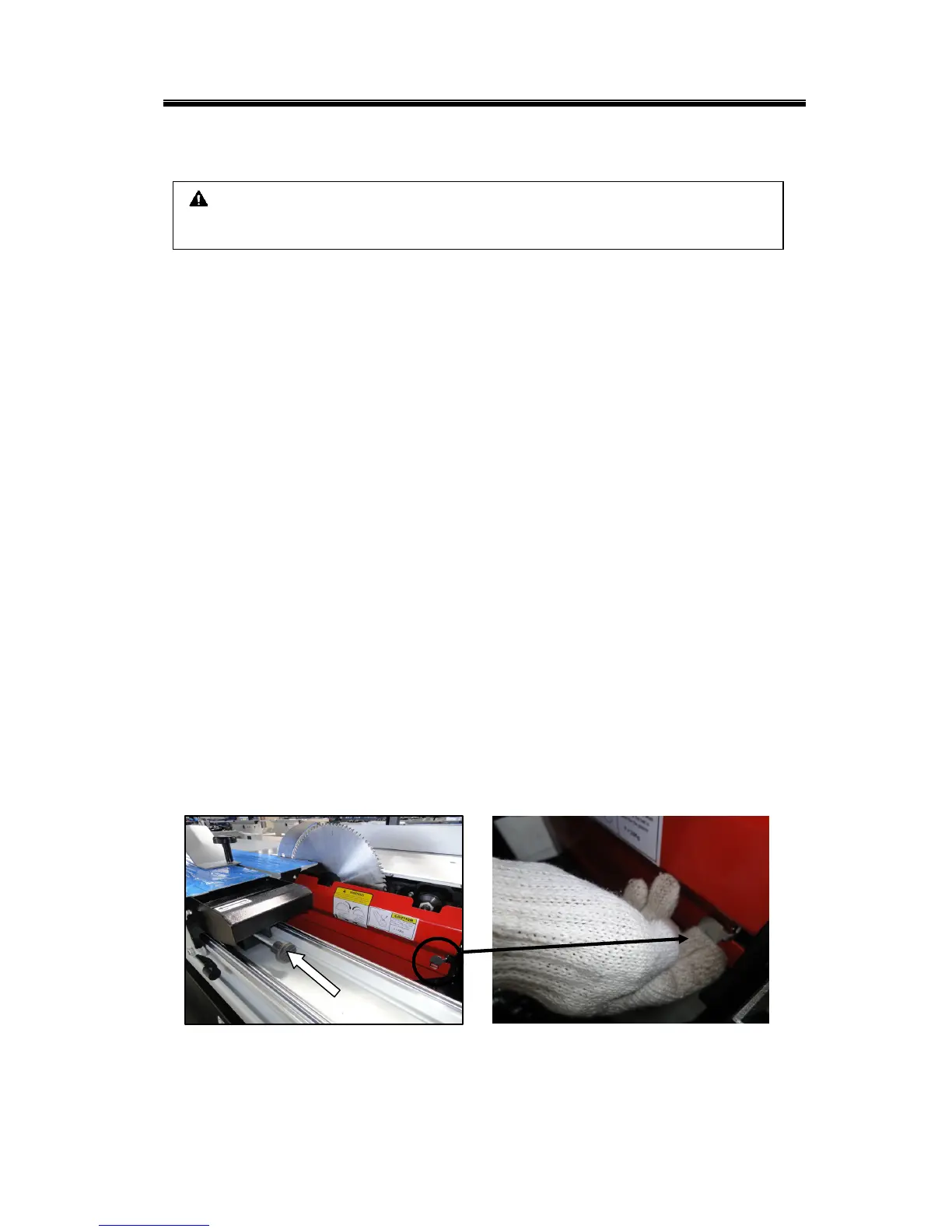
3. Move the sliding table to the left and push the handle
to the 2
nd
stop before
reach the 1
st
stop. (Fig. 3-9.1)
4. Open the blade protect guard -red cover(Fig. 3-9.1a)
5. Hold the spindle in a fix position by inserting the fixing bar C(Fig. 3-9.2)
6. Loosen nut with hex- wrench
7. Take off nut and one flange
8. Make sure that flanges and scoring blade are clean
9. Fit the scoring blade, flange and nut then tighten nut D(Fig. 3-9.2)
10. Remove the fixing bar from Table
11. Close the blade protect guard -red cover(Fig. 3-9.1a)
12. Release the emergency button
13. Move the sliding table back to its original position.
※ Notice: for safety concern, always close the blade guard when finished, (Fig.
3-10.1); move back the sliding table to the original position
※ During the machine operation, pay attention to the saw unit when the blade
guard is open
CAUTION:
Changing scoring blade with gloves and always pay attention.
Figure 3-9.1a
Figure 3-9.1



 To Next Page