■
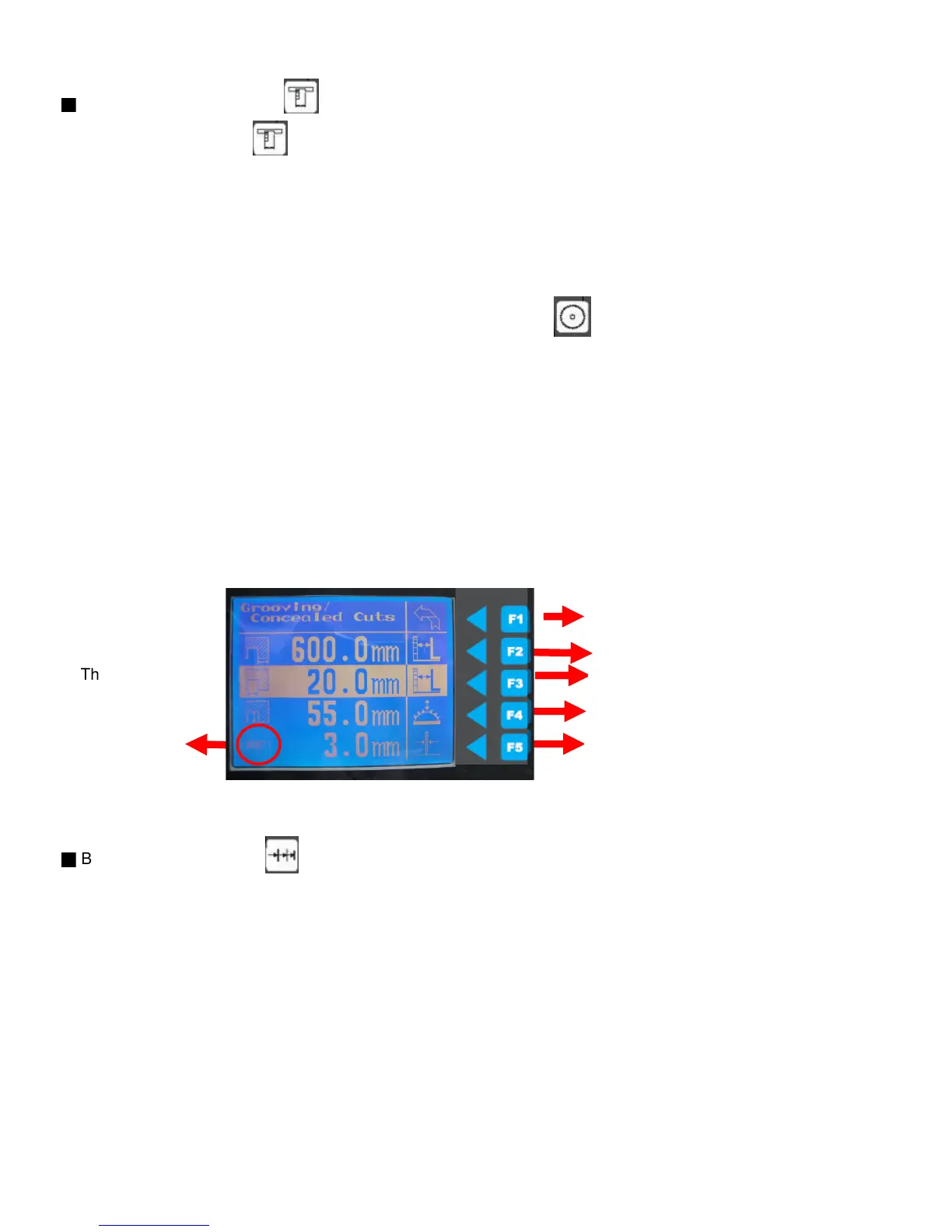
A. Grooves /concealed cuts
1. Press the "function key" to enter the starting position,
2. Ex. Input 600mm, press F2 input 600mm after height light appear press F2 again when finish
3. The groove width, Ex. 20mm, press F3 input 20mm after height light appear press F3 again when finish
**input positive number (greater than zero) : the rip fence move backward,
input negative number (less than zero) : the rip fence move forward (close to the blade side)
5. Select blade thickness, before that you need to input the blade information.
Please check down below the manual find the " blade management" .
6. Press start key to start the function, the number of the operating cut will show on the screen
7. The start key must be pressed after every cuts
so that the rip fence is adjusted accordingly.
8. The number of cuts is displayed at the bottom left of the screen which will change after every cut.
* During input can press "CE" key to delete the data, press " stop key" to stop the input at any time.
* During operating you can press " stop key" to stop work and re-set up again or press F1 to main menu.
**Important** User need to check the height of the blade manually and input it.
***This PLC is only to control rip fence which can not adjust the blade height or tilting automatically.
Press F1 to back to main menu at the any time.
■
B. Incremental dimension
1. Press the function key to start the set up,
2. Press F2 to enter the starting position for the incremental dimension and then press F3 for step size.
(step size can be positive (move to right hand side) or negative (move to left hand side).
Ex. To set up starting position and 660mm, and incremental dimension for 30mm or (-50mm)
Press F2 input 660mm after height light appear press start to the starting position.
Press F3 input 30mm (-50mm) after height light appear press start to next position.
(don't need to press F2/F3 again to save, just press start key to move after input the distance)
The start key must be pressed each time to move the rip fence.
Press F1 to back to main menu at the any time.
If the travel distance set at 300mm, it will stop at 400mm first , press start key continually to reach 300mm
45
starting postion
the groove width
the groove depth
need to select the blade
thcikness at blade management



 To Next Page