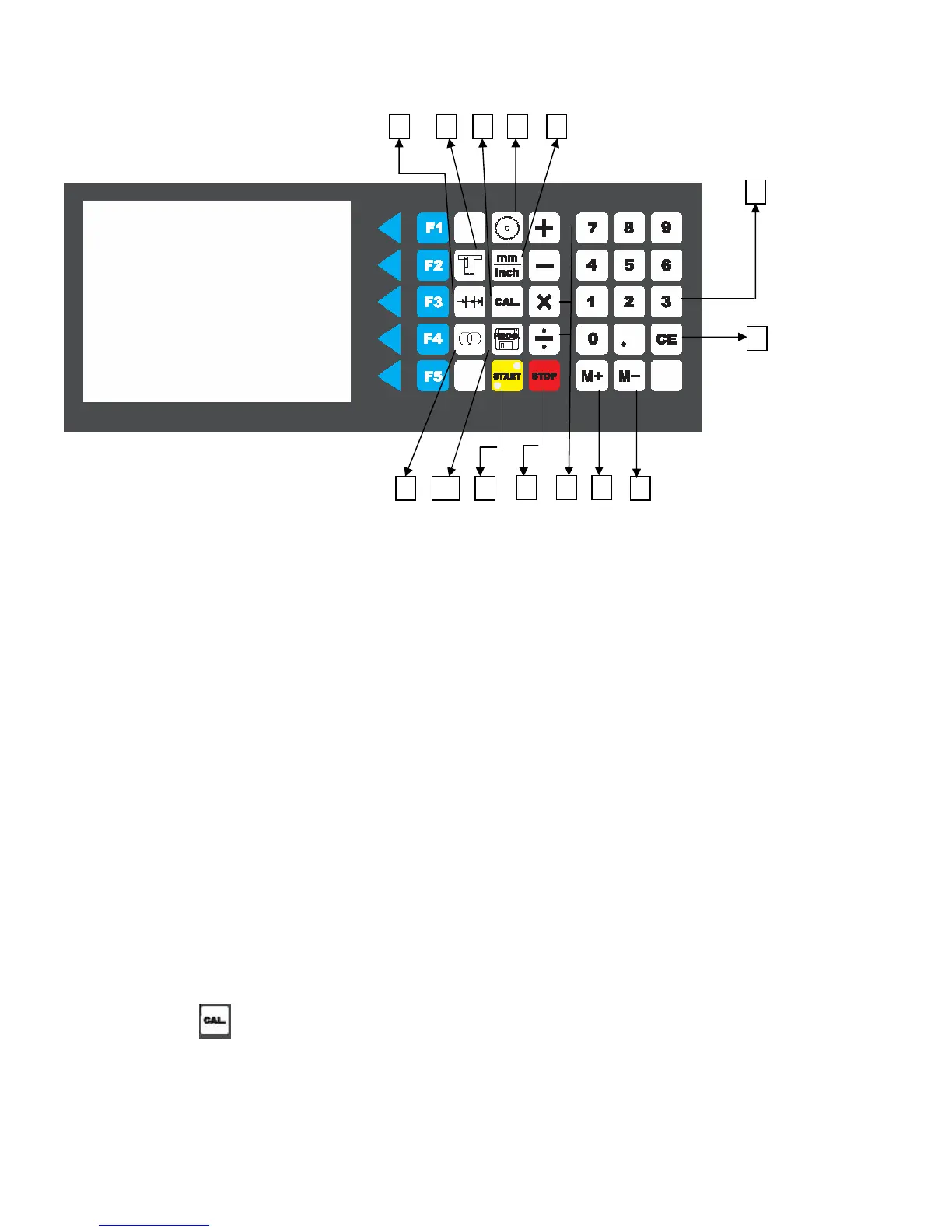
A. Grooves /concealed cuts Function
B. Incremental dimension Function
C. Dimension repeat Function
D. Blade management
E. Switch mm/inch Function.
F. Calibration Function
G. Numeral Keypad
H. CE Key, erase function to delete the input.
I. M- Function, for tiny adjustment "decrease" 0.1mm /0.01inch
J. M+ Function, for tiny adjustment "increase" 0.1mm /0.01inch
K. For basic calculation , plus , minus, times, divide function.
L. Stop Key, stop the movement.
M. Program function (No function at the moment, back up use)
N. Start Key, start the movement.
*****Important************
Any emergency situation during operation you can press Emergency stop to stop immediately.
The rip fence travel distance from 5mm to 1350mm, safety set up sensor at 400mm.
If the travel distance set at 300mm, it will stop at 400mm first , press start key continually to reach 300mm
Before function, measure the width of a cut test piece with calipers, check the accurate before operation.
Ex. After cut test, the work piece is 901mm/the screen showed 900mm
Press the CAL key for more than 3 seconds,
after highlight appears in the dimension display, enter the measured dimension using the numeric keypad,
Press the CAL key for 3 second after input the correct information.
*when input the setting wrong , press the CE function to erase and re-input again.
*Noted, When rip fence moving do not stand in the travel distance to avoid crash by rip fence.
44
B
H
JKL
M N I
G
A F D E
C



 To Next Page