Port:
The logical port for the settings.
VLAN ID:
The vlan id for the settings.
IP Address:
Allowed source IP address.
IP Mask:
It can be used for calculating the allowed network with IP address.
MAC address:
Allowed source MAC address.
Add new entry:
Click to add a new entry to the Static IP Source Guard table. Specify the Port, VLAN ID, IP address, and IP Mask for the
new entry. Click "Save".
Buttons:
Save – Click to save changes.
Reset – Click to undo any changes made locally and revert to previously saved values.
5.1.3 Dynamic Table
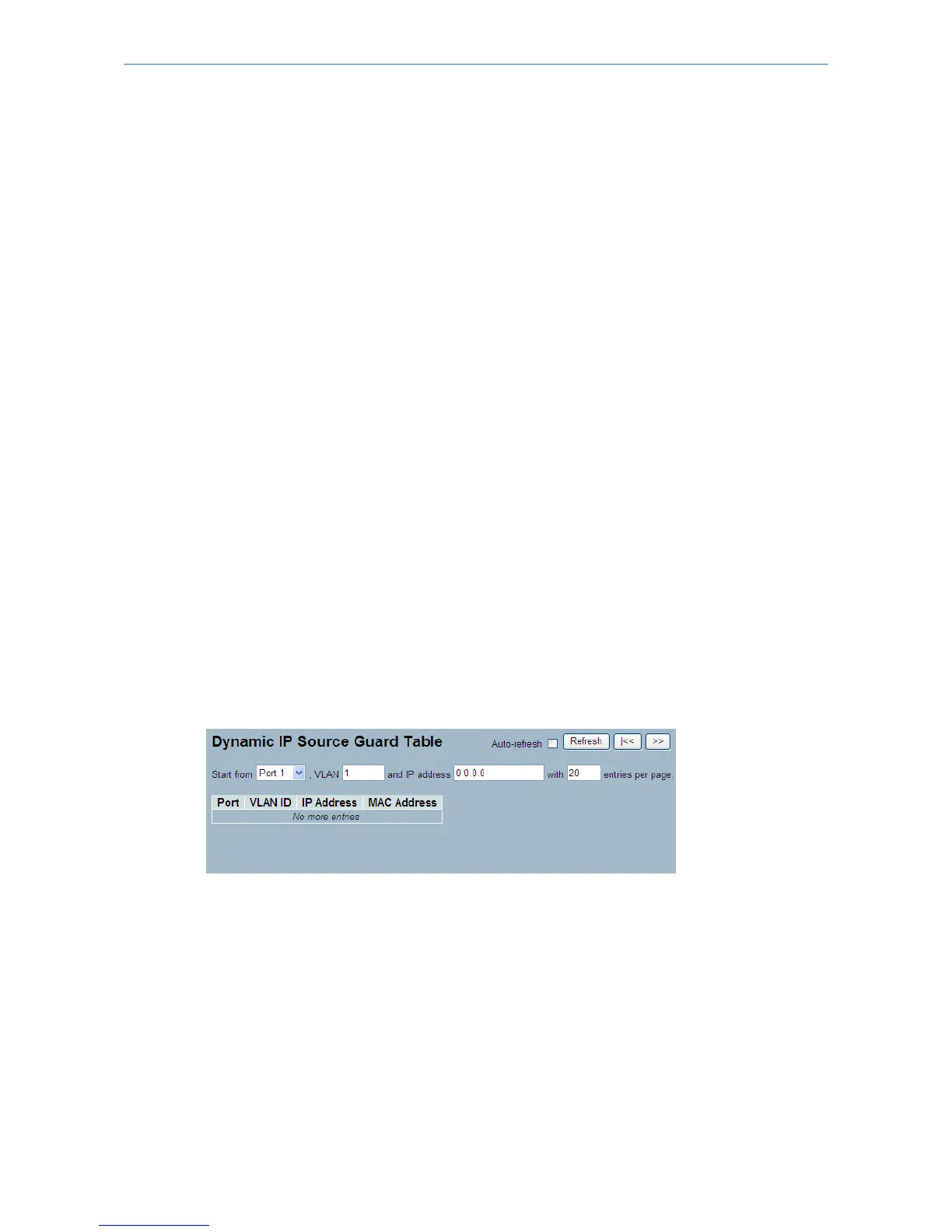
The section describes how to configure the Dynamic IP Source Guard Table parameters of the switch.
Web Interface
To configure a Dynamic IP Source Guard Table in the web interface:
1. Specify the Start from port, VLAN ID, IP Address, and entry per page.
2. Check “Auto-refresh”.
Figure 5-1.3: The Dynamic Table
Parameter description:
Port:
Related switch port.
VLAN ID:
VLAN ID in which the IP traffic is permitted.
IP Address:
User IP address.
MAC Address:
162
LANCOM GS-2310P/GS-2326(P) User Manual
5 Security



 To Next Page