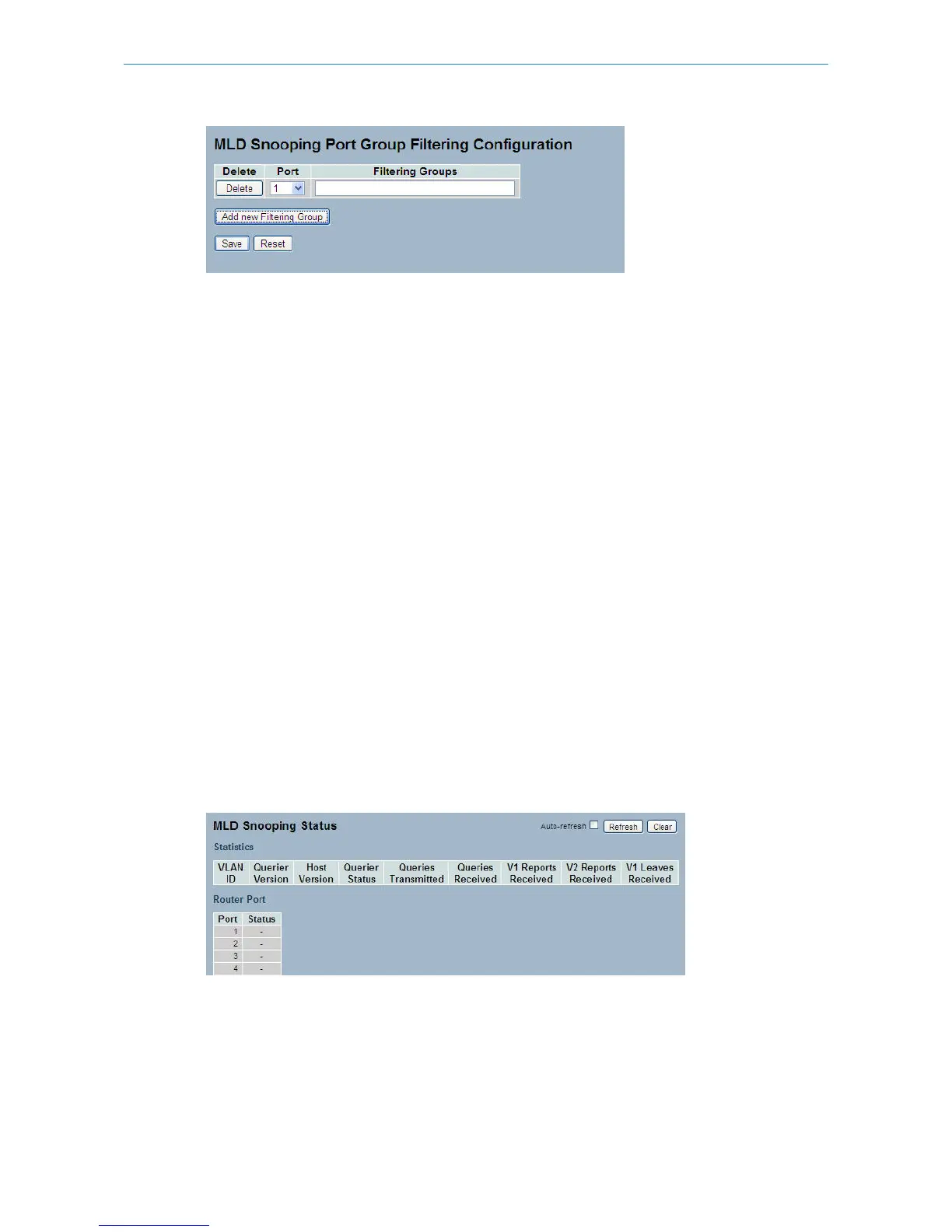
Parameter description:
Delete:
Check to delete the entry. It will be deleted during the next save.
Port:
The logical port for the settings. You can enable the port to join a filtering Group
Filtering Groups
The IP Multicast Group that will be filtered.
Buttons:
Save – Click to save changes.
Reset – Click to undo any changes made locally and revert to previously saved values.
3.6.4 Status
This section describes the MLD Snooping Status. It is helpful to find out the detailed information of the MLD Snooping
status.
Web Interface
To display the MLD Snooping Status in the web interface:
1. Click Configuration, MLD Snooping, Status
2. If you want to auto-refresh the information then you need to activate “Auto-refresh”
3. Click “Refresh“ to refresh a entry of the MLD Snooping Status Information.
4. Click “Clear“ to clear the MLD Snooping Status.
Figure 3-6.4: The MLD Snooping Status
Parameter description:
VLAN ID:
The VLAN ID of the entry.
Querier Version:
55
LANCOM GS-2310P/GS-2326(P) User Manual
3 Configuration



 To Next Page