4 System Configuration
This chapter describes the entire basic configuration tasks which includes the System Information and any managing of
the switch (e.g. time, account, IP, syslog and SNMP).
4.1 System Information
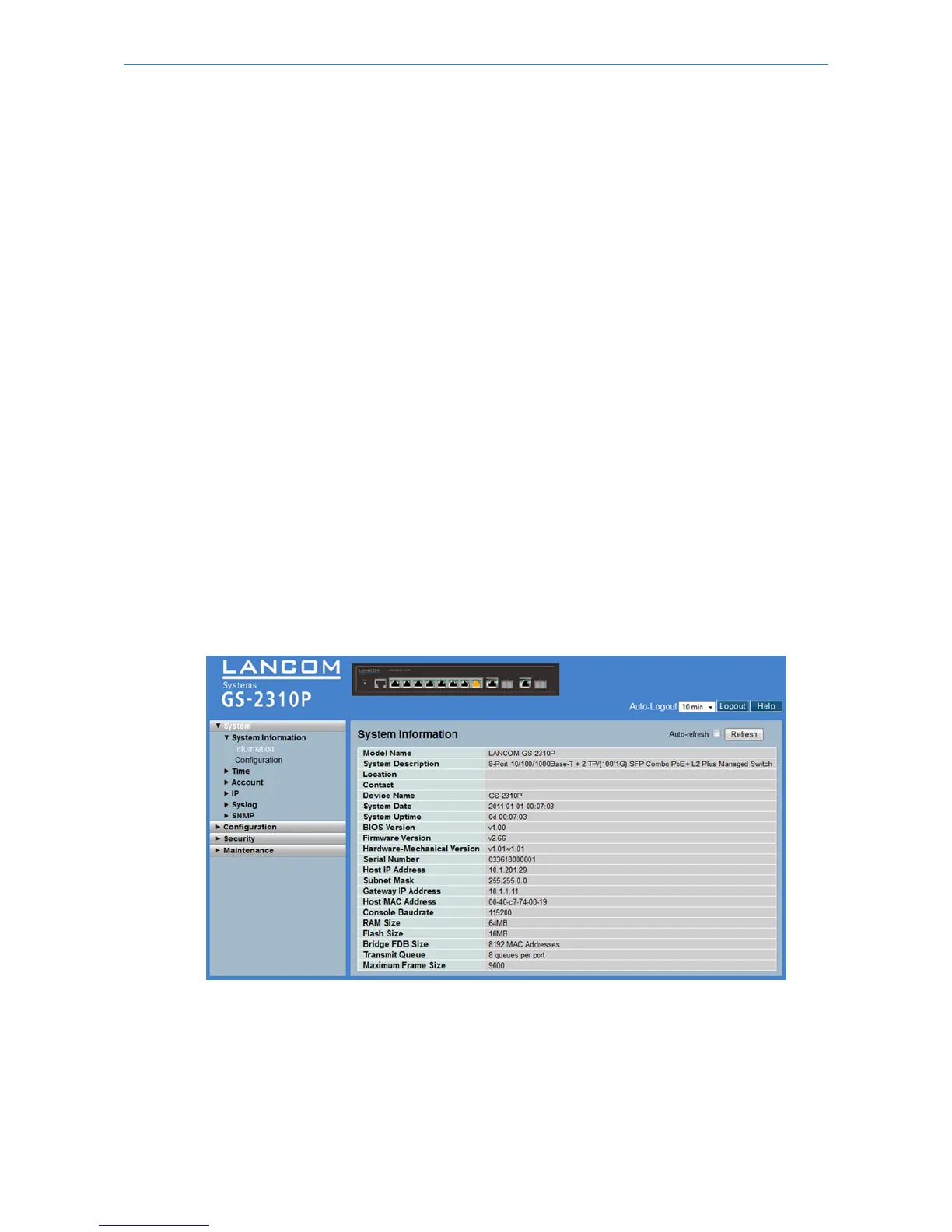
After you login, the switch shows you the system information. This page tells you the basic information of the system,
including “Model Name”, “System Description”, “Contact”, “Device Name”, “System Up Time”, “BIOS Version”, “Firmware
Version”, “Hardware-Mechanical Version”, “Serial Number”, “Host IP Address”, “Host Mac Address”, “Device Port”,
“RAM Size”, and “Flash Size”.
4.1.1 Information
The switch system information is provided here.
To access the System Information in the web interface:
1. Click SYSTEM, System, and Information.
2. Specify the contact information for the system administrator as well as the name and location of the switch. Also
indicate the local time zone by configuring the appropriate offset.
3. Click Refresh
Figure 4-1.1: System Information (GS-2310P)
Parameter description:
Model name:
The model name of this device.
System description:
138
LANCOM GS-2310P/GS-2326(P) User Manual
4 System Configuration



 To Next Page