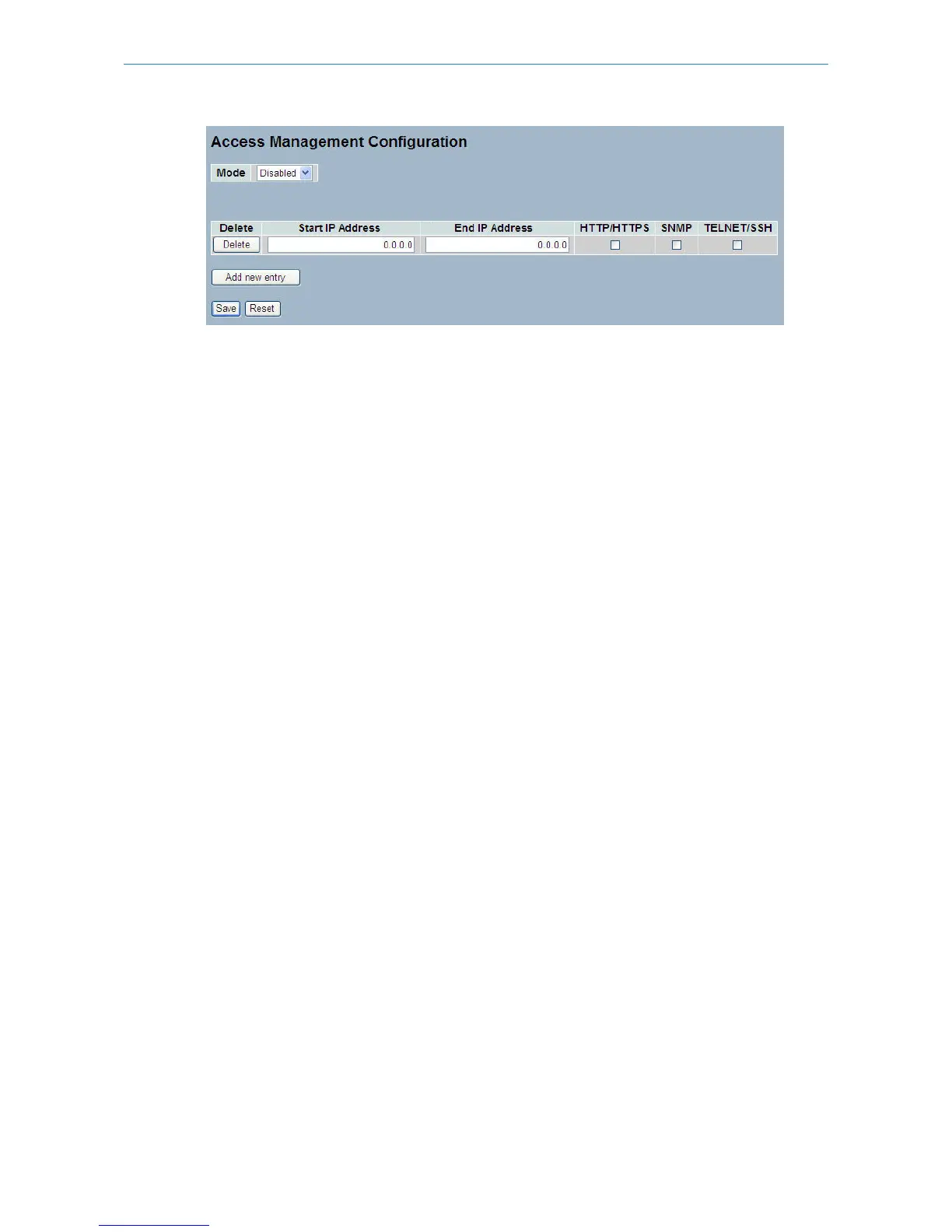
Parameter description:
Mode:
Indicates the access management mode operation. Possible modes are:
Enabled: Enable access management mode operation.
Disabled: Disable access management mode operation.
Delete:
Delete the entry. It will be deleted during the next save.
Start IP address:
Indicates the start IP address for the access management entry.
End IP address:
Indicates the end IP address for the access management entry.
HTTP/HTTPS:
Indicates that the host can access the switch from HTTP/HTTPS interface if the host IP address matches the IP address
range provided in the entry.
SNMP:
Indicates that the host can access the switch from SNMP interface if the host IP address matches the IP address range
provided in the entry.
TELNET/SSH:
Indicates that the host can access the switch from TELNET/SSH interface if the host IP address matches the IP address
range provided in the entry.
Buttons:
Save – Click to save changes.
Reset – Click to undo any changes made locally and revert to previously saved values.
5.8.2 Statistics
This section shows you detailed statistics of the Access Management including HTTP, HTTPS, SSH. TELNET, and SSH.
Web Interface
To configure Assess Management Statistics in the web interface:
1. Check “Auto-refresh”.
Figure 5-8.2: The Access Management Statistics
192
LANCOM GS-2310P/GS-2326(P) User Manual
5 Security



 To Next Page