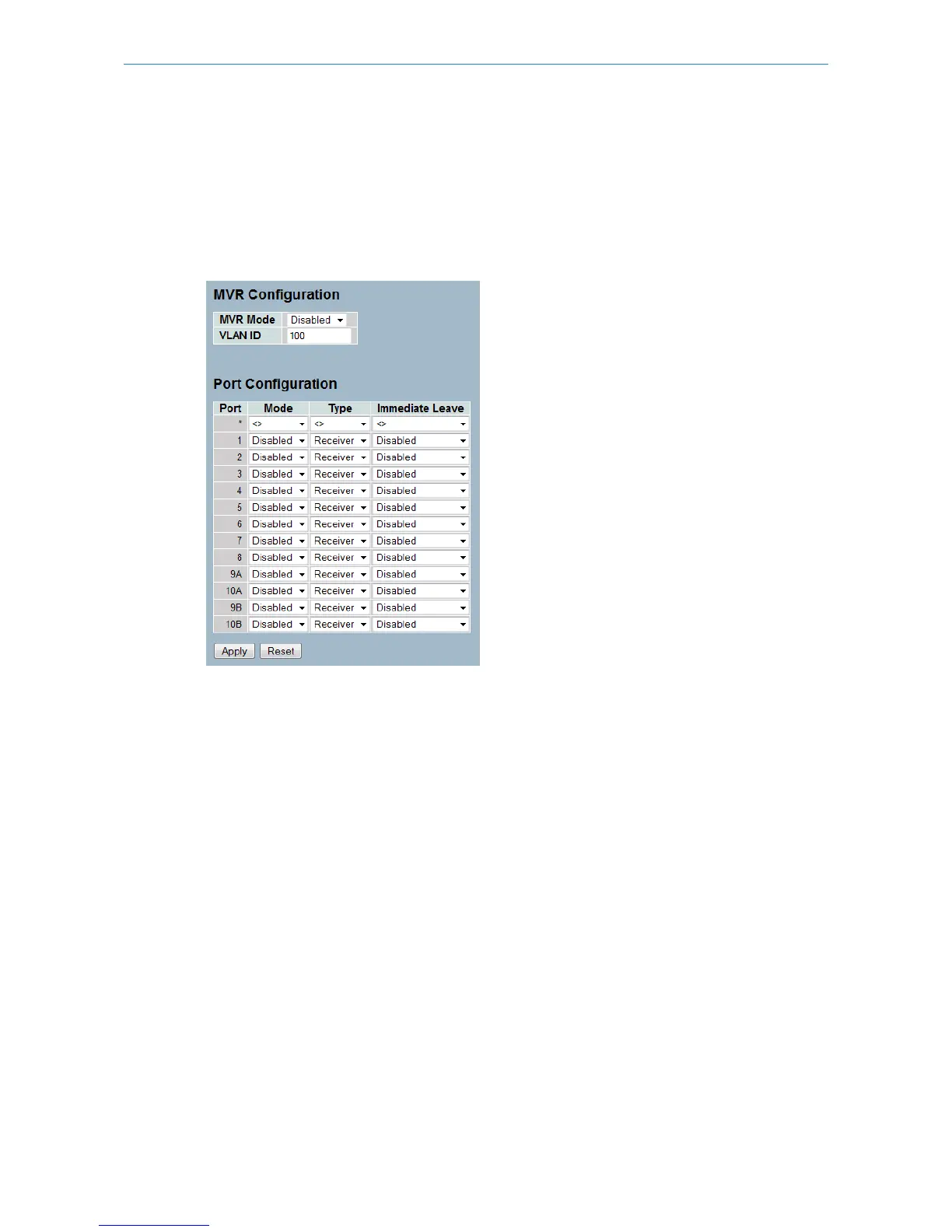
1. Click Configuration, MVR, Configuration
2. Enable or disable MVR by selecting the mode.
3. Set the other parameters.
4. Click Apply to save the setting
5. If you want to cancel the setting then you need to click the Reset button. It will revert to previously saved values
Figure 3-7.1: The MVR Configuration (GS-2310P)
Parameter description:
MVR Mode:
Enable/Disable the Global MVR.
VLAN ID:
Specify the Multicast VLAN ID.
Mode:
Enable MVR on the port.
Type:
Specify the MVR port type on the port.
Immediate Leave:
Enable the fast leave on the port.
Buttons:
Save – Click to save changes.
Reset – Click to undo any changes made locally and revert to previously saved values.
59
LANCOM GS-2310P/GS-2326(P) User Manual
3 Configuration



 To Next Page